Task 01 - Delete resource group to remove the exercise environment
Introduction
Once you have completed this workshop, delete the Azure resources you created. You are charged for the configured capacity, not how much the resources are used. Follow these instructions to delete your resource group and all resources you created for this lab.
Description
In this task, you will remove all Azure resources used in this lab.
The key tasks are as follows:
- Delete all Azure Resource Groups used in this lab.
Success Criteria
- All Resource Groups have been removed.
Step-by-Step Instructions
-
Navigate to the resource group you created for this lab in the Azure portal.
-
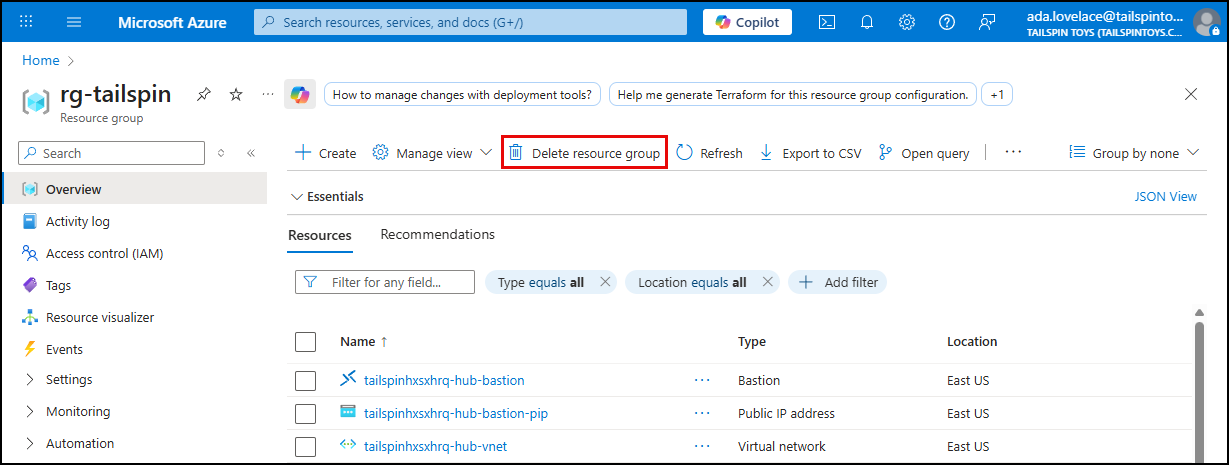
Select Delete resource group on the toolbar of the resource group.
-
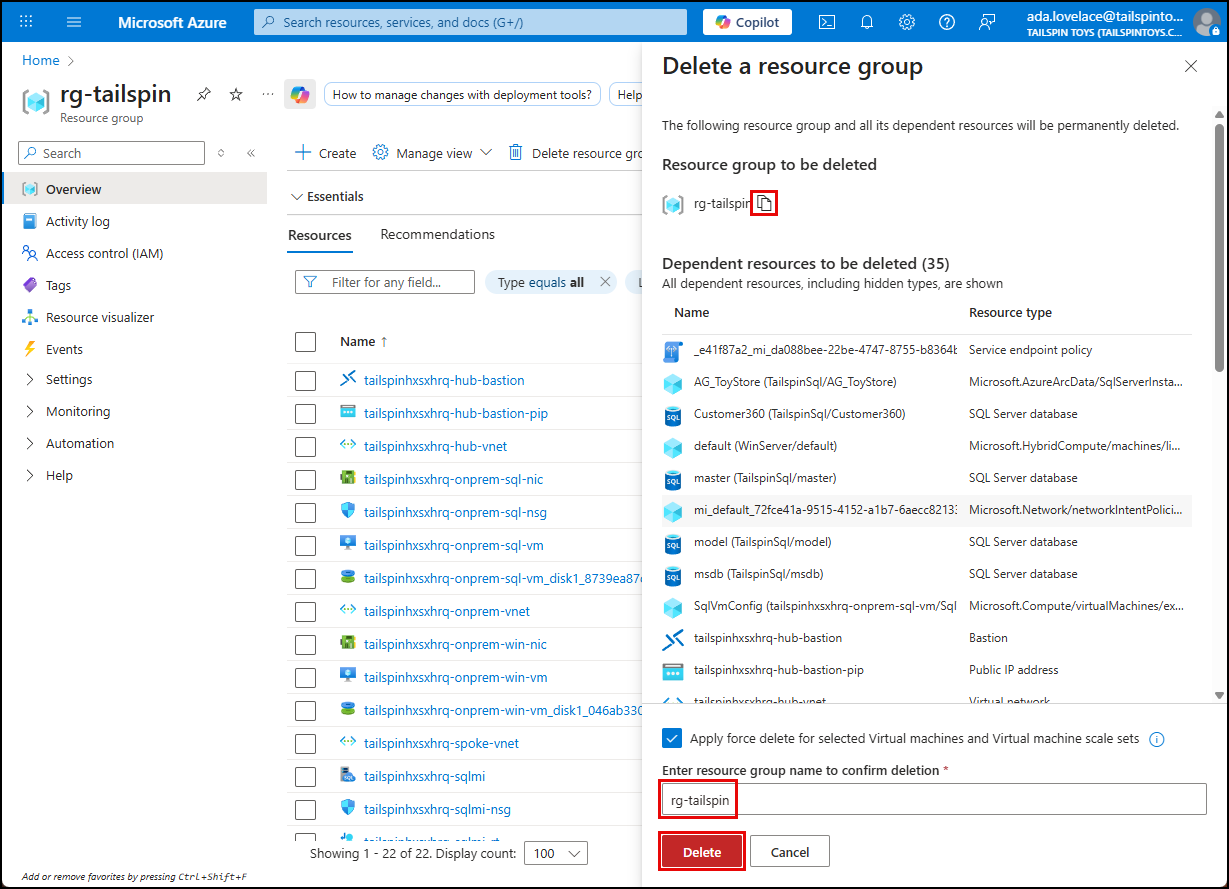
Enter the name of the Resource group in the Delete a resource group panel and select Delete.
-
Select Delete in the confirmation dialog.
NOTE: Don’t worry if the resources don’t get immediately removed. Sometimes resources take a longer time to delete. Keep monitoring the process to make sure the Resource Group is fully deleted.
-
Disable Microsoft Defender for Servers (Arc), Storage and SQL as leaving this running can incur into added costs on your Azure Subscription.