Task 01 - Review Microsoft Defender
Introduction
Tailspin Toys is migrating their on-premises SQL Server database to Azure SQL Managed Instance. In this task, you will review some security information in Microsoft Defender, security alerts, and recommendations.
Description
In this task, you will review some security information in Microsoft Defender, security alerts, and recommendations.
The key tasks are as follows:
- Verify Azure SQL Managed Instance is running.
- Enable Microsoft Defender for Cloud.
- Review the security alerts in Microsoft Defender.
- Review Microsoft Defender Recommendations
Success Criteria
- Successfully reviewed Defender alerts, and recommendations.
Step-by-Step Instructions
-
Open the Azure portal and navigate to the resource group where you have the Azure SQL MI instance for your lab deployed.
-
Select your SQL managed instance resource.
-
On the SQL managed instance blade, expand Security in the left navigation menu select Microsoft Defender for Cloud.
-
In the Microsoft Defender for SQL page, select Enable to enable Microsoft Defender for SQL for your SQL MI instance.
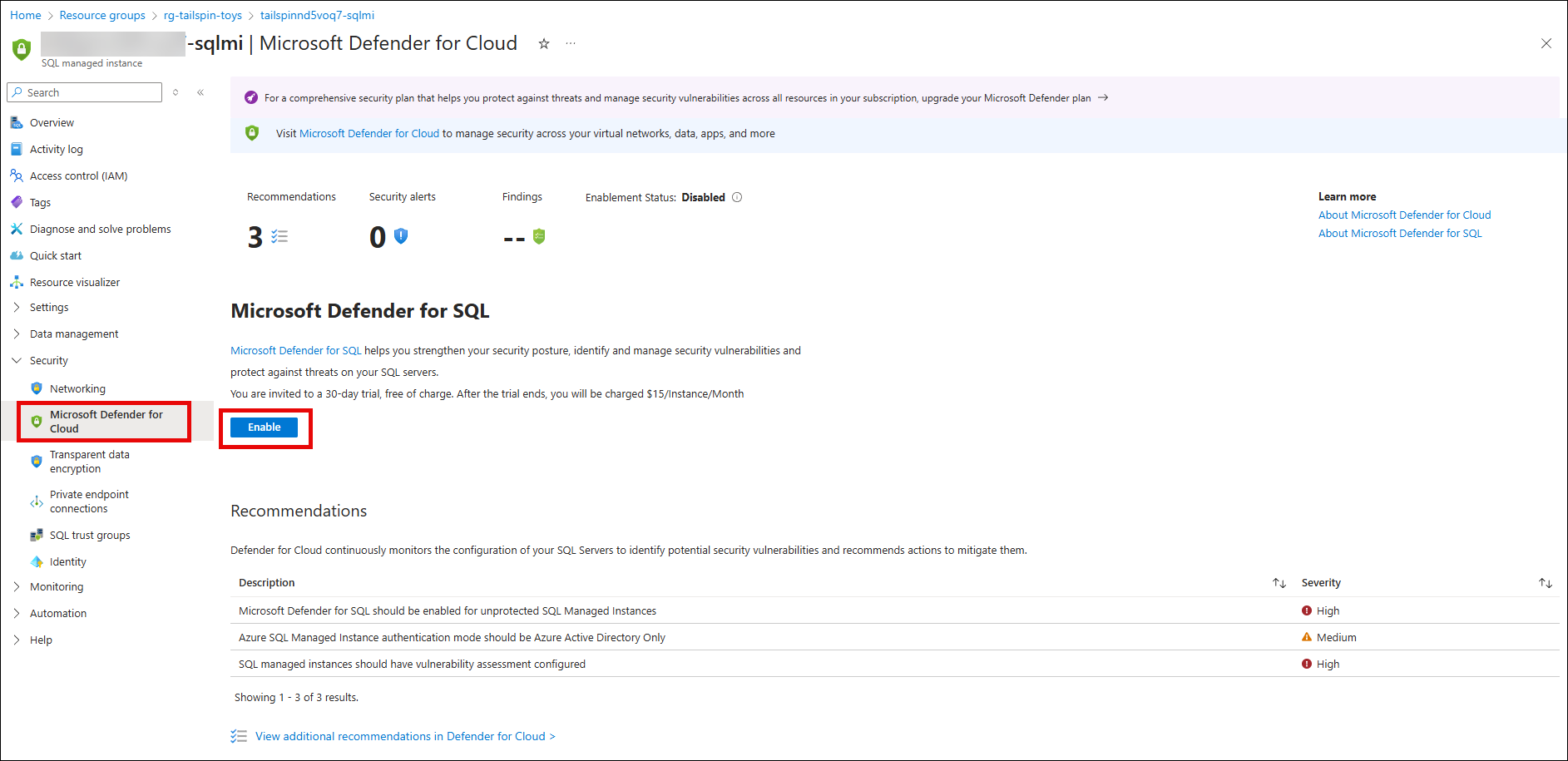
NOTE: Selecting the Microsoft Defender for Cloud option on the left menu of the SQL MI resource blade may take you to the Microsoft Defender for Cloud page. To get back to the Microsoft Defender for SQL specific to your SQL MI instance, select the
tailspin<uniqueid>-sqlmi|Microsoft Defender for Cloudbreadcrumb at the top of the page. From there, you can select Enable to enable Microsoft Defender for SQL for that SQL MI instance. -
After a couple of minutes, the enabling of the Microsoft Defender for SQL will complete successfully. Notice the 3 sections for
Recommendations,Security incidents and alertsandVulerability assessment finding. This is where you can view the content to investigate further any alerts, incidents or vulnerability assessments for your SQL MI instance.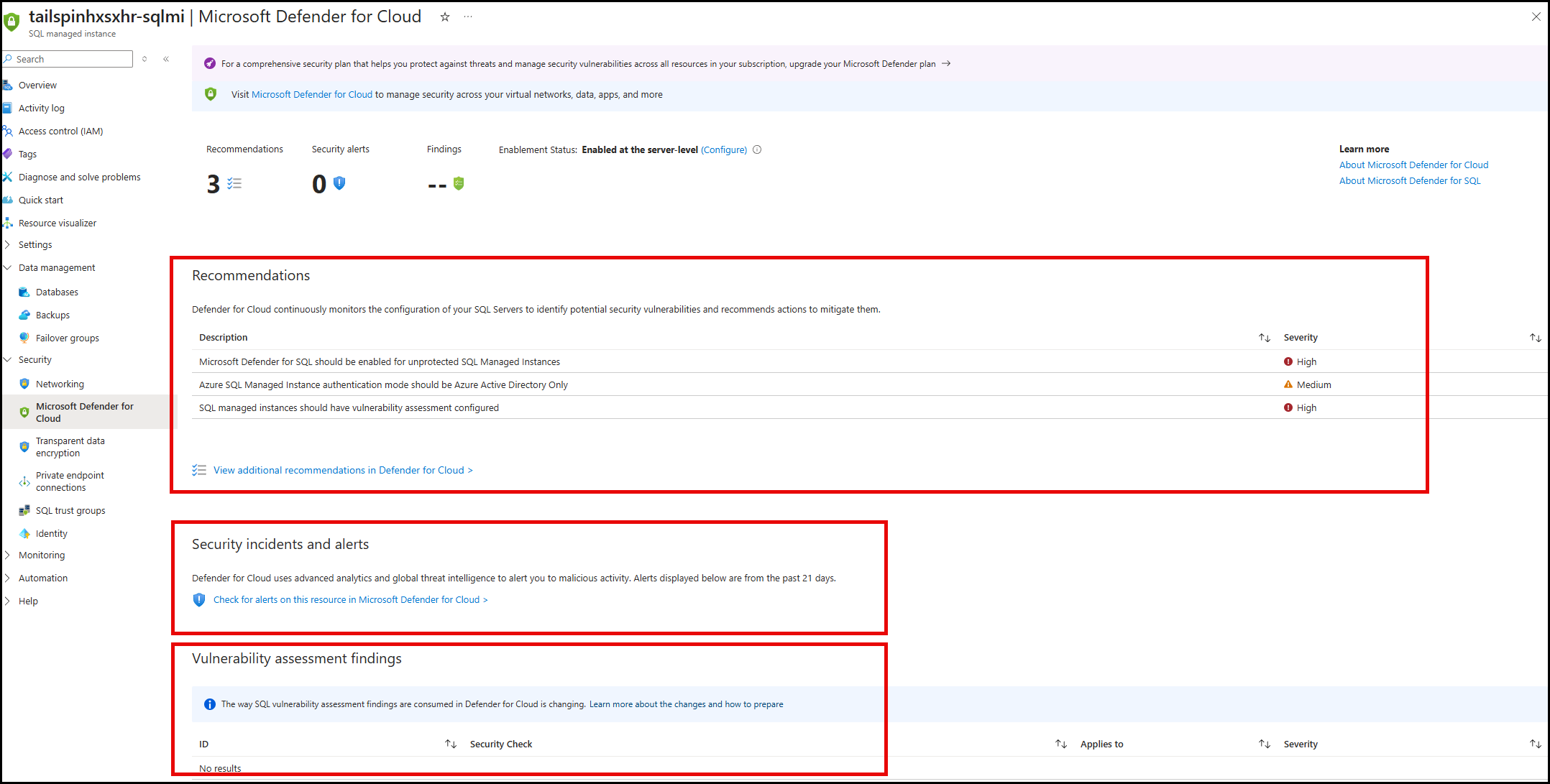
-
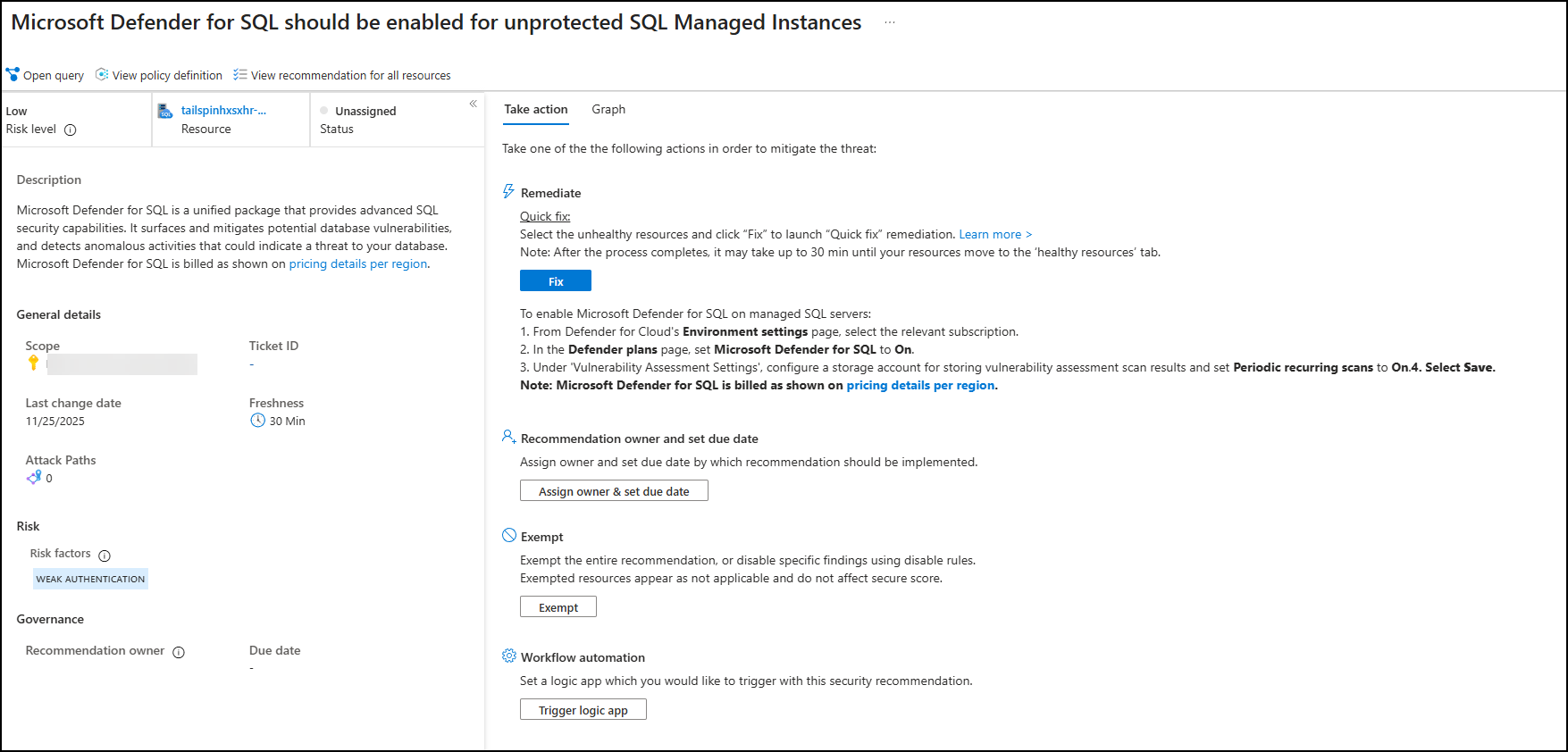
One of the recommendations will display
Microsoft Defender for SQL should be enabled for unprotected SQL Managed Instancesand it will be of severityHIGH. Select that recommendation to view its content.