Task 03 - Pushing the Container Image to Azure Container Registry
Introduction
In this task, you will tag and deploy your container image to Azure Container Registry
Description
In this task, you will:
- Run a CLI command to create the ACR resource in your Azure Resource Group
- Tag and Push the container image to ACR
Success Criteria
- Successfully create a new ACR resource in your Resource Group
- Successfully Tag and Push the container image to your ACR resource in Azure.
Step-by-Step Instructions
-
From the command terminal, make sure you are logged in to your Azure account using the Azure CLI. If you are not logged in, use the following command to log in:
az loginIf necessary, select the appropriate subscription using the following command from the list of subscriptions shown in the output of the previous command.
-
To provide an Azure Container Registry (ACR) resource to hosting your image in Azure, use the following command to create an ACR resource. Make sure to replace the
[YOUR_GLOBALLY_UNIQUE_ACR_NAME]token with your own globally unique value, such astailspinacr24601, before running the command.az acr create \ --resource-group rg-tailspin \ --name [YOUR_GLOBALLY_UNIQUE_ACR_NAME] \ --sku BasicIMPORTANT: The above command assumes you are using the
rg-tailspinresource group you created in Exercise 0. If you used a different name, please replace it in the az command above. -
Login to the ACR resource from your terminal, ensuring you replace the
[YOUR_GLOBALLY_UNIQUE_ACR_NAME]token with your own globally unique value for the ACR resource.az acr login --name [YOUR_GLOBALLY_UNIQUE_ACR_NAME] -
Tag the container image by running the following command, ensuring you replace the
[YOUR_GLOBALLY_UNIQUE_ACR_NAME]token with your own globally unique value for the ACR resource.docker tag aks-demo:1.0 [YOUR_GLOBALLY_UNIQUE_ACR_NAME].azurecr.io/aks-demo:1.0You can retrieve the
Login ServerURI from the portal in the ACR resource underSettings|Access Keys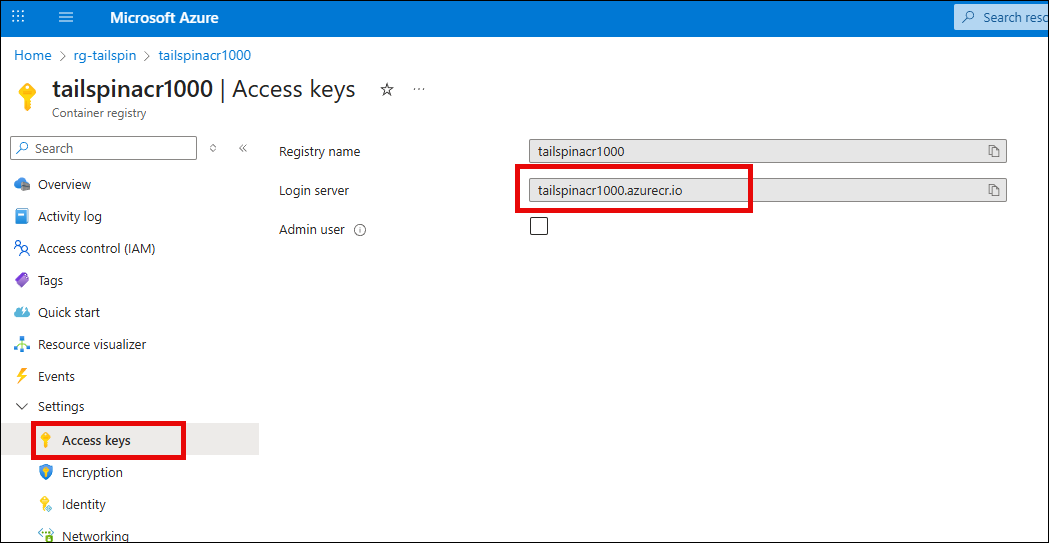
-
Push the container image to ACR by running the following command, ensuring you replace the
[YOUR_GLOBALLY_UNIQUE_ACR_NAME]token with your own globally unique value for the ACR resource.docker push [YOUR_GLOBALLY_UNIQUE_ACR_NAME].azurecr.io/aks-demo:1.0 -
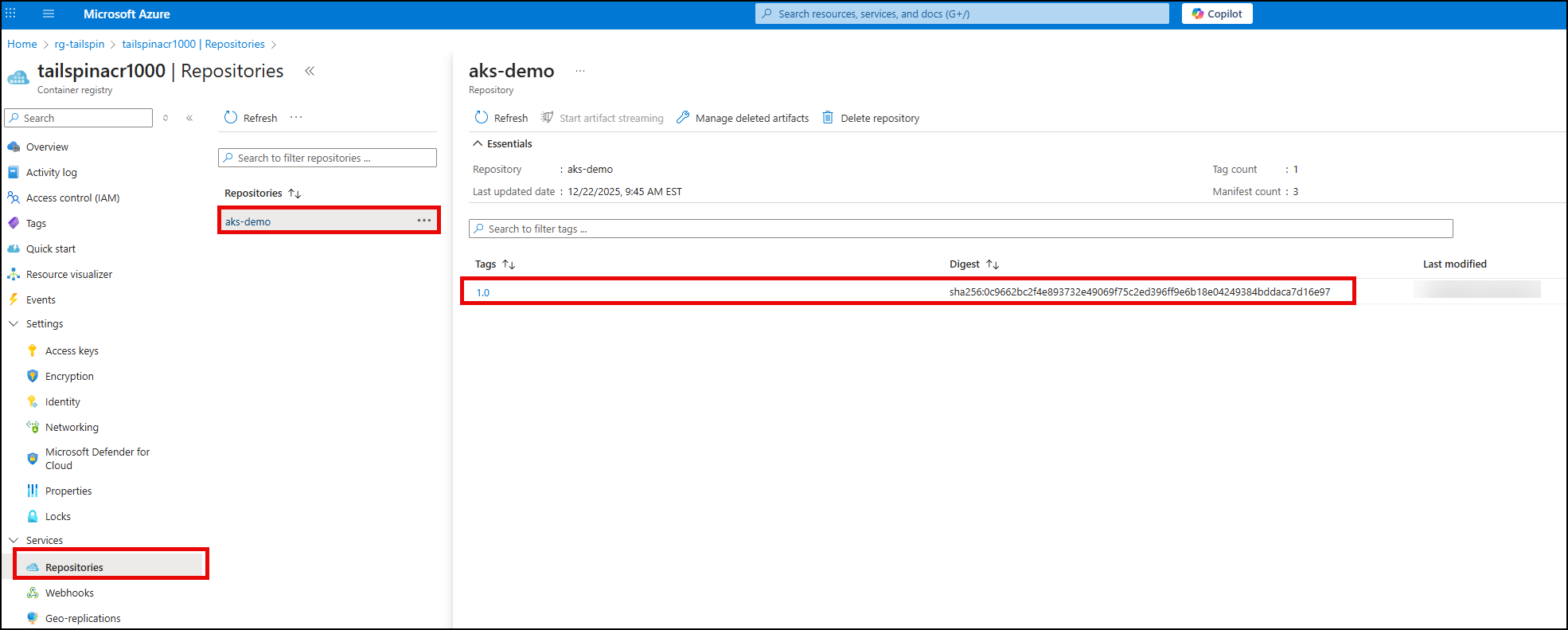
After a minute, you can verify the deployment of the container image to ACR by selecting the
Repositoriesitem underServicesin the left navigation menu in the Azure Portal for the ACR resource. You should see theaks-demorepository with the1.0tag for the image you just pushed.