Task 03: Enable Data Lake integration
Introduction
Activate the Sentinel Data Lake feature to persist Defender XDR telemetry beyond the analytics tier and enable long-term data storage.
Description
You’ll use the setup wizard in the Defender portal to provision a Data Lake and link it to the existing Sentinel workspace.
Success criteria
-
Data Lake integration is successfully configured for law-sentinel-xdr-lab.
-
Provisioning status in the Defender portal shows Active.
Key steps:
-
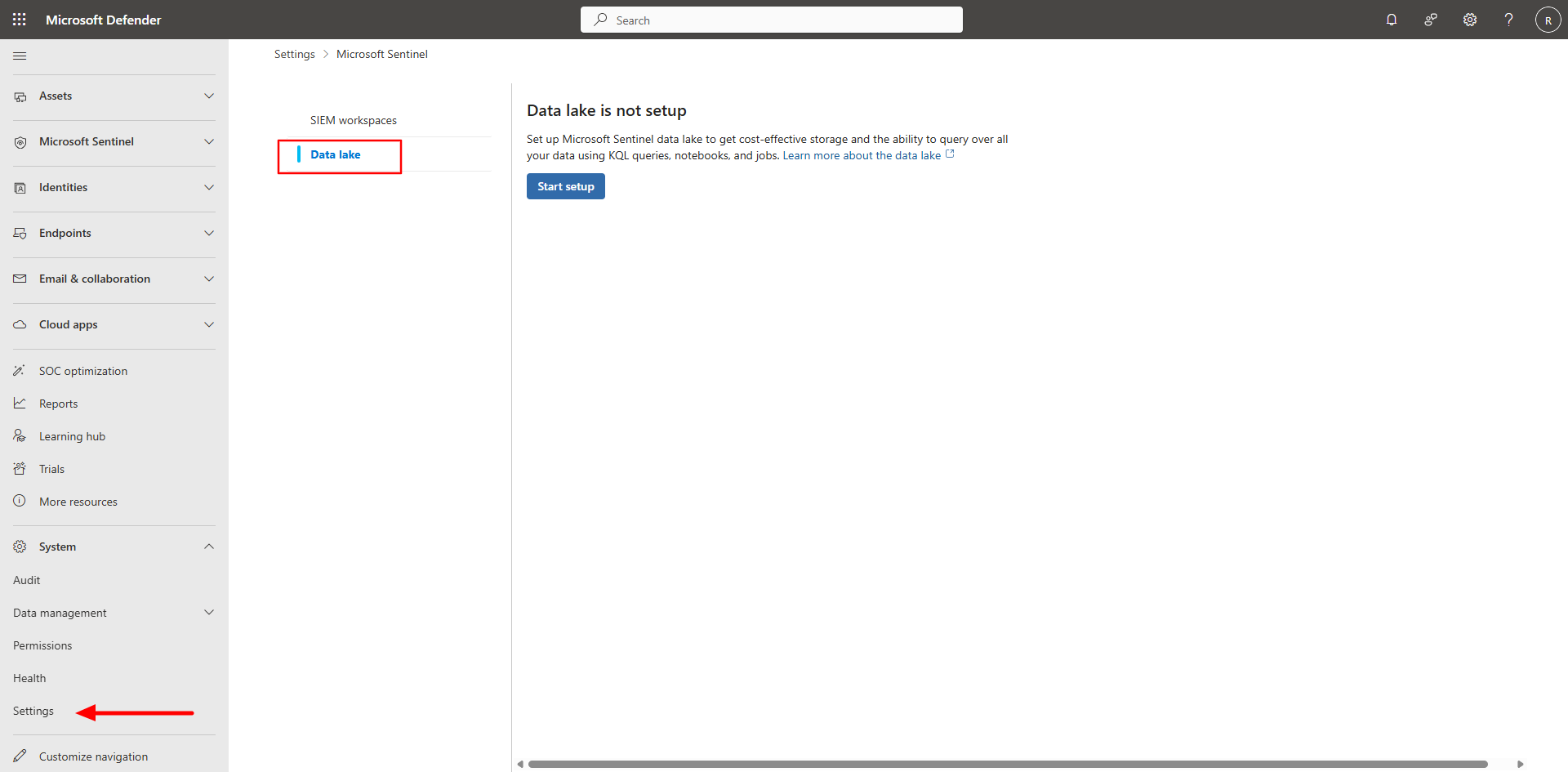
In the Defender portal, on the left menu, select System > Settings.
-
Select Microsoft Sentinel and then on the Microsoft Sentinel menu, select Data Lake.
-
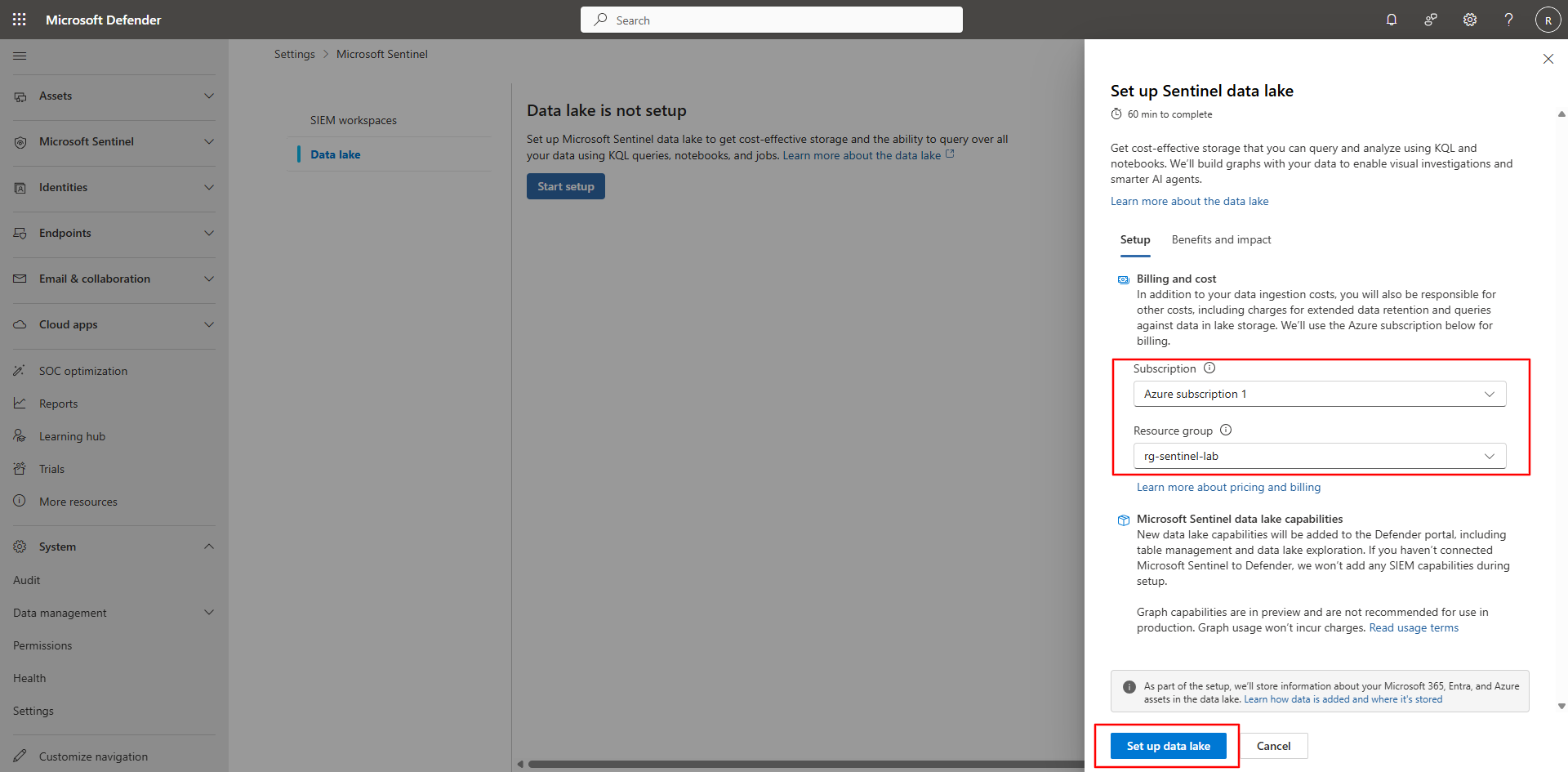
Select Start setup or Set up Data Lake to launch the wizard.
-
Select your Azure subscription and resource group, then choose Set up Data Lake to begin provisioning.
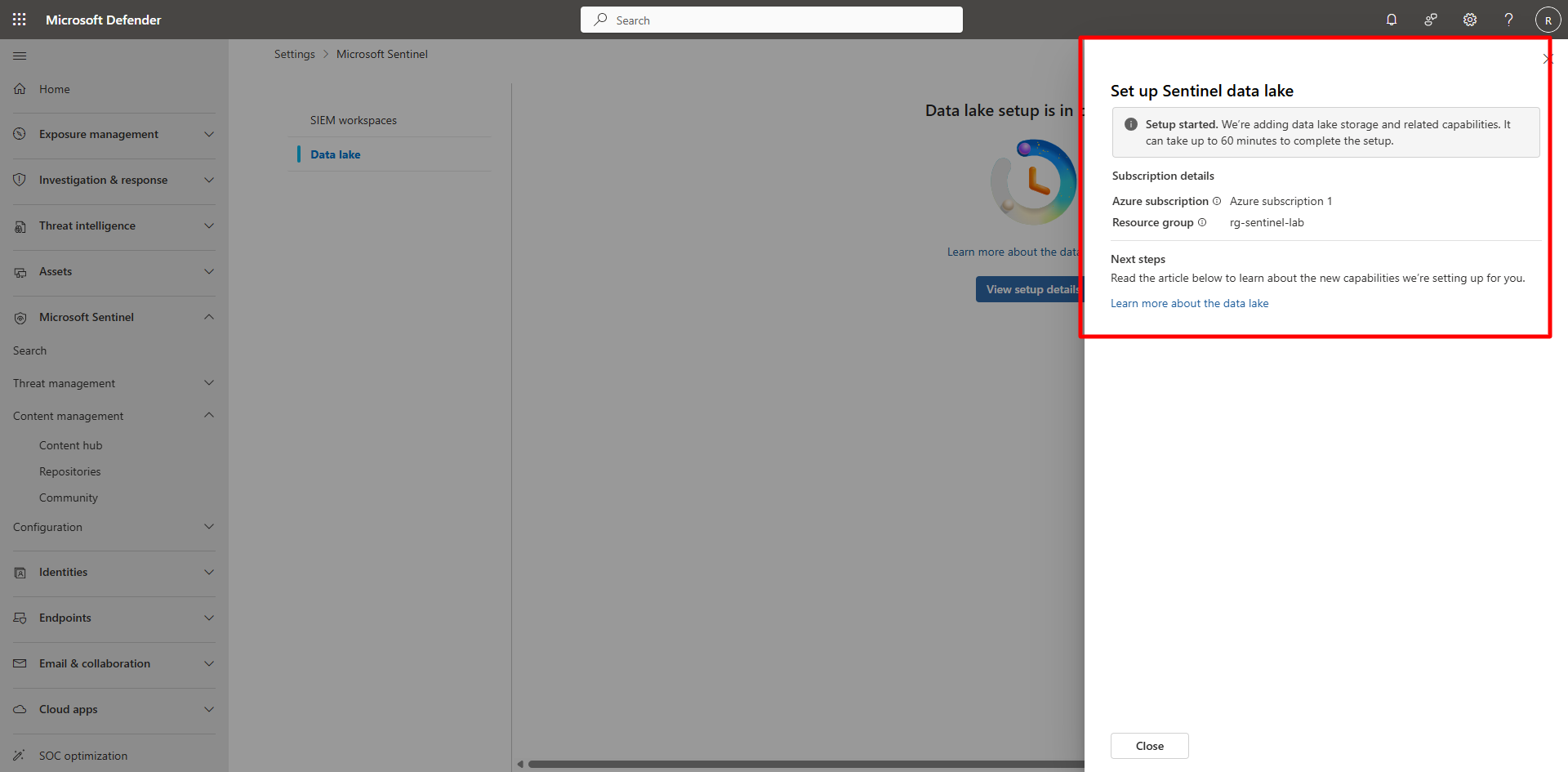
Provisioning may take 40–90 minutes. You can continue with other tasks while setup completes in the background.