Task 03: Analyze EICAR nciidents using Advanced Hunting
Introduction
Advanced Hunting enables deep correlation of Defender XDR alerts and Sentinel telemetry using KQL. You’ll run a custom query to analyze multiple related EICAR alerts.
Description
You’ll use Advanced Hunting to identify patterns in Defender alerts generated from the simulated EICAR malware test and validate relationships by entity and time.
Success criteria
- The query runs successfully and returns related alerts.
- Correlated incidents for the same VM are displayed with time gaps under three hours.
### Key steps:
-
Open Advanced Hunting and run the correlation query.
Expand here for detailed steps
- In the Defender portal, go to Investigation & Response > Hunting > Advanced hunting.
- Confirm your workspace context matches your Sentinel workspace (for example,
law-sentinel-xdr-lab). -
Select + New query and run the following:
 // Detect multiple alerts on win-vm-01 (EICAR incidents)
 SecurityAlert
 | where TimeGenerated > ago(7d)
 | where AlertSeverity in ("High", "Medium", "Informational")  // EICAR alerts appear as Informational
 | where CompromisedEntity != ""  // Field for the impacted resource
 | project TimeGenerated,
           DisplayName,
           CompromisedEntity,
           AlertSeverity,
           ProductName,
           SystemAlertId,
           Status,
           VendorOriginalId,
           ProviderName
 | order by CompromisedEntity asc, TimeGenerated asc
 | extend PrevEntity = prev(CompromisedEntity, 1)
 | extend PrevTime = prev(TimeGenerated, 1)
 | where CompromisedEntity == PrevEntity
 | extend TimeGapMinutes = datetime_diff('minute', TimeGenerated, PrevTime)
 | where TimeGapMinutes <= 180
 | project CompromisedEntity,
           DisplayName,
           AlertSeverity,
           TimeGenerated,
           TimeGapMinutes,
           ProductName,
           Status,
           SystemAlertId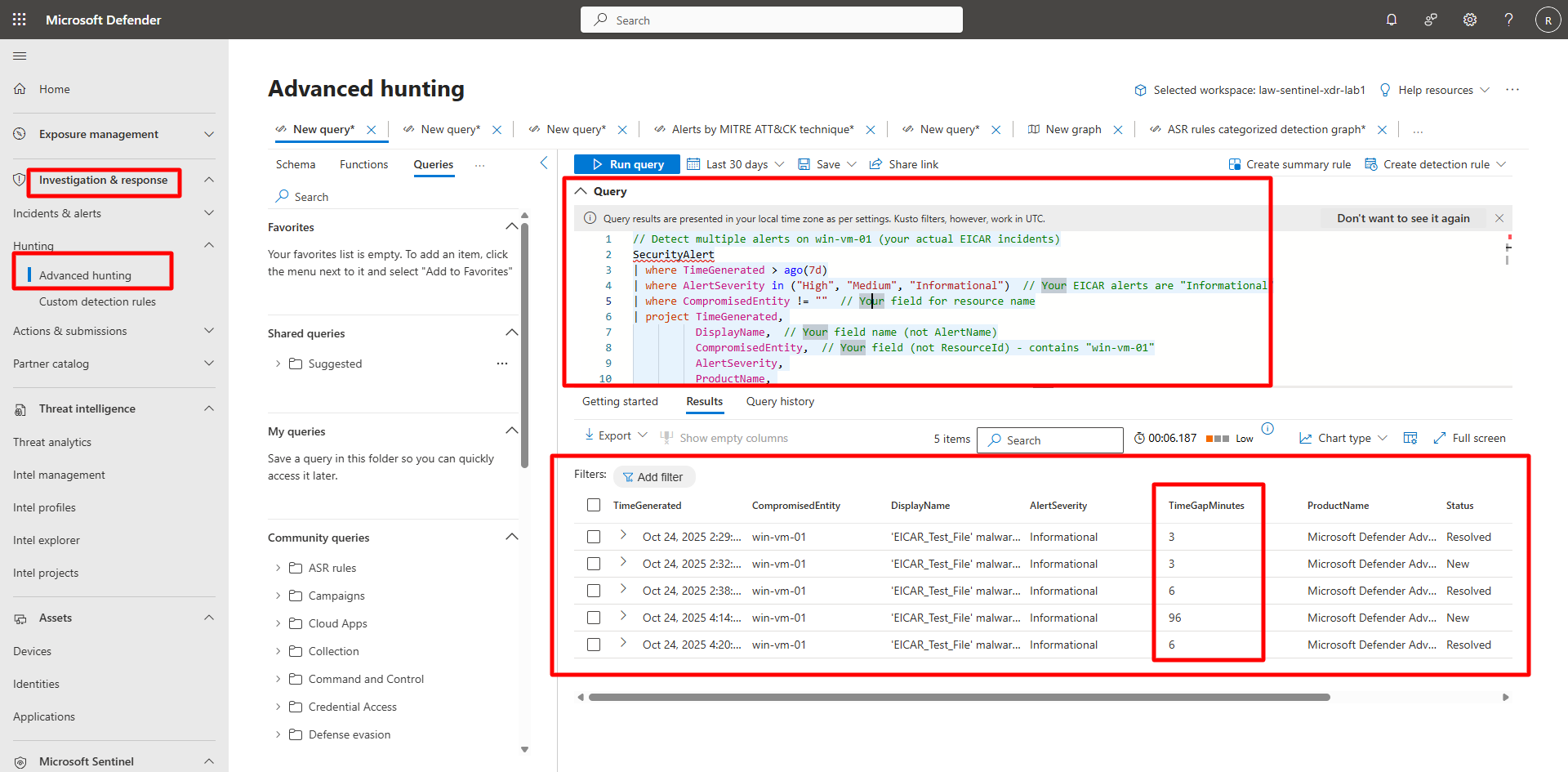
In the results, verify that multiple alerts reference the same CompromisedEntity and appear within three hours of each other.