Task 03: Monitor job execution
Introduction
Monitoring job status helps ensure scheduled analytics complete successfully and data stays current.
Description
You’ll verify job status, view run history, and confirm completion details.
Success criteria
- Job status = Enabled
- Last run status = Succeeded
- History shows start and end times
Key steps:
-
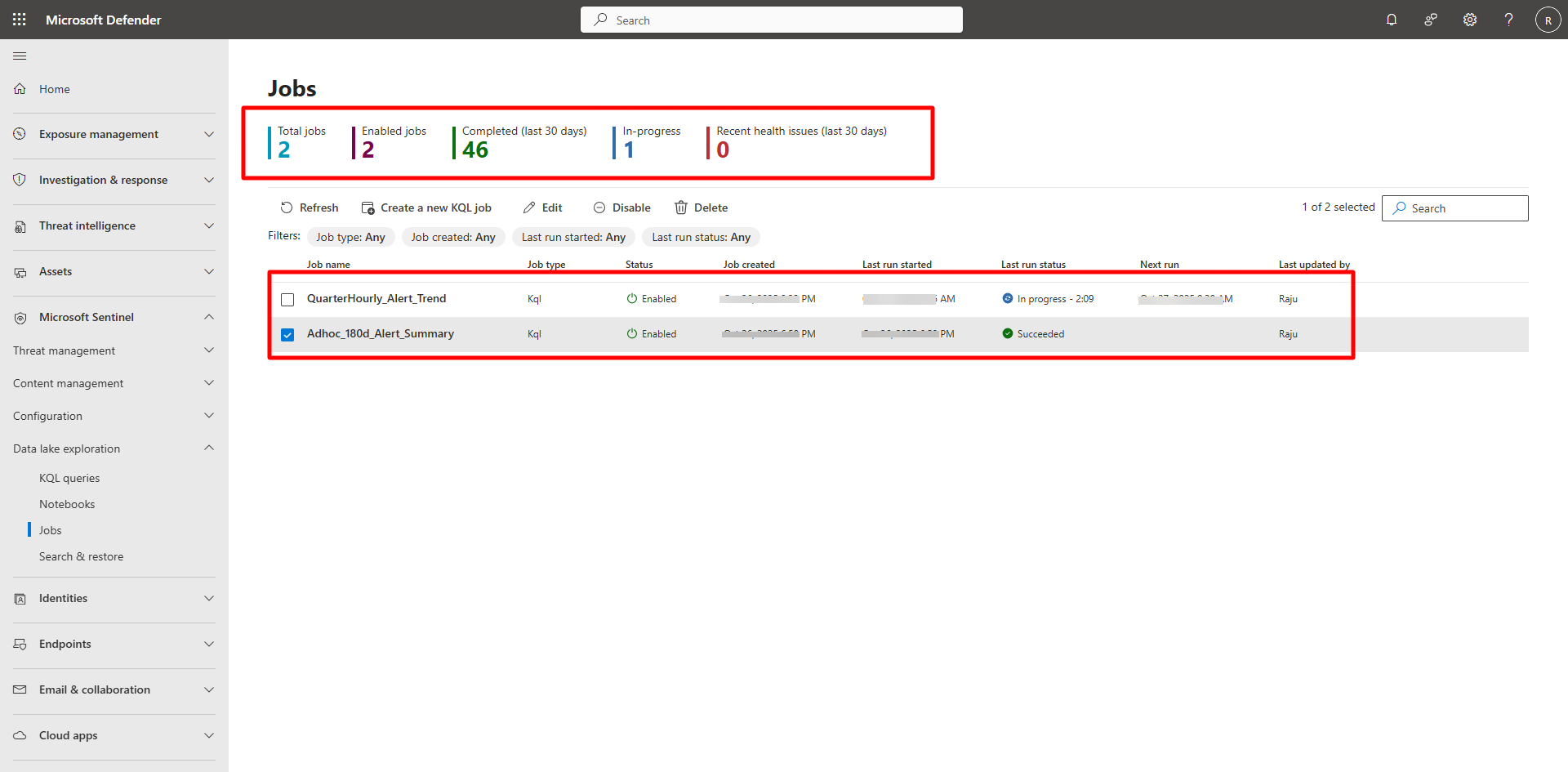
In the Defender portal, go to Microsoft Sentinel > Data Lake exploration > Jobs.
-
Confirm:
- Status: Enabled
- Last run status: Succeeded
-
Select the job and then select View history to verify start/end time and duration.
Additional references