Task 01: Create a one-off KQL job (ad-hoc large query)
Introduction
A one-off KQL job lets you run high-volume queries once and persist their results so analysts can reuse data without rescanning the Data Lake.
Description
You’ll create a new KQL job in Microsoft Sentinel, define its query, and verify the generated results table.
Success criteria
- A one-off KQL job named
Adhoc_180d_Alert_Summaryis created. - The job completes successfully with status Succeeded.
- Output table
AlertSummary_Weekly_KQL_CLis queryable in Sentinel.
Key steps:
-
In the Defender portal, go to Microsoft Sentinel > Data Lake exploration > KQL queries.
-
In the upper right of the query, select Create Job.
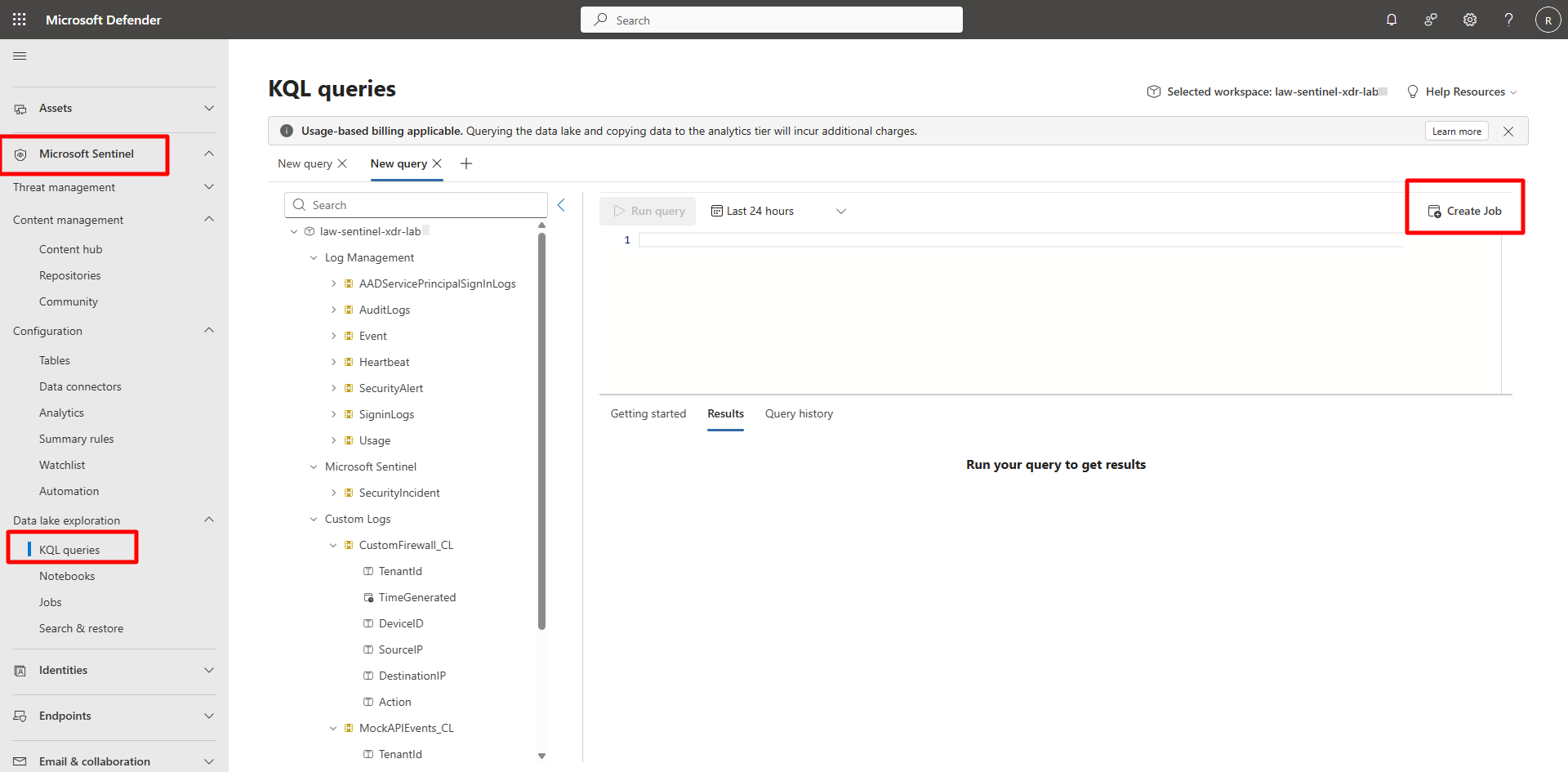
The Create a new KQL job wizard opens.
-
Create a new job using the following details:
Expand here for detailed steps
-
On the Name & details page, enter the following and select Next:
Item Value Job name: Adhoc_180d_Alert_SummaryDescription: 180-day rollup by week and severityDestination workspace: law-sentinel-xdr-lab New table name: AlertSummary_Weekly_KQL_CL -
On the Query page, define and validate the query by entering the following and select Next:
 SecurityAlert
 | where TimeGenerated > ago(180d)
 | extend Sev = tostring(column_ifexists("Severity", "Unknown"))
 | summarize Alerts = count() by bin(TimeGenerated, 7d), Sev
 | order by TimeGenerated desc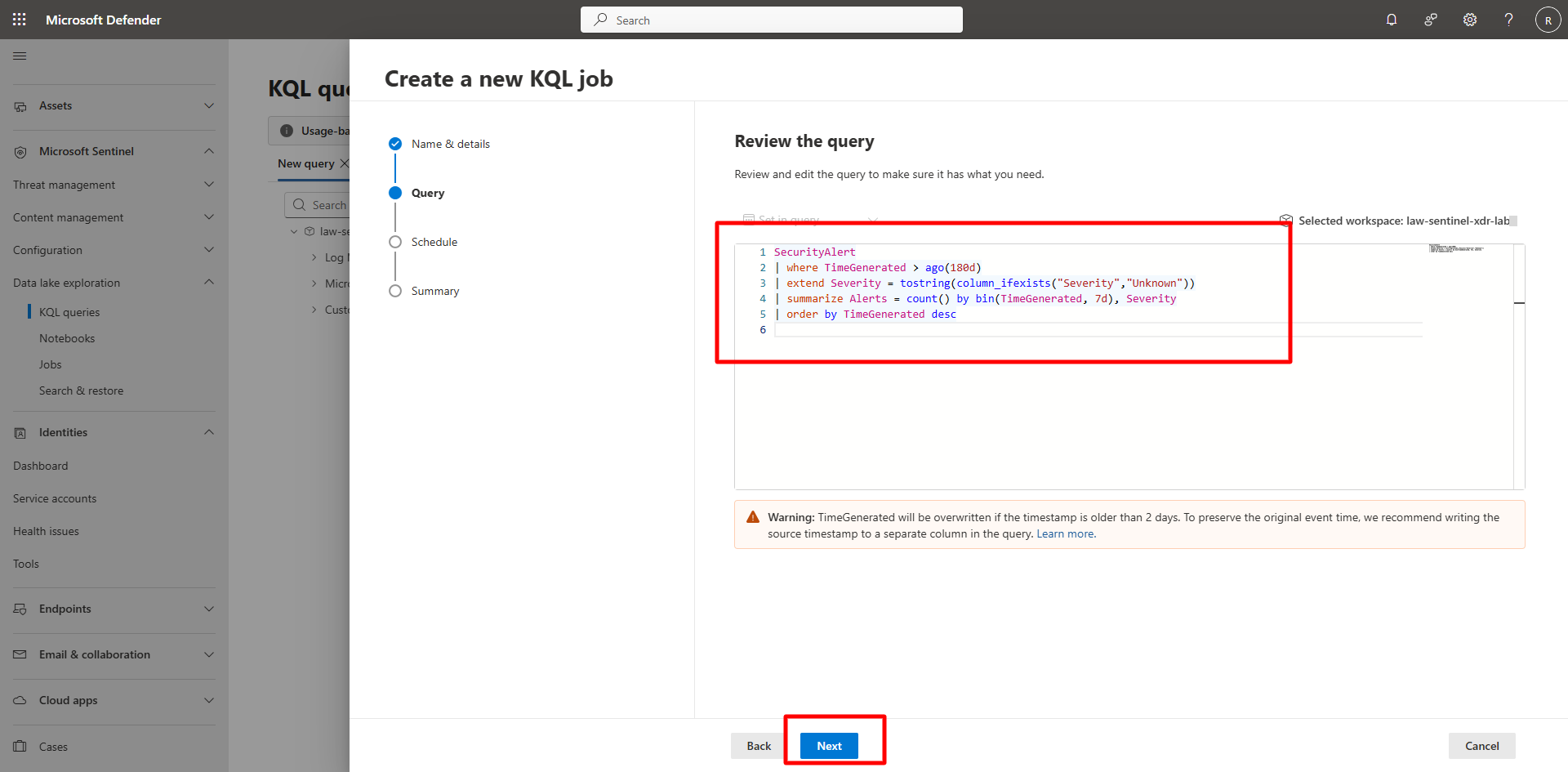
-
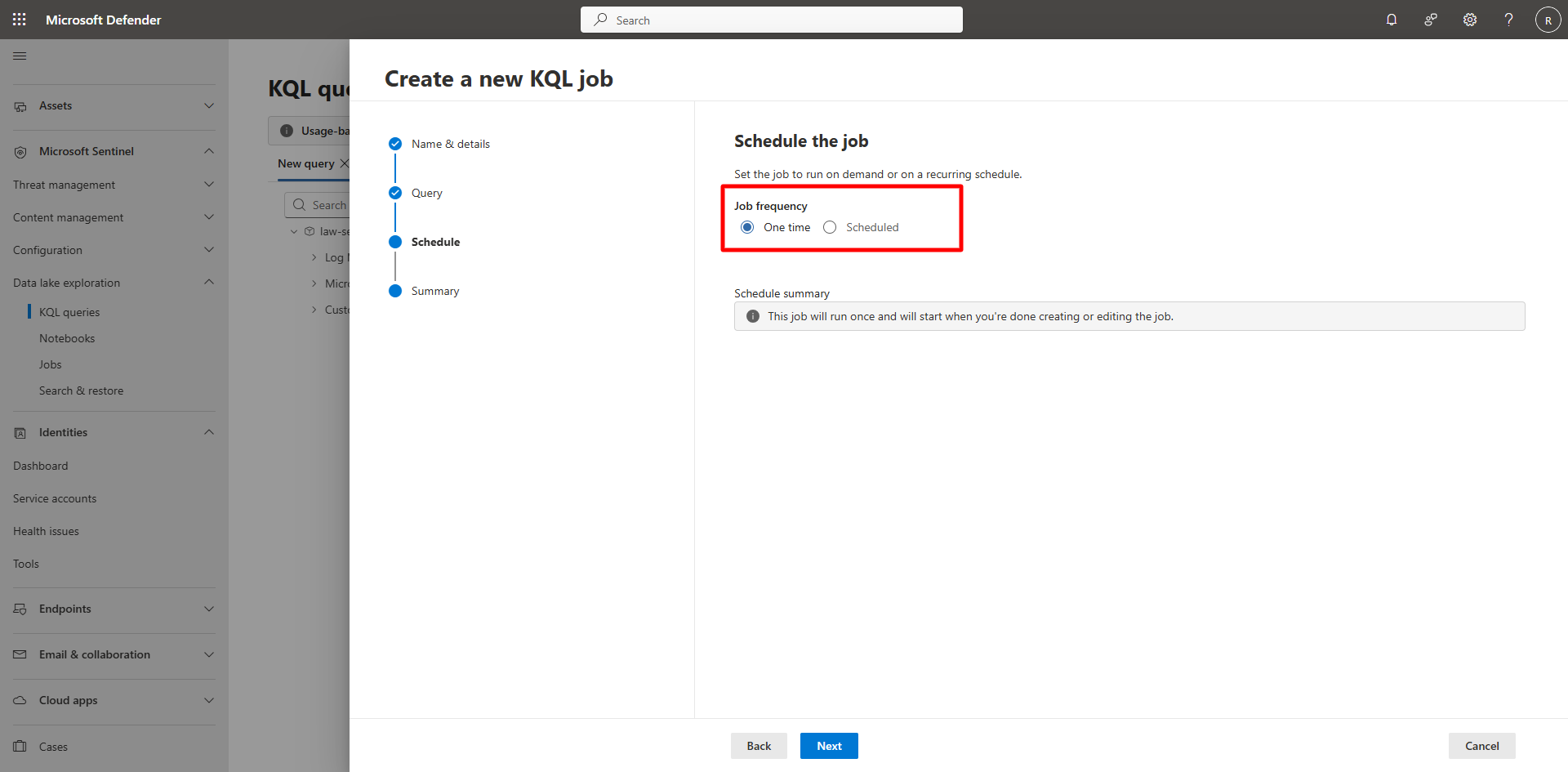
On the Schedule page, configure schedule and limits.
- Set Job frequency to One time.
-
Review the schedule summary.
{: .note }The schedule summary confirms: This job will run once and start after creation.
No additional options are required for one-off jobs.
-
Select Next.
-
Review the details and select Submit.
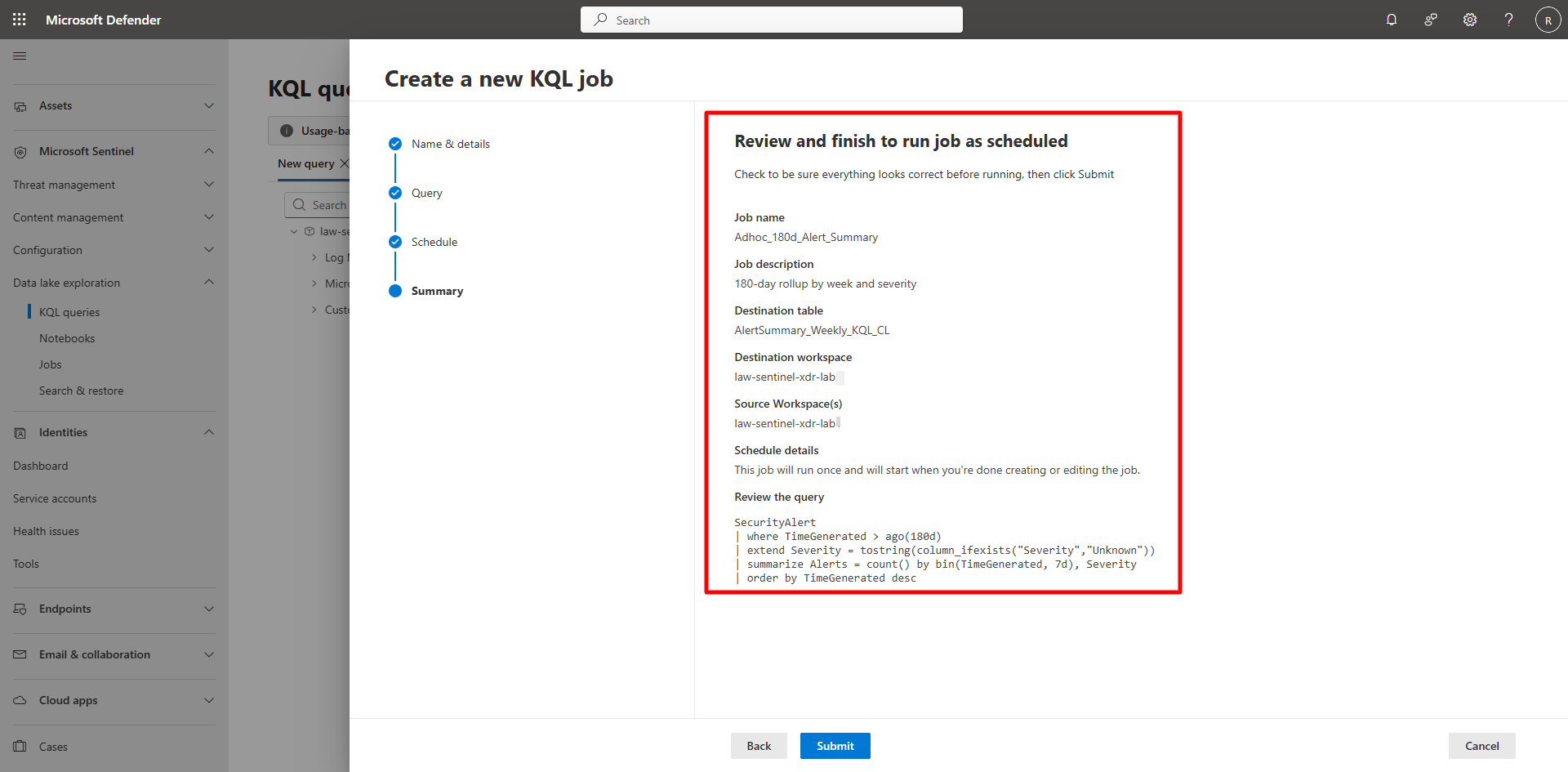
-
-
Verify job completion.
Expand here for detailed steps
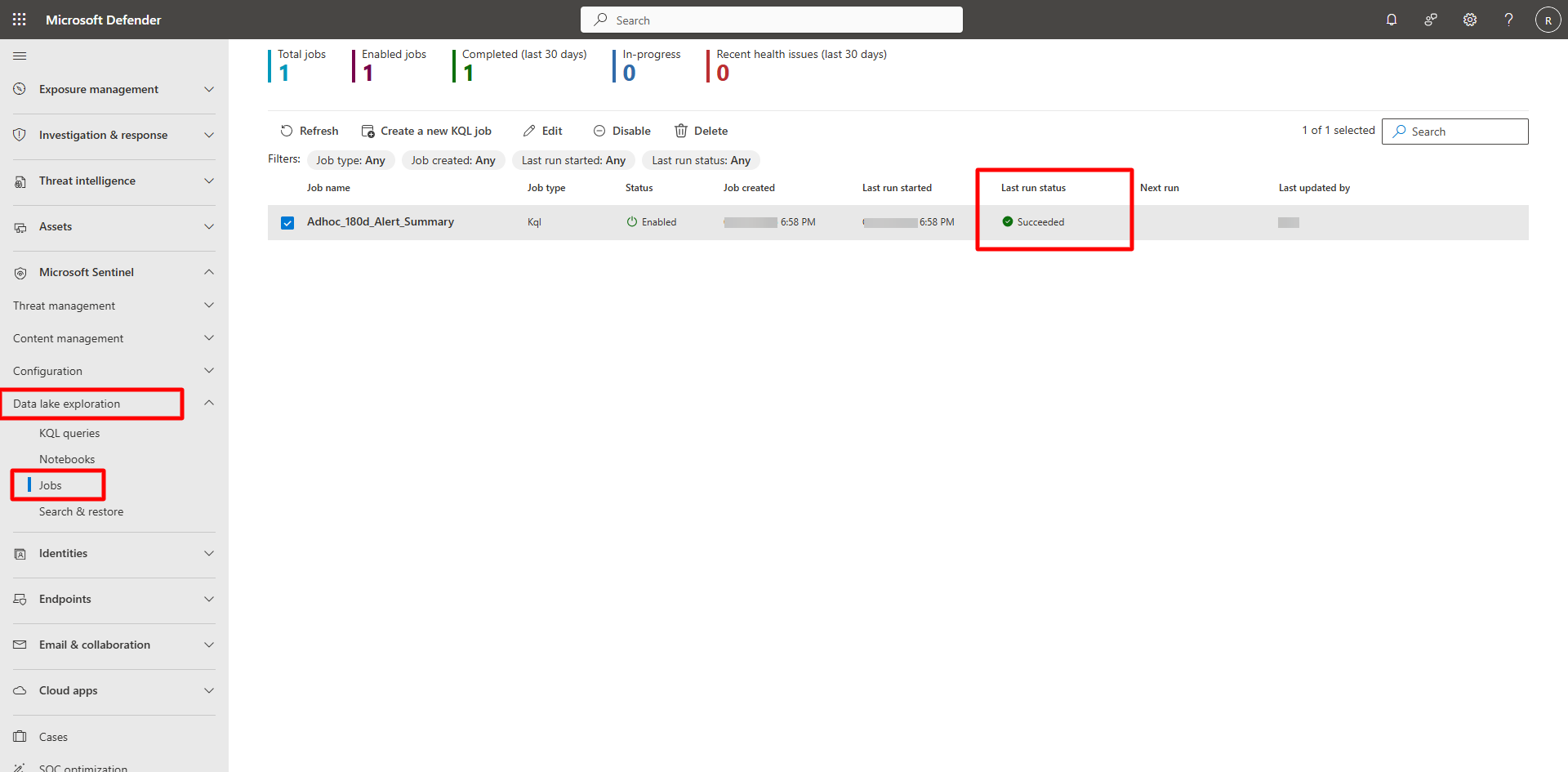
- In the Defender portal, go to Microsoft Sentinel > Data Lake exploration > Jobs.
- Review metrics such as Total jobs, Enabled jobs, Completed (last 30 days), In-progress, and Recent health issues.
-
Verify your job, Adhoc_180d_Alert_Summary, status shows Succeeded.
-
Review job details.
Expand here for detailed steps
-
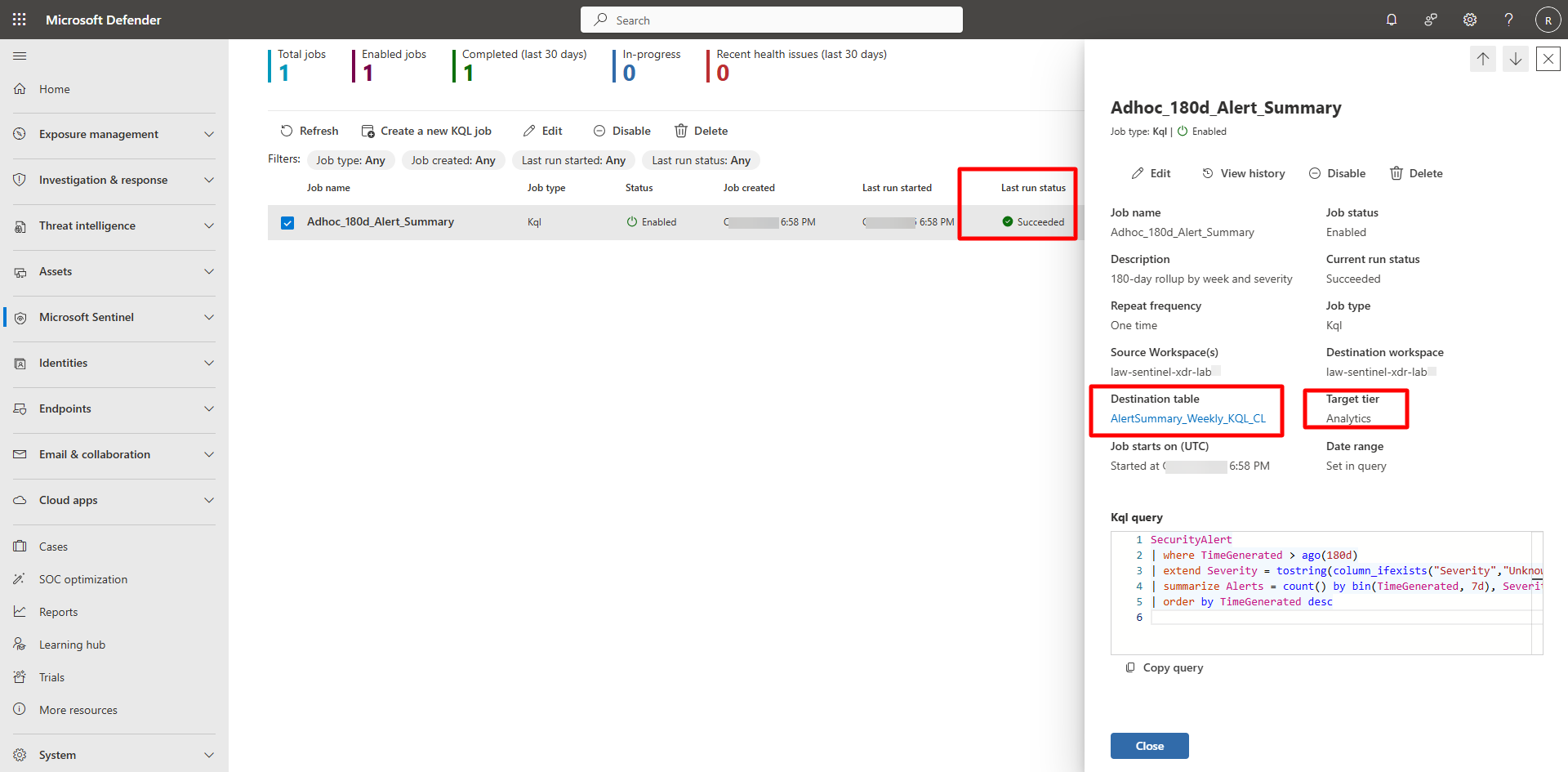
Select the job to open its details pane.
-
Verify these fields:
- Job name:
Adhoc_180d_Alert_Summary - Description:
180-day rollup by week and severity - Repeat frequency:
One time - Destination table:
AlertSummary_Weekly_KQL_CL - Workspace:
law-sentinel-xdr-lab1 - Current run status:
Succeeded - Target tier:
Analytics - Kql query:
Confirm the KQL query is visible for review
- Job name:
-
-
Explore the job output.
Expand here for detailed steps
-
In the Defender portal, go to Microsoft Sentinel > Data Lake exploration > KQL queries.
-
Run the following query:
 AlertSummary_Weekly_KQL_CL
 | top 20 by TimeGenerated desc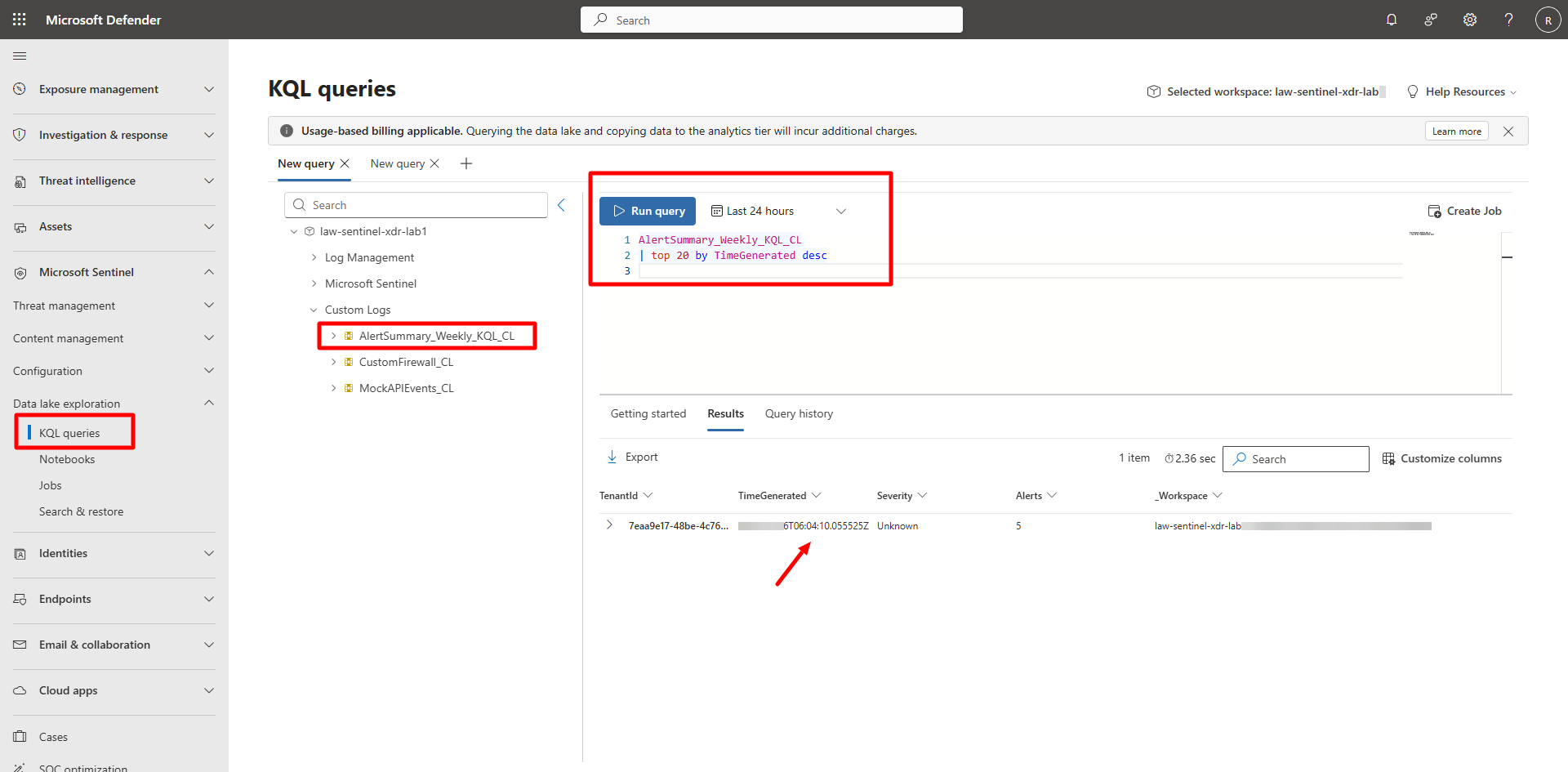
-