Task 04: Hunt with built-in queries and MITRE ATT&CK
Introduction
Microsoft Defender XDR integrates hunting queries with the MITRE ATT&CK matrix, mapping telemetry and detections to tactics and techniques.
Description
You’ll access the MITRE ATT&CK matrix, explore mapped techniques, and execute prebuilt hunting queries.
Success criteria
- The MITRE ATT&CK matrix loads successfully.
- You identify a lateral movement technique.
- A built-in hunting query executes successfully.
Key steps:
-
Access the MITRE ATT&CK view.
Expand here for detailed steps
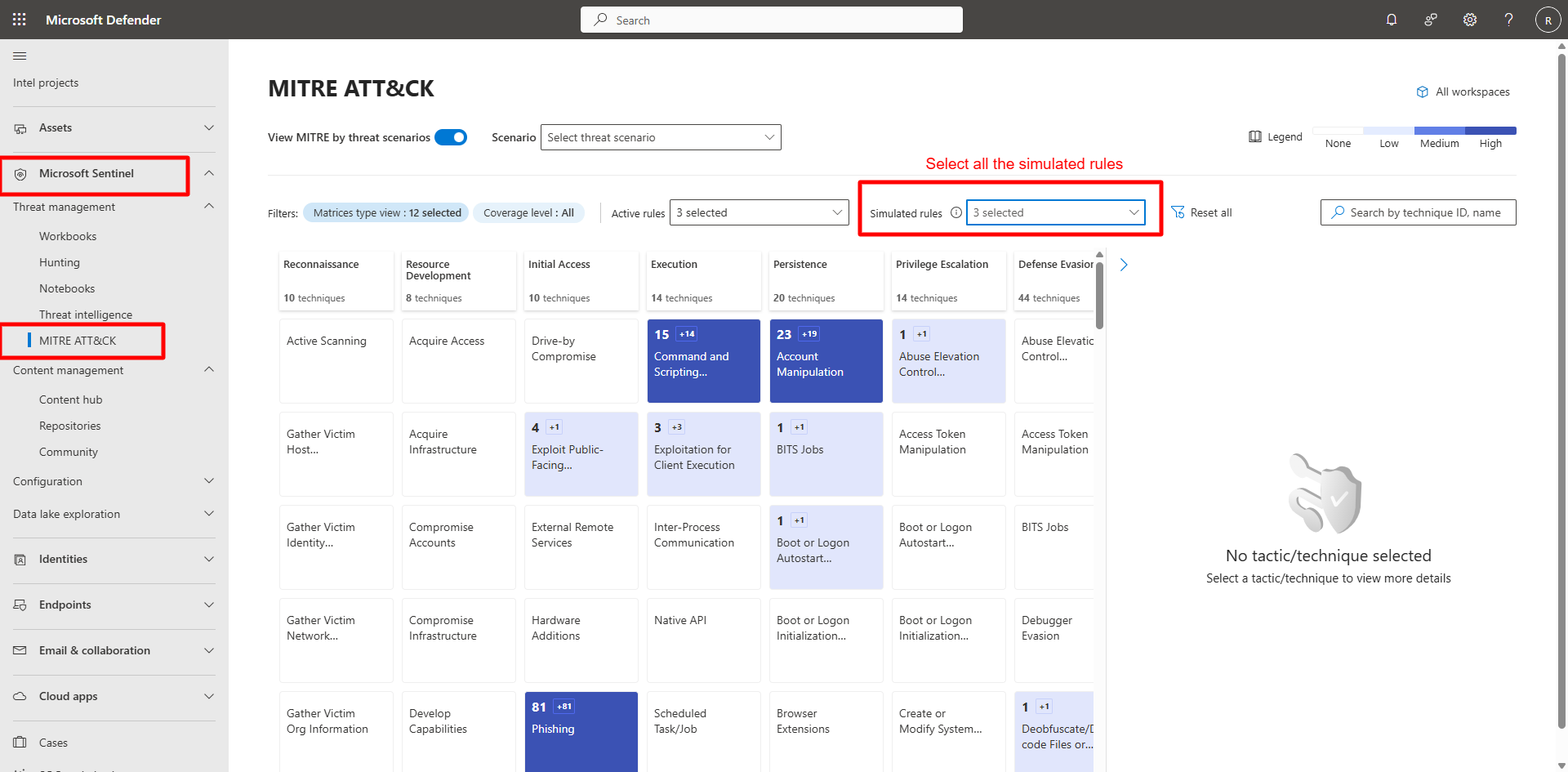
- In the Defender portal, go to Microsoft Sentinel > Threat management > MITRE ATT&CK.
- Review the matrix display showing mapped detections across tactics.
- Confirm filters:
- Matrix type view: Default (12 selected)
- Coverage level: All
- Active rules: 3 selected
- Simulated rules: 3 selected
-
Explore lateral movement techniques.
Expand here for detailed steps
-
In the search box, enter
Lateraland select Enter.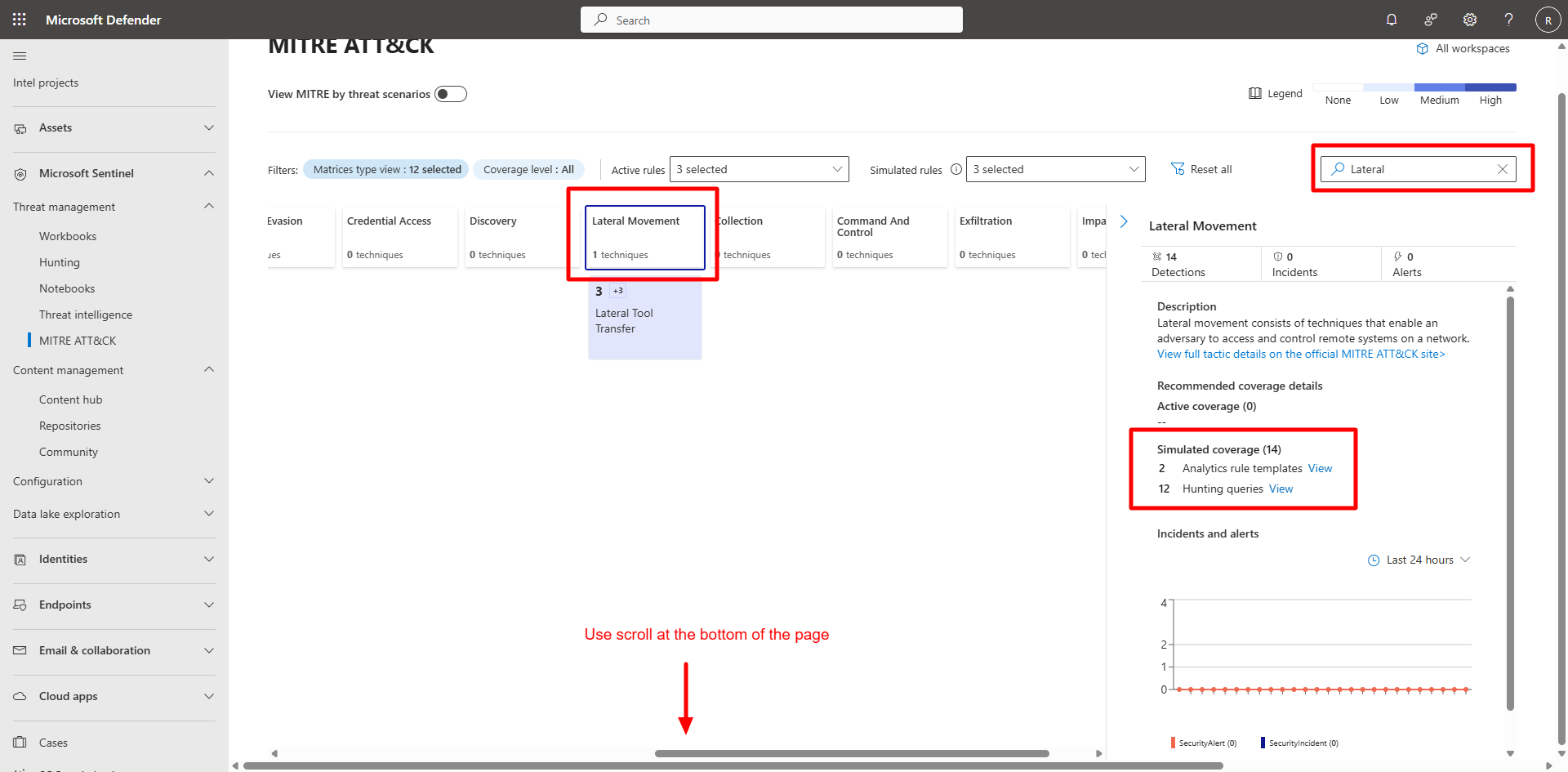
-
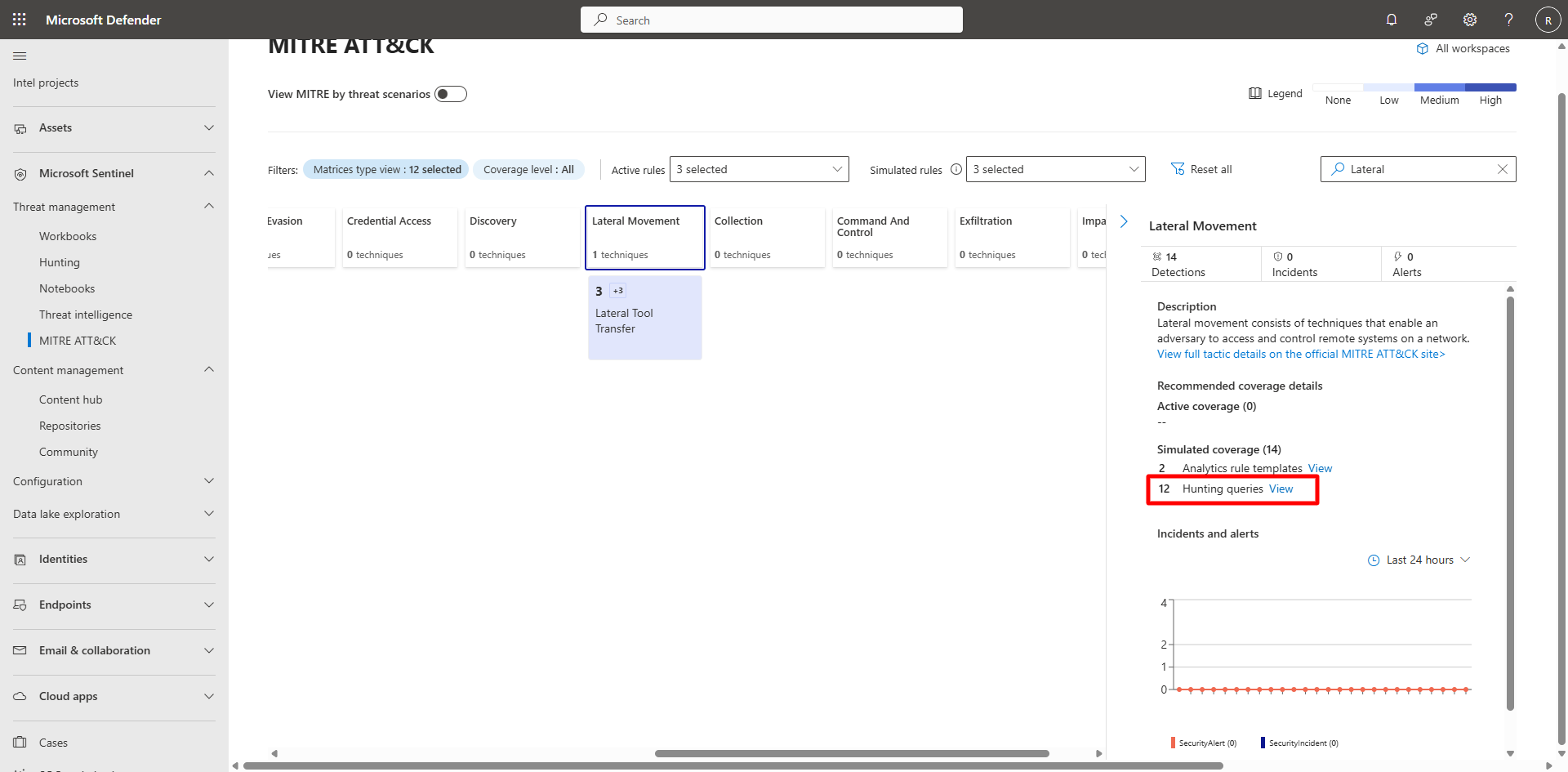
Select View Hunting Queries.
-
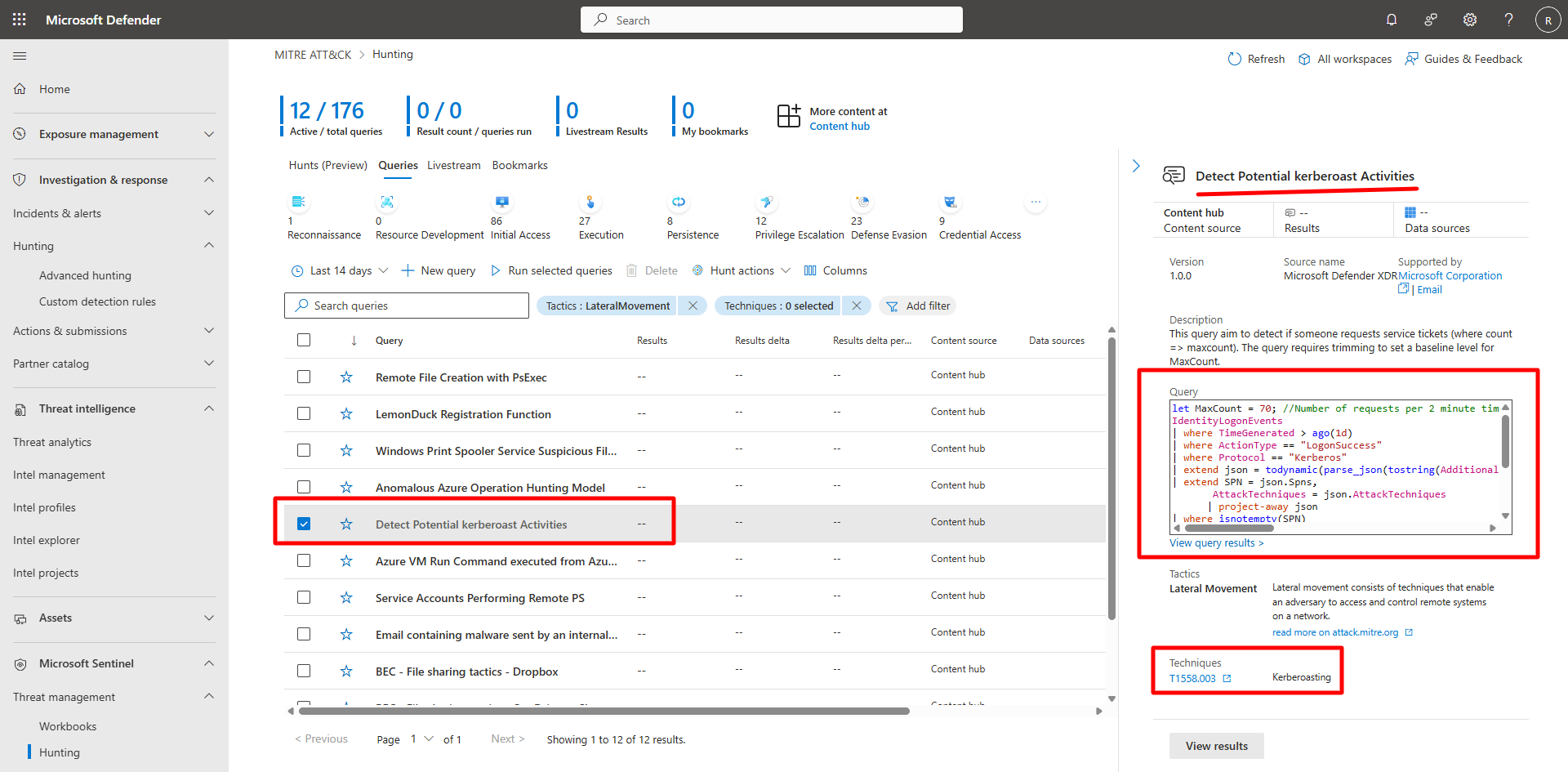
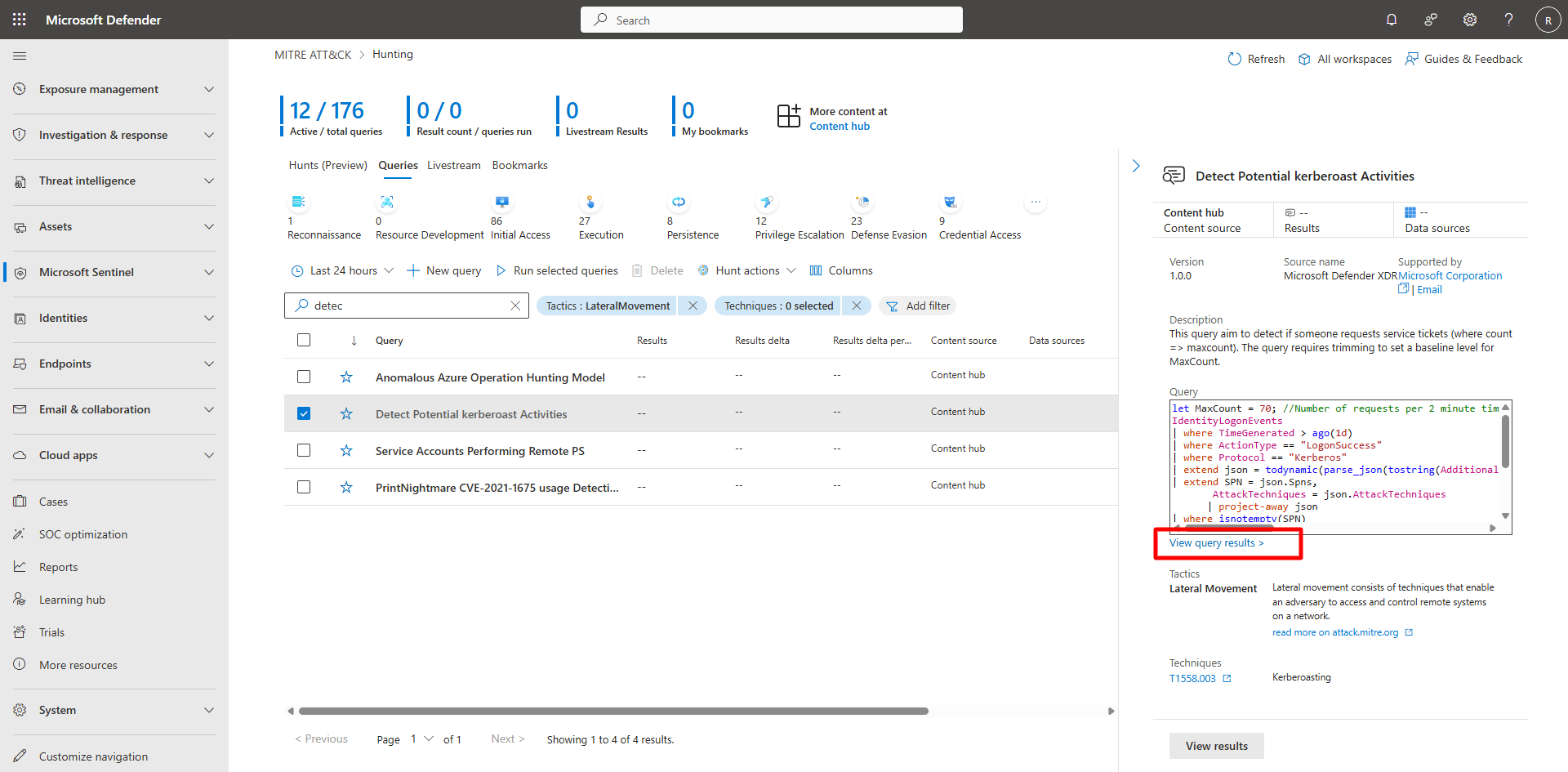
Choose a technique (for example, Detect Potential Kerberoast Activities) to open its details pane.
-
Review analytic rules, detections, and entities.
-
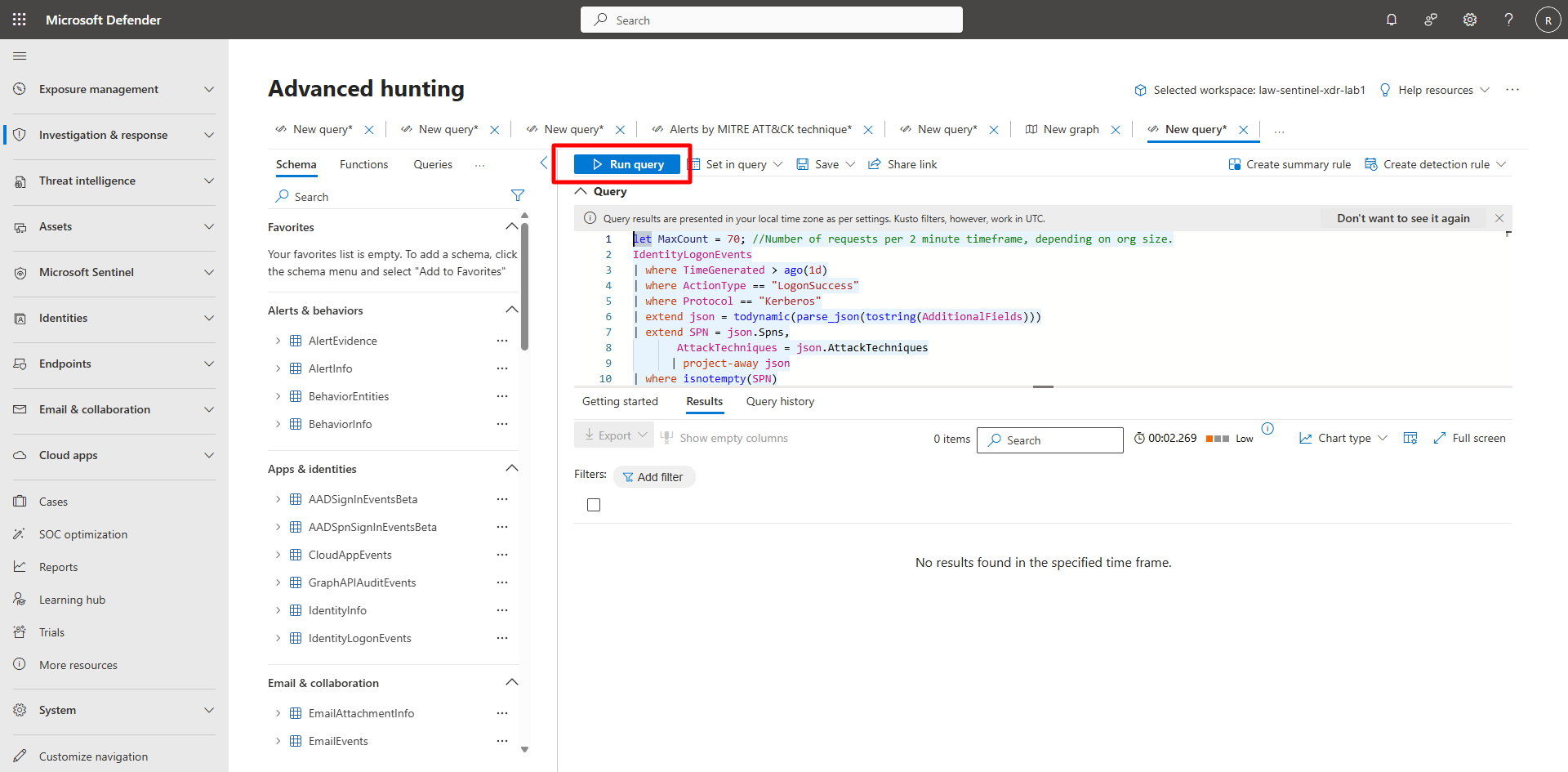
Select View Query Results to run the associated hunting query.
-