Task 1.1: Sign in to your Copilot CDX Tenant and verify that All users in the Organization can install and use Copilot
-
Go to the Microsoft 365 admin center at Microsoft 365 admin center.
If necessary, sign in using your Global Administrator account.
-
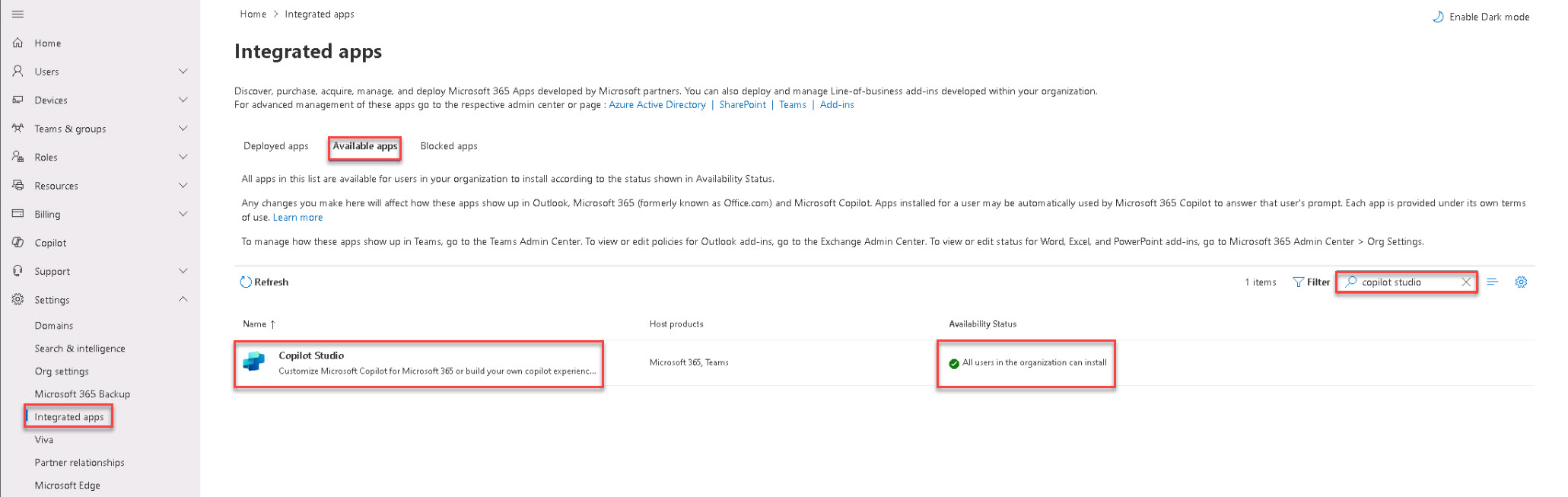
On the left menu, select Show all > Settings > Integrated apps.
-
Select the Available apps tab and then search for and select Copilot Studio.
-
On the Copilot Studio pane, review the information on the Overview tab and verify that the Copilot Studio Plugin for Microsoft Copilot is enabled and available.

-
Select Users and verify that All users in the organization can install is selected.
-
Close the pane.
-
If you do not already have a Copilot Studio or Copilot Studio trial license, go to the sign-up page at https://go.microsoft.com/fwlink/?LinkId=2107702 and complete the sign-up form.