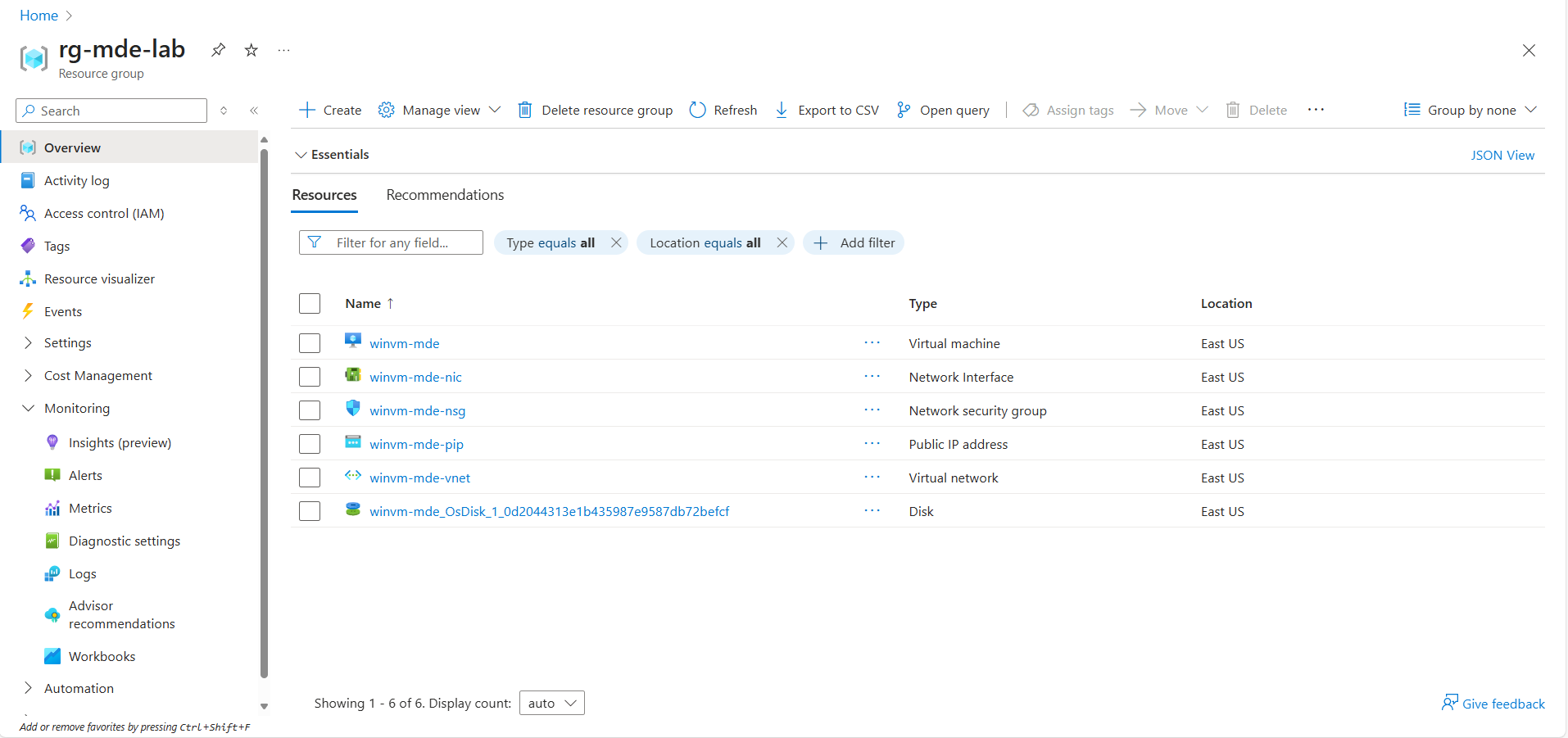
Task 01: Provision a Windows VM on Azure
-
Sign into @lab.VirtualMachine(Workstation1).SelectLink using +++@lab.VirtualMachine(Workstation1).Password+++ for the password.
-
Open a browser, go to portal.azure.com and sign in with your credentials.
-
Create a new resource group named rg-mde-lab and go to the new resource group.
-
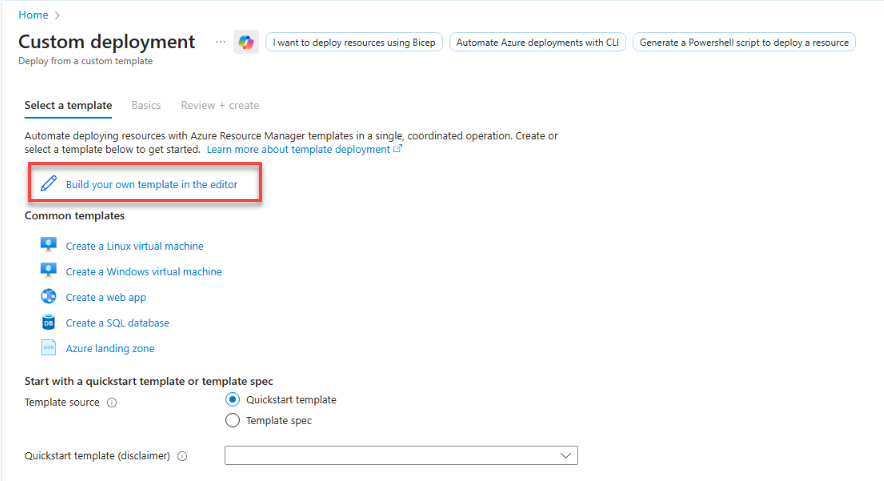
In the search box, enter and select Deploy a custom template.
-
Select Build your own template in the editor.
-
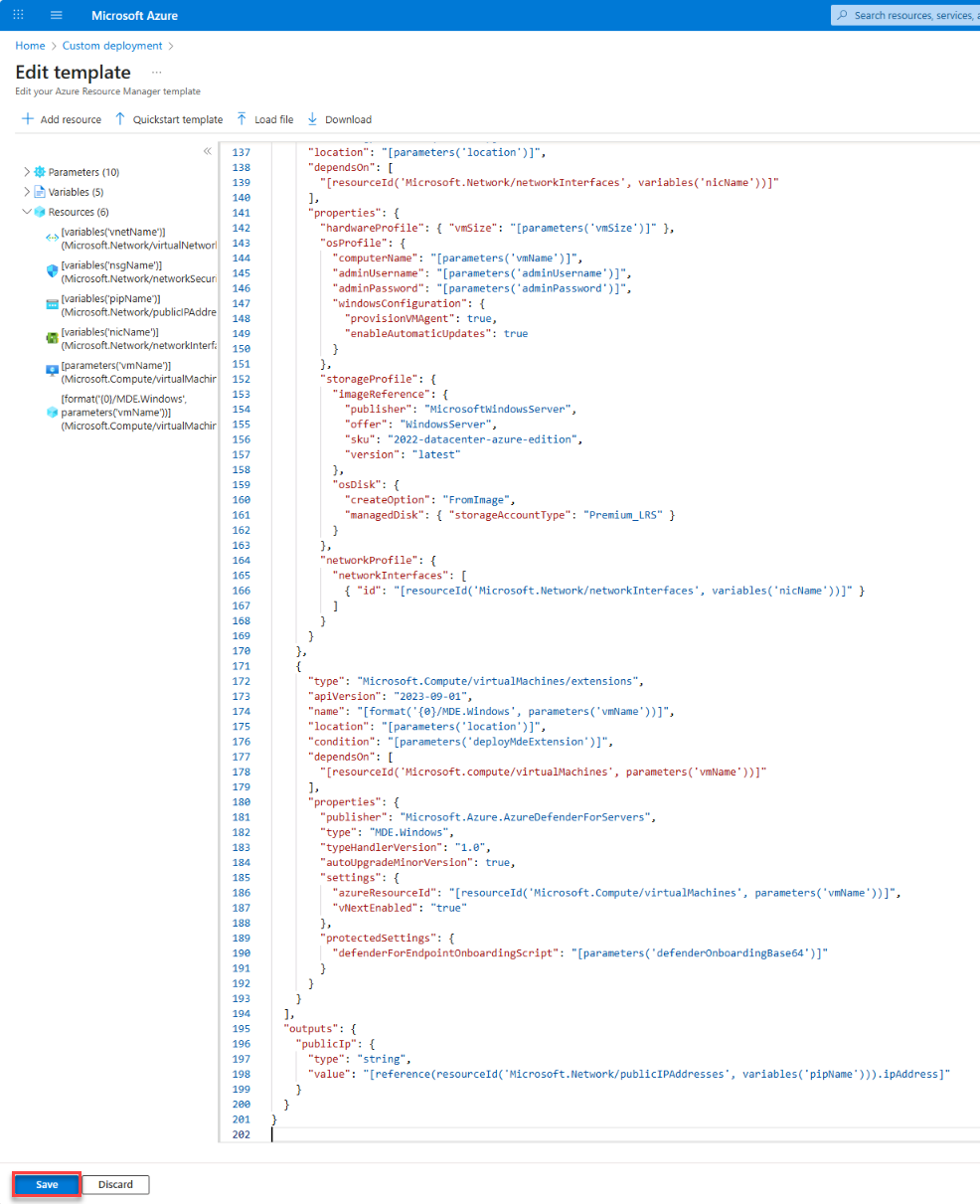
Delete the existing JSON text and replace it with the azuredeploy.json by entering the following:
Expand here to copy azuredeploy.json
{ "$schema": "https://schema.management.azure.com/schemas/2019-04-01/deploymentTemplate.json#", "contentVersion": "1.0.0.0", "parameters": { "location": { "type": "string", "defaultValue": "[resourceGroup().location]" }, "vmName": { "type": "string", "defaultValue": "winvm-mde" }, "adminUsername": { "type": "string", "defaultValue": "azureadmin" }, "adminPassword": { "type": "secureString" }, "vmSize": { "type": "string", "defaultValue": "Standard_D2s_v6" }, "addressPrefix": { "type": "string", "defaultValue": "10.0.0.0/16" }, "subnetPrefix": { "type": "string", "defaultValue": "10.0.0.0/24" }, "allowedRdpSource": { "type": "string", "defaultValue": "*", "metadata": { "description": "CIDR or single IP for RDP (e.g., 203.0.113.10/32). Use * only for labs." } }, /* --- MDE extension controls --- */ "deployMdeExtension": { "type": "bool", "defaultValue": false, "metadata": { "description": "Set true to deploy MDE.Windows extension during VM provisioning." } }, "defenderOnboardingBase64": { "type": "secureString", "defaultValue": "", "metadata": { "description": "Base64-encoded MDE onboarding package (protected settings). Leave empty if using Defender for Cloud auto-provisioning." } } }, "variables": { "vnetName": "[format('{0}-vnet', parameters('vmName'))]", "subnetName": "default", "nsgName": "[format('{0}-nsg', parameters('vmName'))]", "pipName": "[format('{0}-pip', parameters('vmName'))]", "nicName": "[format('{0}-nic', parameters('vmName'))]" }, "resources": [ { "type": "Microsoft.Network/virtualNetworks", "apiVersion": "2023-09-01", "name": "[variables('vnetName')]", "location": "[parameters('location')]", "properties": { "addressSpace": { "addressPrefixes": [ "[parameters('addressPrefix')]" ] }, "subnets": [ { "name": "[variables('subnetName')]", "properties": { "addressPrefix": "[parameters('subnetPrefix')]" } } ] } }, { "type": "Microsoft.Network/networkSecurityGroups", "apiVersion": "2023-09-01", "name": "[variables('nsgName')]", "location": "[parameters('location')]", "properties": { "securityRules": [ { "name": "RDP-3389", "properties": { "priority": 1000, "access": "Allow", "direction": "Inbound", "protocol": "Tcp", "sourcePortRange": "*", "destinationPortRange": "3389", "sourceAddressPrefix": "[parameters('allowedRdpSource')]", "destinationAddressPrefix": "*" } } ] } }, { "type": "Microsoft.Network/publicIPAddresses", "apiVersion": "2023-09-01", "name": "[variables('pipName')]", "location": "[parameters('location')]", "sku": { "name": "Standard" }, "properties": { "publicIPAllocationMethod": "Static" } }, { "type": "Microsoft.Network/networkInterfaces", "apiVersion": "2023-09-01", "name": "[variables('nicName')]", "location": "[parameters('location')]", "dependsOn": [ "[resourceId('Microsoft.Network/virtualNetworks', variables('vnetName'))]", "[resourceId('Microsoft.Network/publicIPAddresses', variables('pipName'))]", "[resourceId('Microsoft.Network/networkSecurityGroups', variables('nsgName'))]" ], "properties": { "ipConfigurations": [ { "name": "ipconfig1", "properties": { "subnet": { "id": "[resourceId('Microsoft.Network/virtualNetworks/subnets', variables('vnetName'), variables('subnetName'))]" }, "publicIPAddress": { "id": "[resourceId('Microsoft.Network/publicIPAddresses', variables('pipName'))]" } } } ], "networkSecurityGroup": { "id": "[resourceId('Microsoft.Network/networkSecurityGroups', variables('nsgName'))]" } } }, { "type": "Microsoft.Compute/virtualMachines", "apiVersion": "2023-09-01", "name": "[parameters('vmName')]", "location": "[parameters('location')]", "dependsOn": [ "[resourceId('Microsoft.Network/networkInterfaces', variables('nicName'))]" ], "properties": { "hardwareProfile": { "vmSize": "[parameters('vmSize')]" }, "osProfile": { "computerName": "[parameters('vmName')]", "adminUsername": "[parameters('adminUsername')]", "adminPassword": "[parameters('adminPassword')]", "windowsConfiguration": { "provisionVMAgent": true, "enableAutomaticUpdates": true } }, "storageProfile": { "imageReference": { "publisher": "MicrosoftWindowsServer", "offer": "WindowsServer", "sku": "2022-datacenter-azure-edition", "version": "latest" }, "osDisk": { "createOption": "FromImage", "managedDisk": { "storageAccountType": "Premium_LRS" } } }, "networkProfile": { "networkInterfaces": [ { "id": "[resourceId('Microsoft.Network/networkInterfaces', variables('nicName'))]" } ] } } }, { "type": "Microsoft.Compute/virtualMachines/extensions", "apiVersion": "2023-09-01", "name": "[format('{0}/MDE.Windows', parameters('vmName'))]", "location": "[parameters('location')]", "condition": "[parameters('deployMdeExtension')]", "dependsOn": [ "[resourceId('Microsoft.compute/virtualMachines', parameters('vmName'))]" ], "properties": { "publisher": "Microsoft.Azure.AzureDefenderForServers", "type": "MDE.Windows", "typeHandlerVersion": "1.0", "autoUpgradeMinorVersion": true, "settings": { "azureResourceId": "[resourceId('Microsoft.Compute/virtualMachines', parameters('vmName'))]", "vNextEnabled": "true" }, "protectedSettings": { "defenderForEndpointOnboardingScript": "[parameters('defenderOnboardingBase64')]" } } } ], "outputs": { "publicIp": { "type": "string", "value": "[reference(resourceId('Microsoft.Network/publicIPAddresses', variables('pipName'))).ipAddress]" } } } -
Select Save.
-
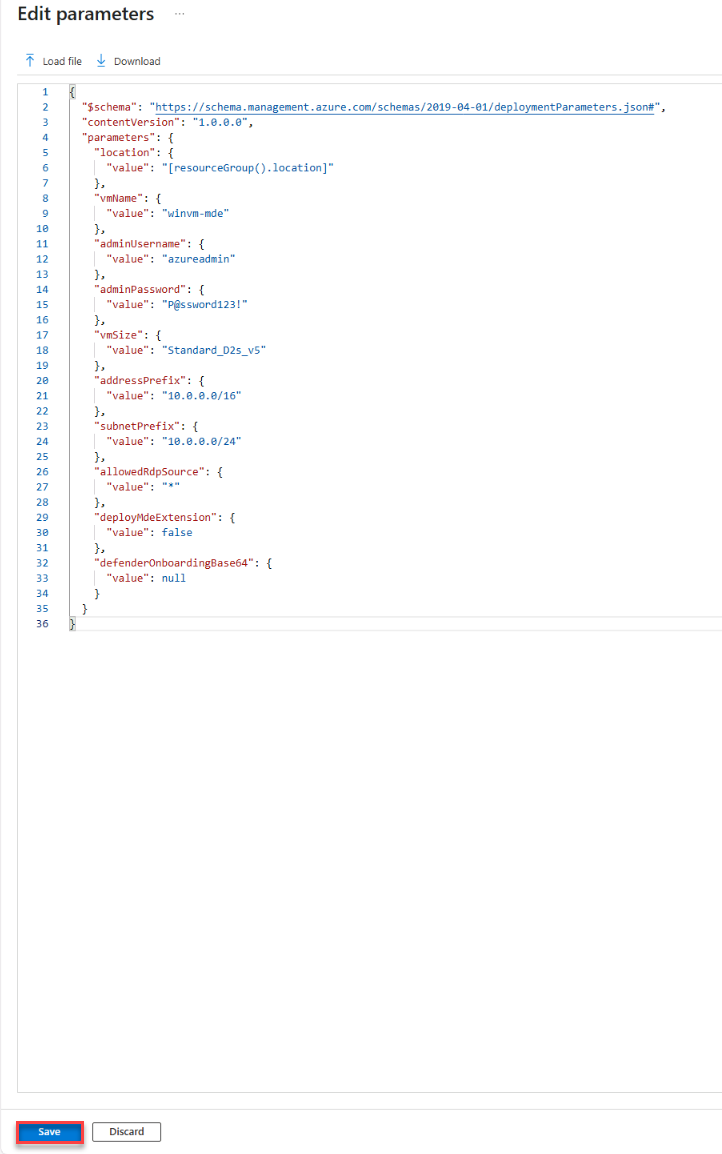
Select Edit Parameters and replace the contents with the following azuredeploy.parameters.json:
Expand here to copy **azuredeploy.parameters.json**
{ "$schema": "https://schema.management.azure.com/schemas/2019-04-01/deploymentParameters.json#", "contentVersion": "1.0.0.0", "parameters": { "location": { "value": "[resourceGroup().location]" }, "vmName": { "value": "winvm-mde" }, "adminUsername": { "value": "azureadmin" }, "adminPassword": { "value": "P@ssword123!" }, "vmSize": { "value": "Standard_D2s_v6" }, "addressPrefix": { "value": "10.0.0.0/16" }, "subnetPrefix": { "value": "10.0.0.0/24" }, "allowedRdpSource": { "value": "*" }, "deployMdeExtension": { "value": false }, "defenderOnboardingBase64": { "value": null } } } -
Select Save.
-
Complete the custom deployment by selecting Review and Create.
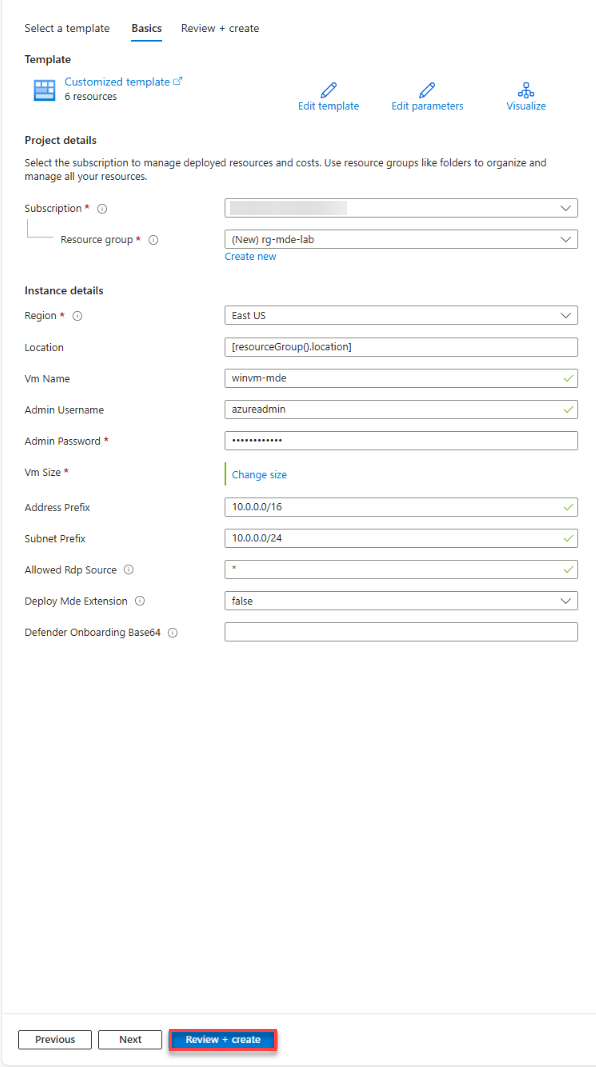
-
Select Create.
Wait until the deployment is succeeded and VM is created.
-
Go to the resource group rg-mde-lab to confirm the VM winvm-mde is created.