Task 01: Detect ingestion gaps across connectors
-
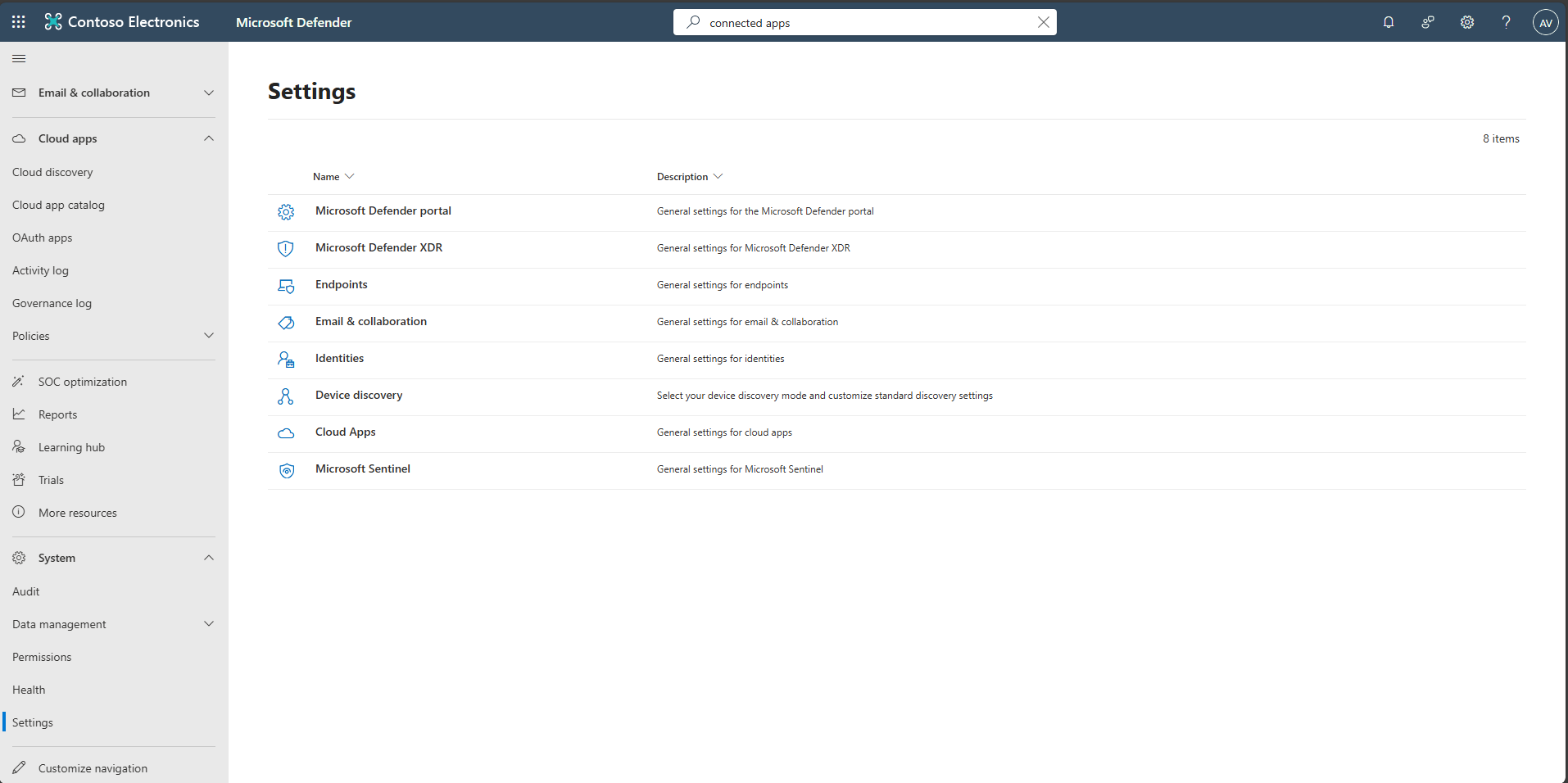
In the Defender portal’s leftmost pane, go to System > Settings.
-
Select Cloud Apps.
-
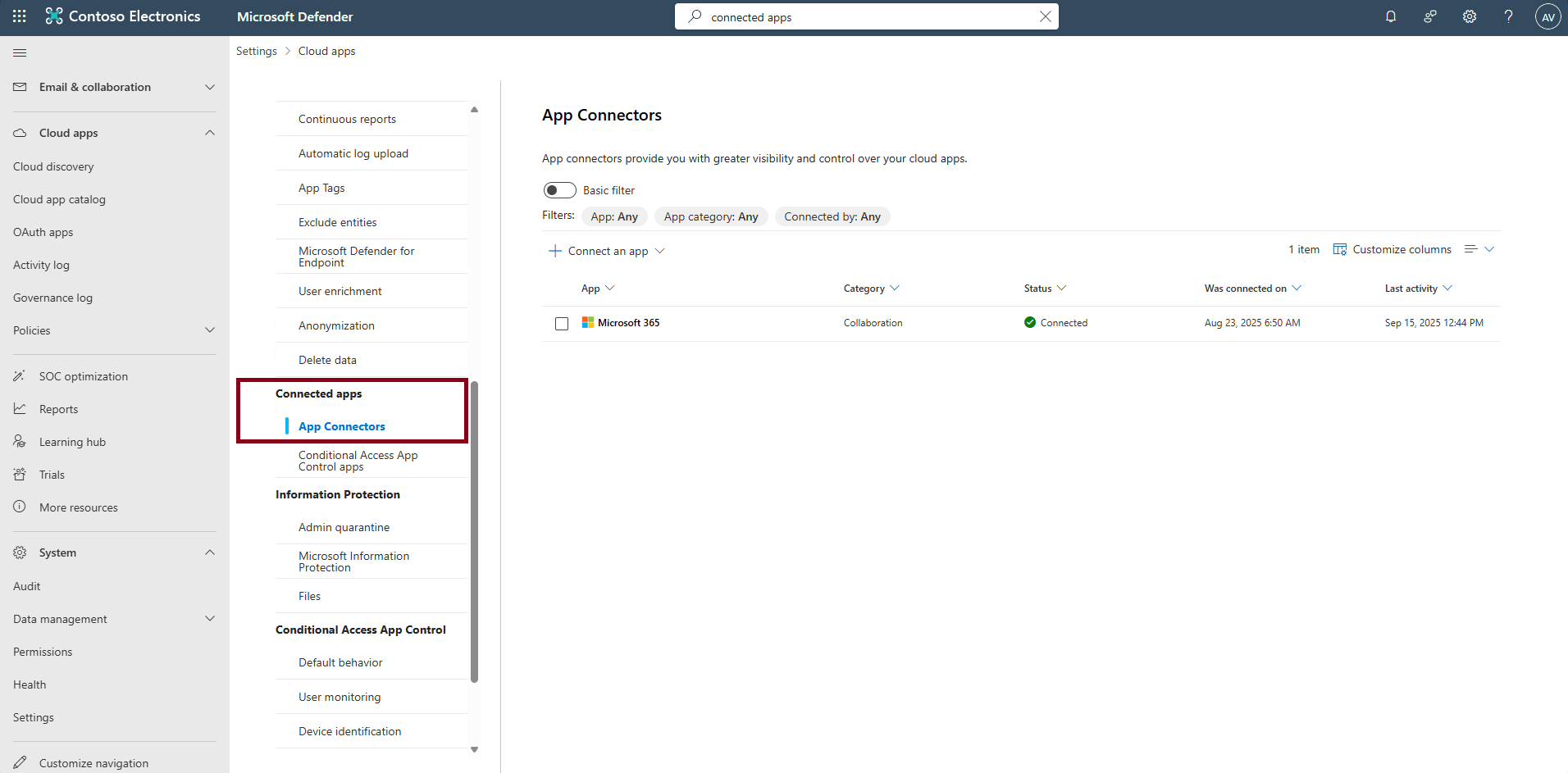
In the Cloud apps navigation menu, under Connected apps, select App connectors.
-
Review connector Status, Last seen timestamps, and any health/permission banners.
-
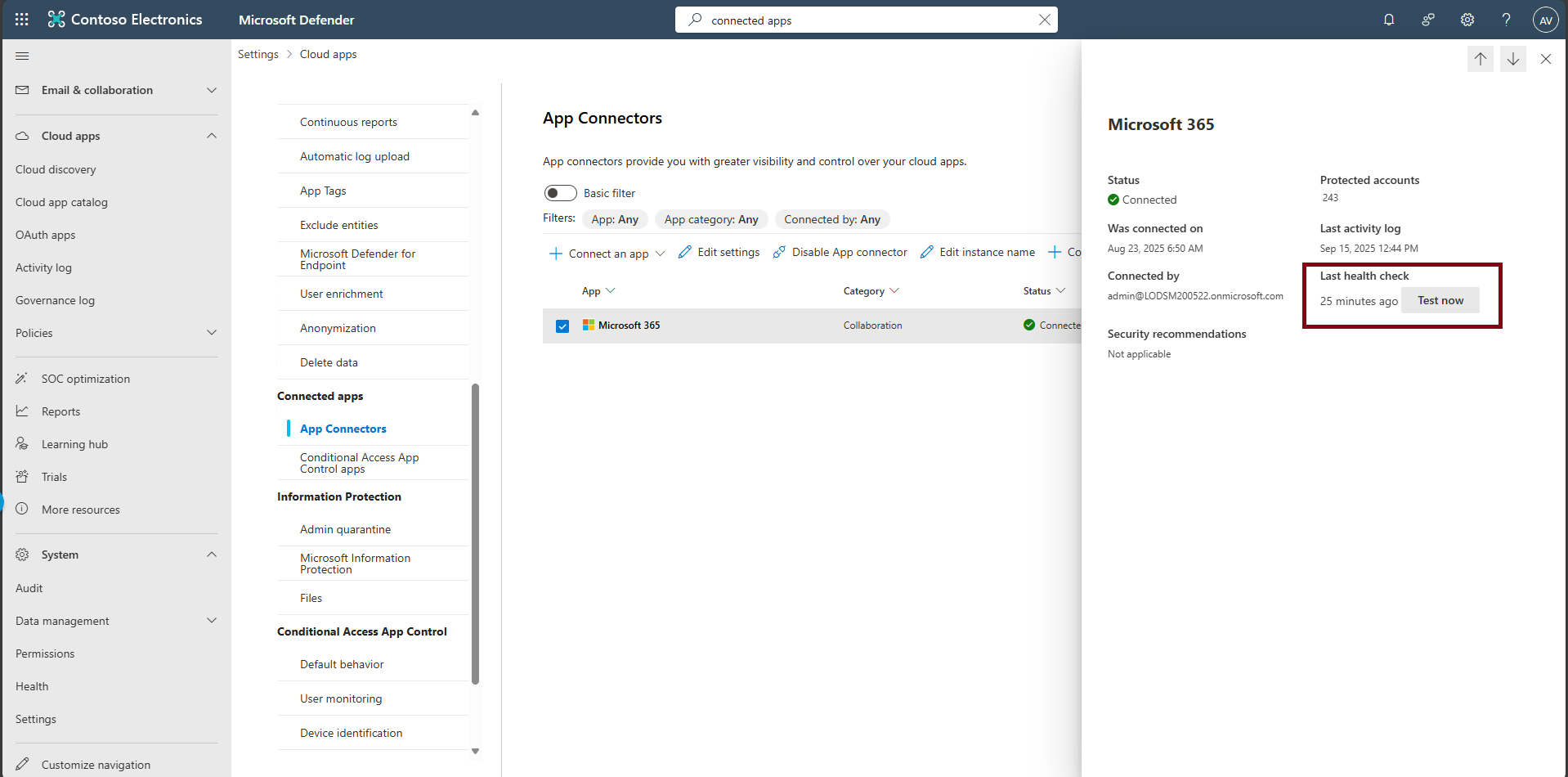
Select any empty space on the row for Microsoft 365 to open the flyout pane.
-
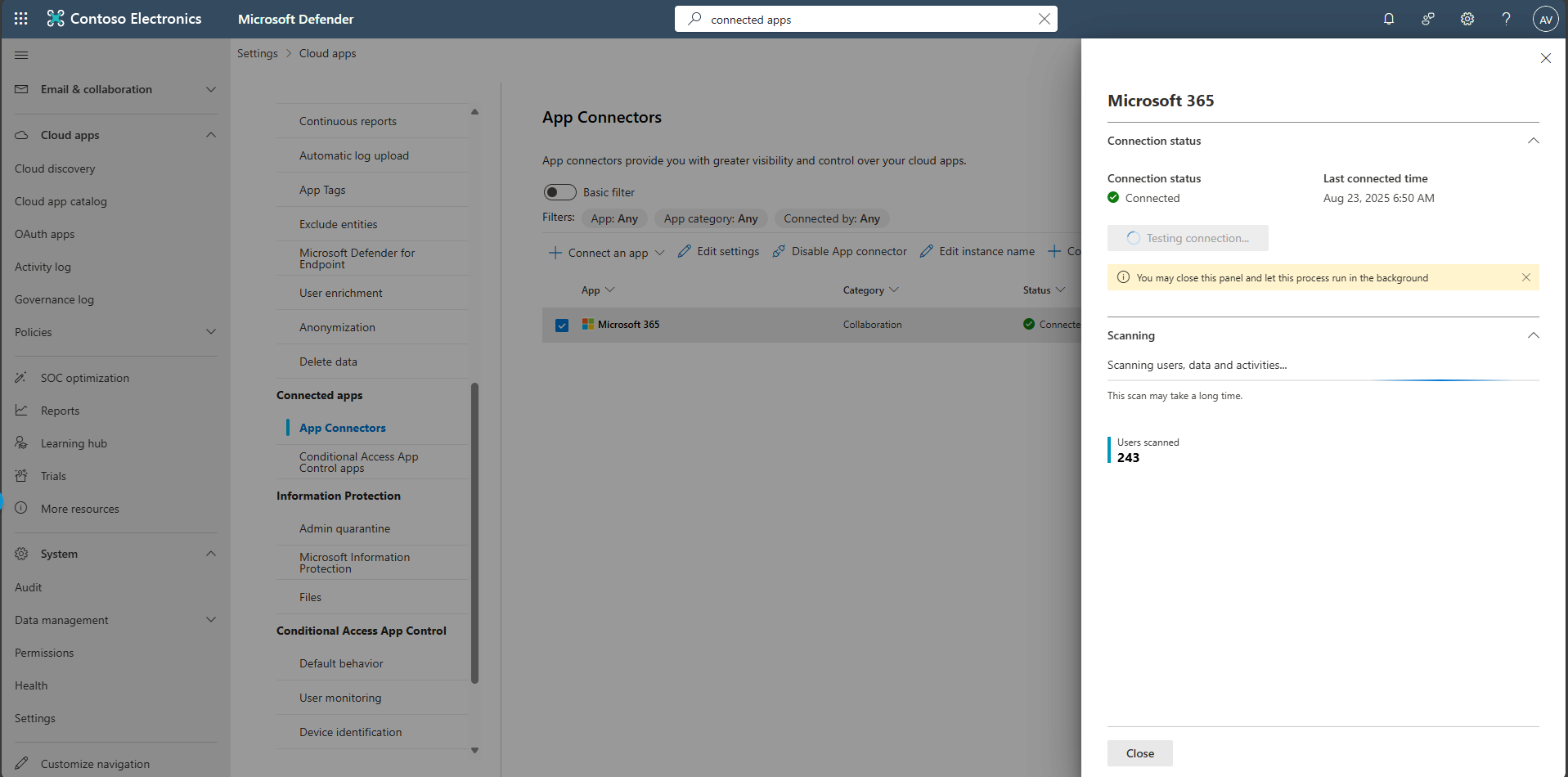
Select Test now.