Task 03: Validate Defender for Office 365 health
-
Copy the following KQL into the query window, select the entire query, then select Run query.
Expand here to copy the Ingestion-KQL-2.txt
Selecting the Copy option in the upper-right corner of the code block and pasting with Ctrl+V will be significantly faster than selecting Type!
 let _end = now();
 let _start = _end - 24h;
 // Try real data first
 let RealEmail = EmailEvents
 | where Timestamp between (_start .. _end);

 RealEmail
 | summarize Events=count() by bin(Timestamp, 1h)
 | order by Timestamp asc
 | render  linechart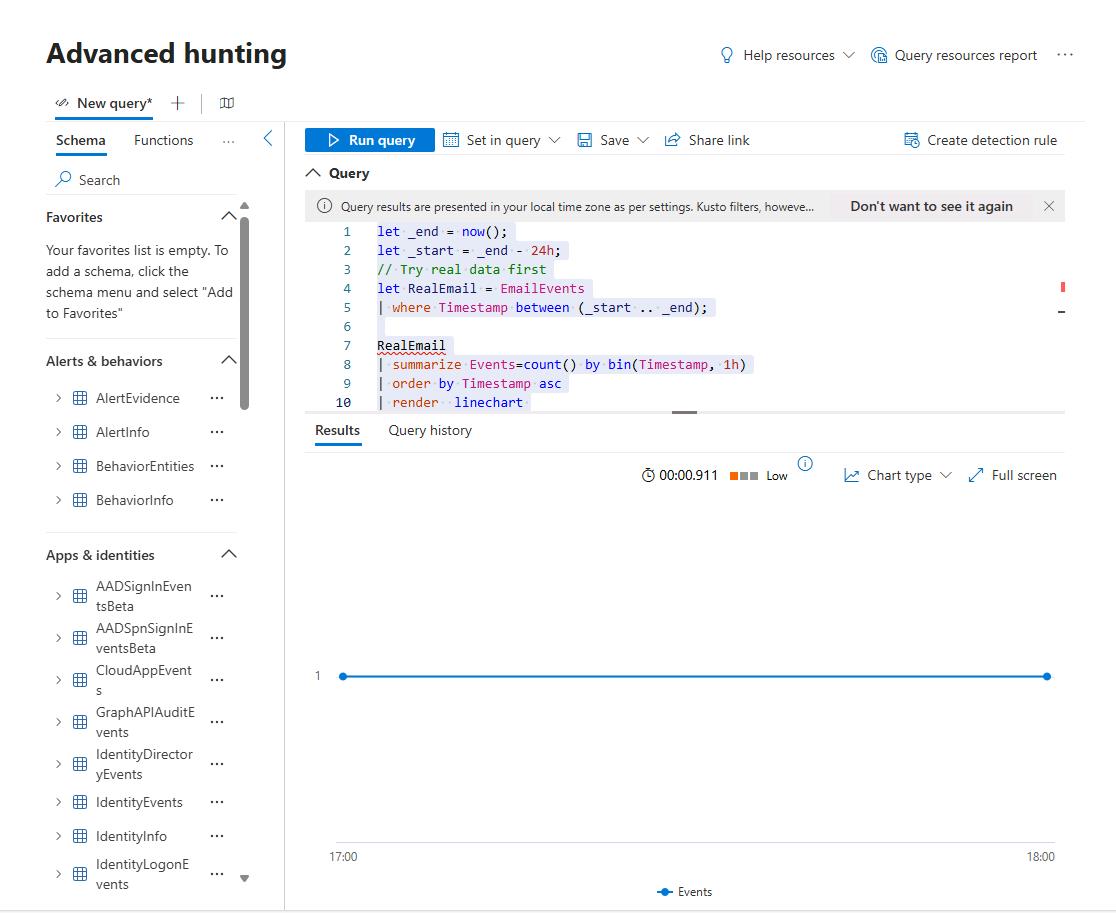
Results will show emails in the last 24 hours. A flat line, or log gap between bins, may indicate a potential ingestion gap.
-
In the leftmost pane, go to System, then Settings.
-
Select Cloud Apps.
-
In the Cloud apps navigation menu, under Connected apps, select App connectors.
-
Select any empty space on the row for Microsoft 365 to open the flyout pane.
-
Review Status and any Error details.
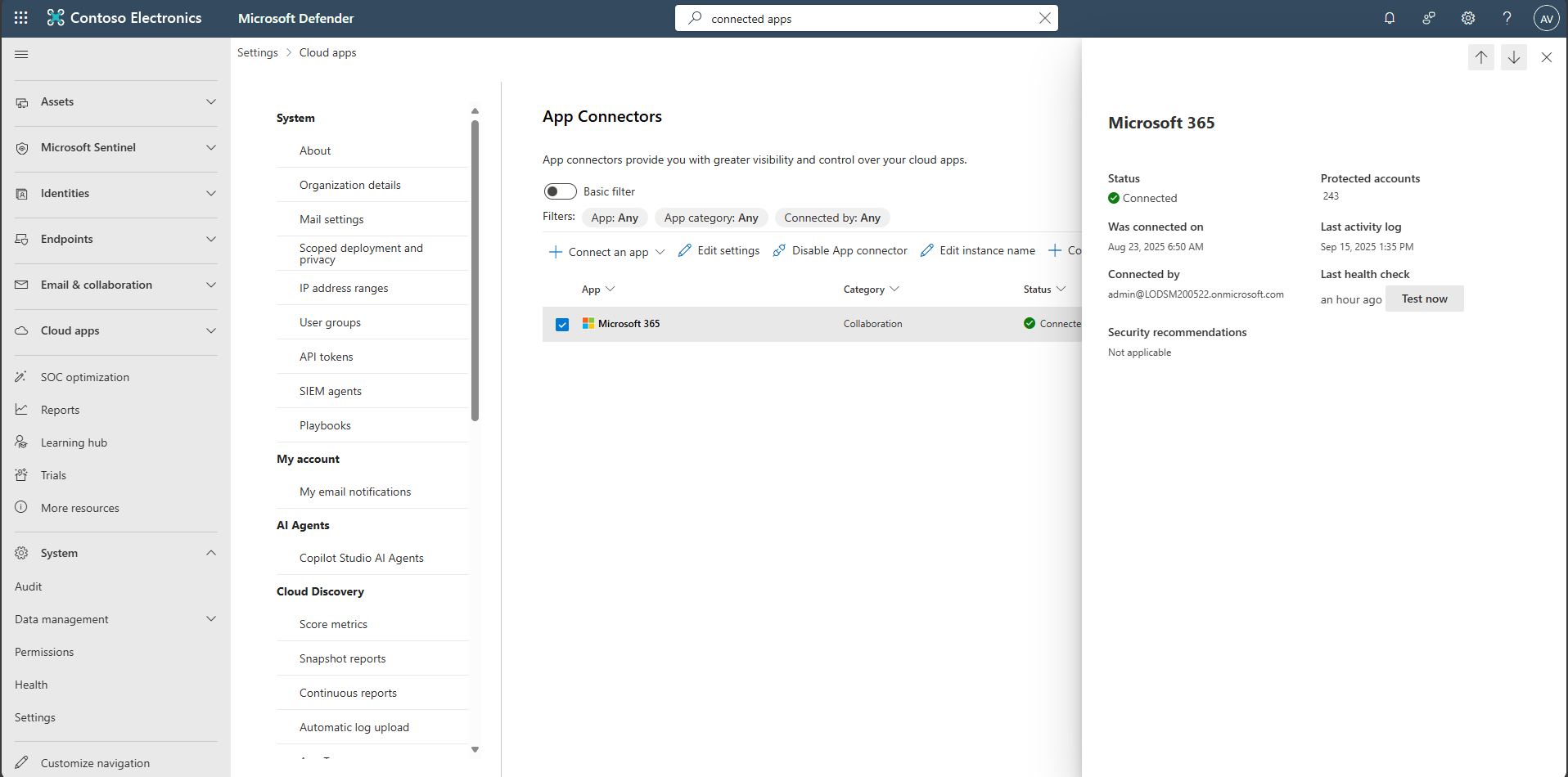
Common errors:
- 401/InvalidOAuthToken: Re-authorize with a privileged app admin; verify scopes; rotate secret if expired.
- 429/TooManyRequests: Reduce polling frequency or stagger schedules.
- for more help, use Microsoft’s error guide for resolution tips.