Task 02: Onboard the VM to MDE
-
In the Azure Portal search box, search for and select Microsoft Defender for Cloud.
-
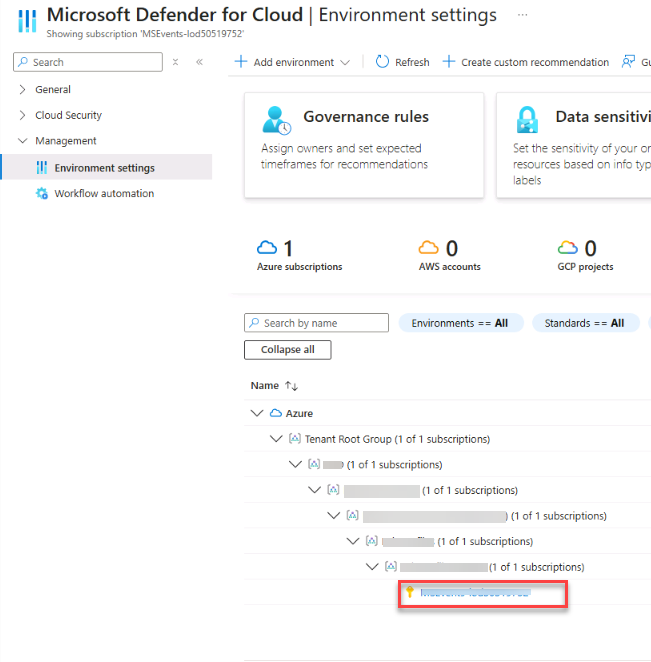
On the leftmost pane, select Management > Environment settings.
-
Expand the Environment until your subscription is visible and then select it.
-
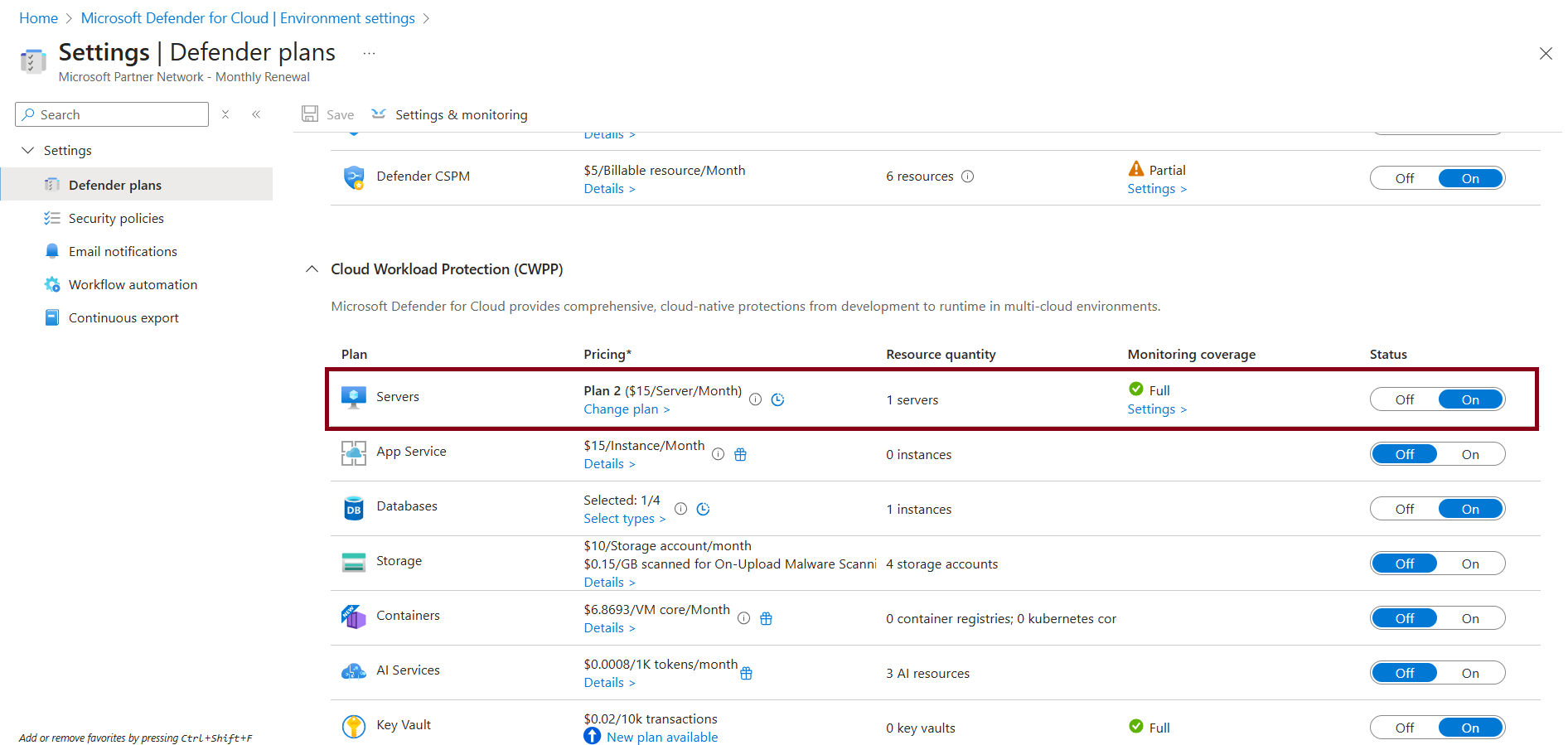
Under Cloud Workload Protection (CWPP), ensure Defender for Servers is On.
If not already, set to On.
-
On the Servers plan, under Monitoring coverage, select Settings >.
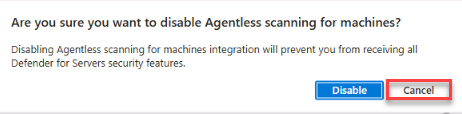
If necessary, select Cancel if prompted to disable Agentless scanning for machines.
-
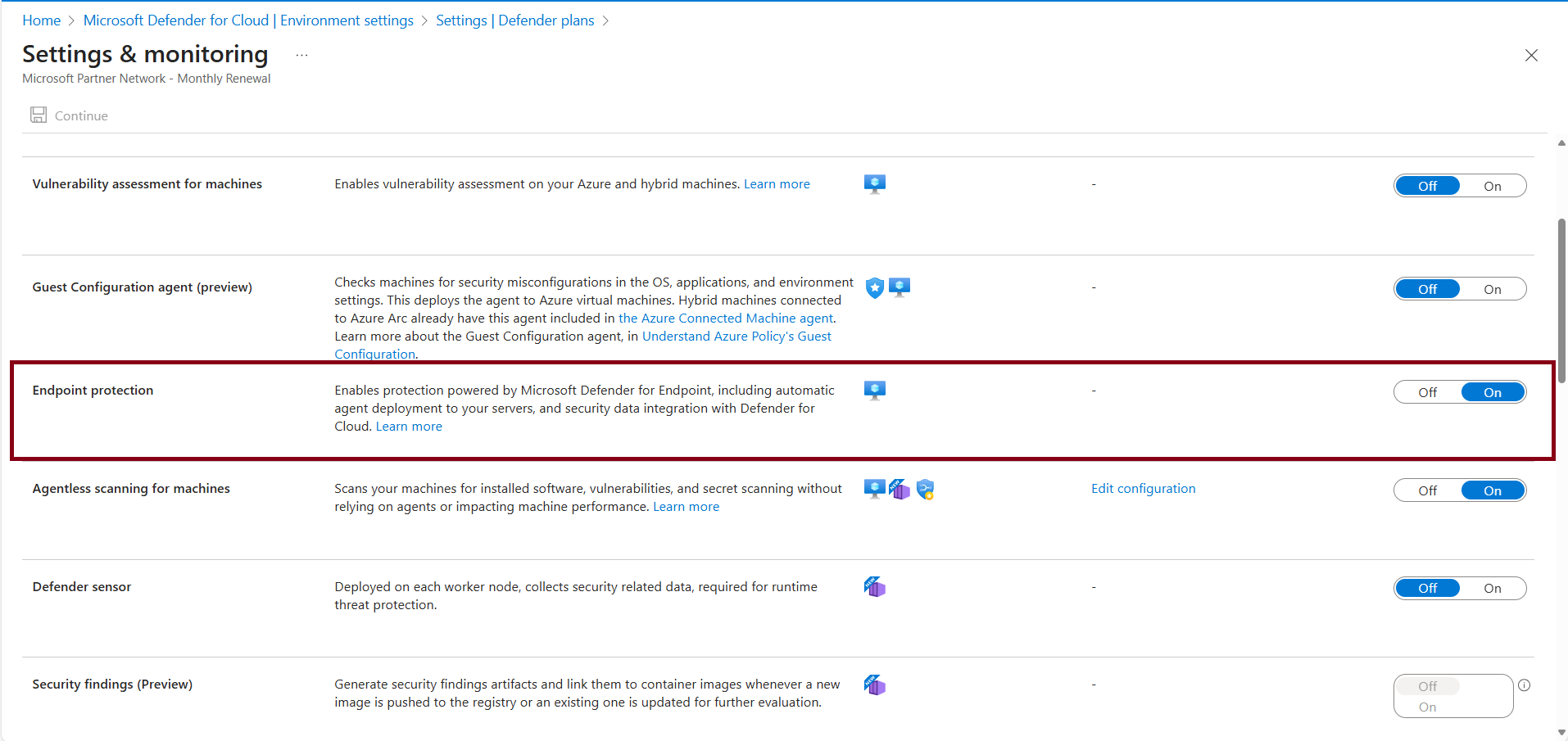
On the Settings & monitoring page, verify that Endpoint protection is set to On.
-
Near the top of the page, select Continue.
-
Near the top of the Defender plans page, select Save.
The above step will automatically deploy the MDE sensor/extension to supported Windows machines in the subscription.
Wait up to 1 hour for the VM to appear in MDE/XDR by navigating to security.microsoft.com