Task 08: Execute Live Response and track actions
-
In the Live Response console, run
libraryand verify lr-proof.ps1 is listed.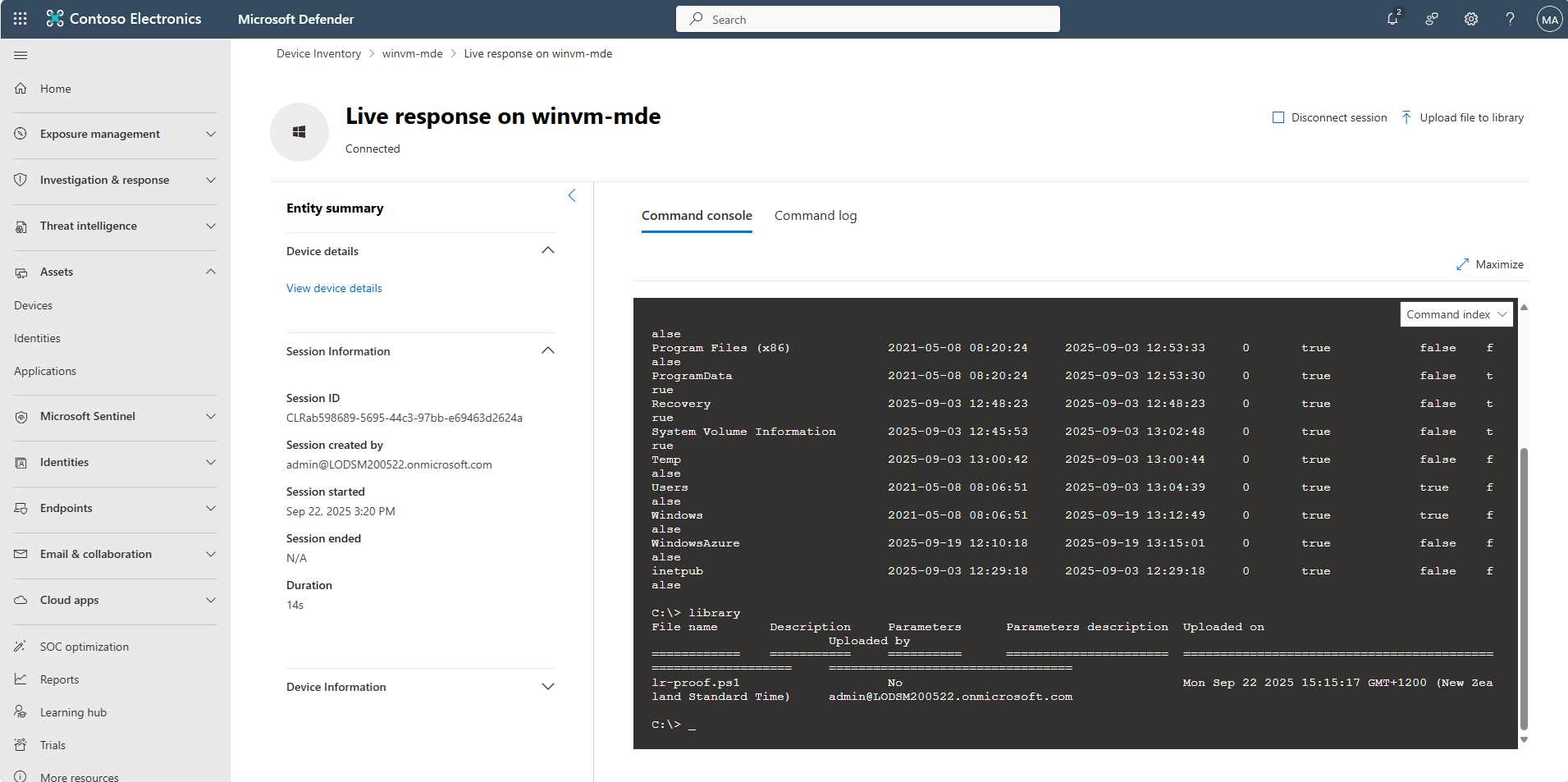
-
Run:
run lr-proof.ps1 -parameters "-OutDir 'C:\ProgramData\AIR-Lab' -Note 'Lab run'"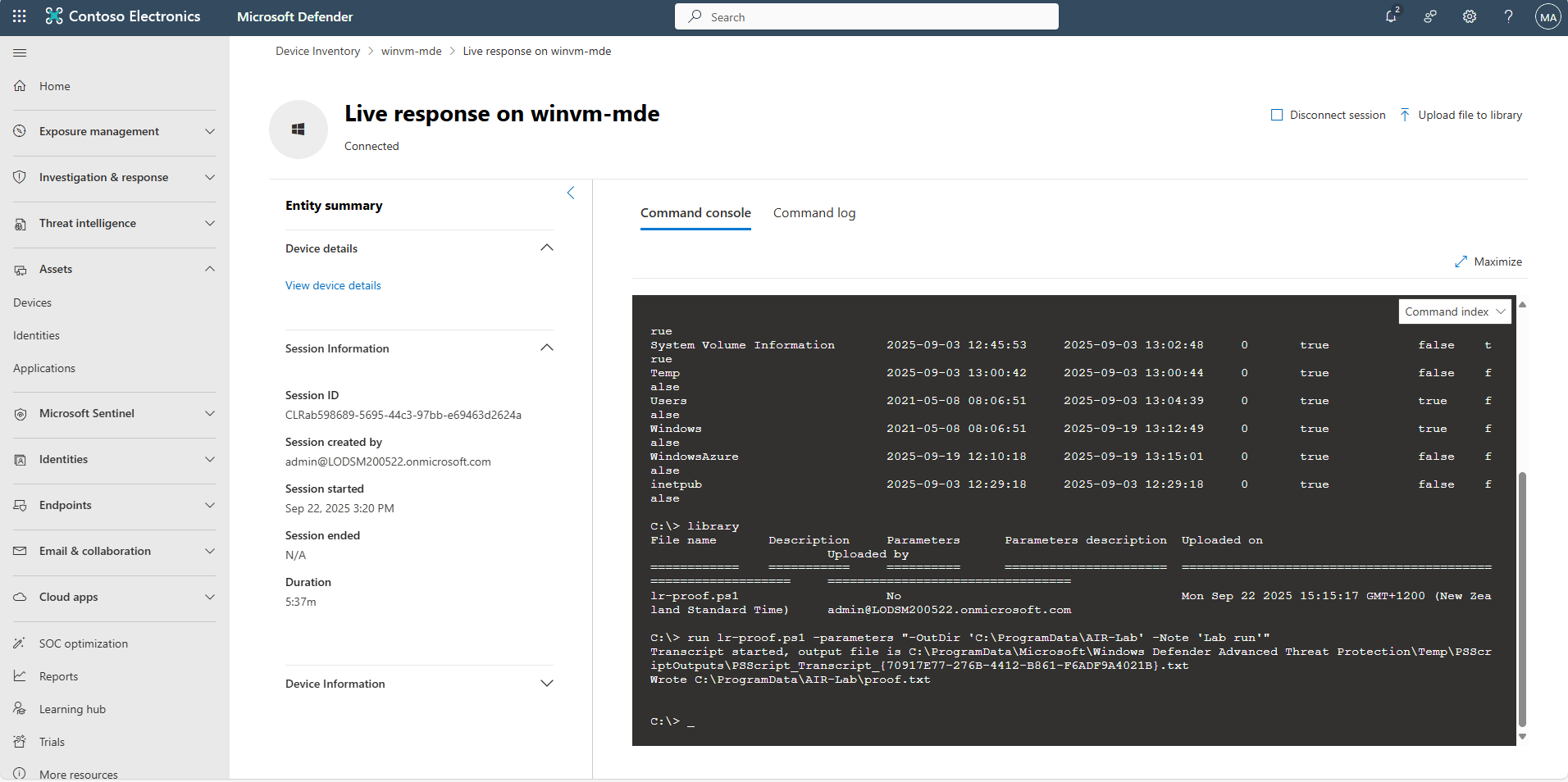
-
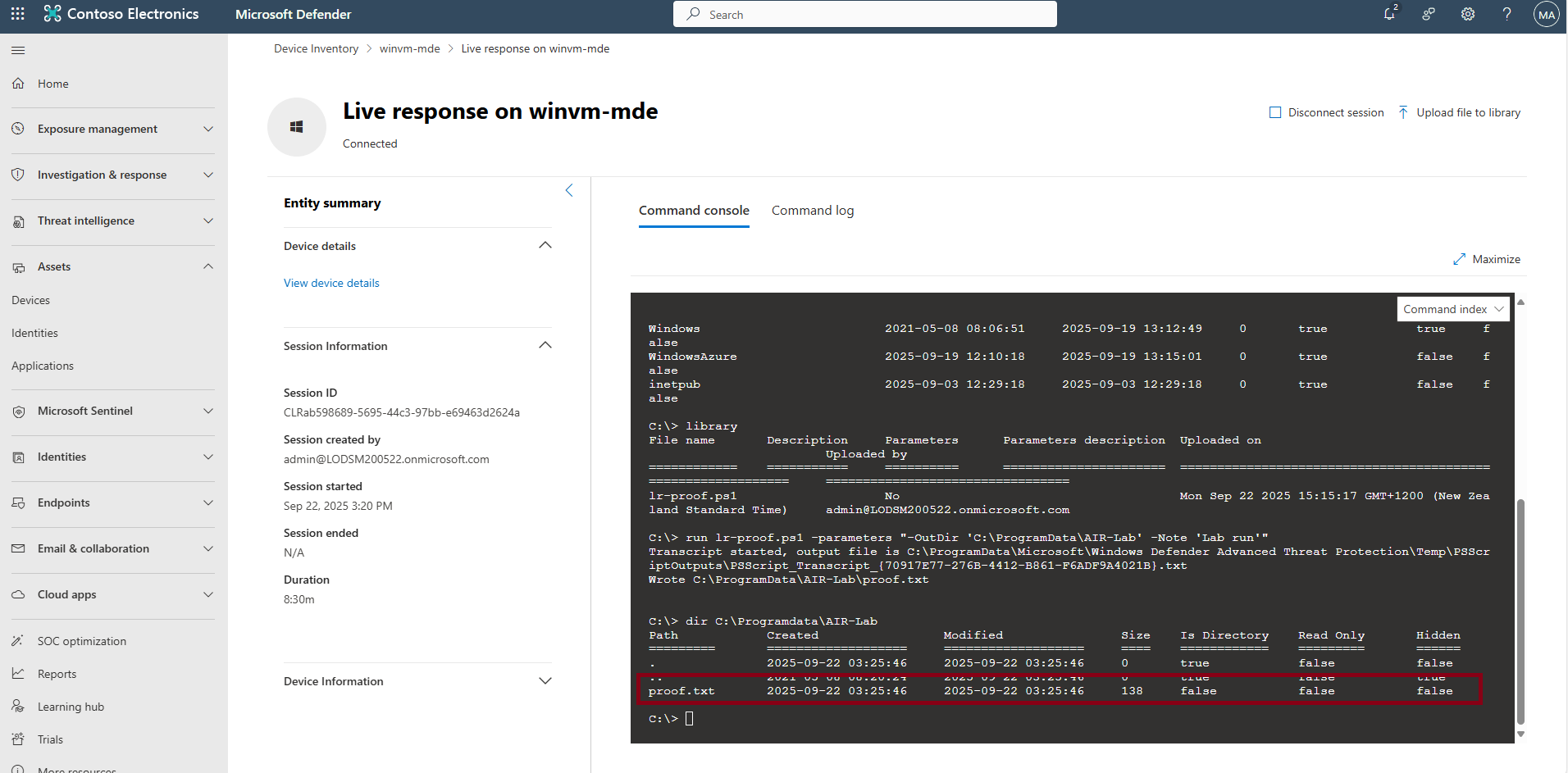
Verify output by running
dir C:\ProgramData\AIR-LabThen confirm proof.txt exists.
-
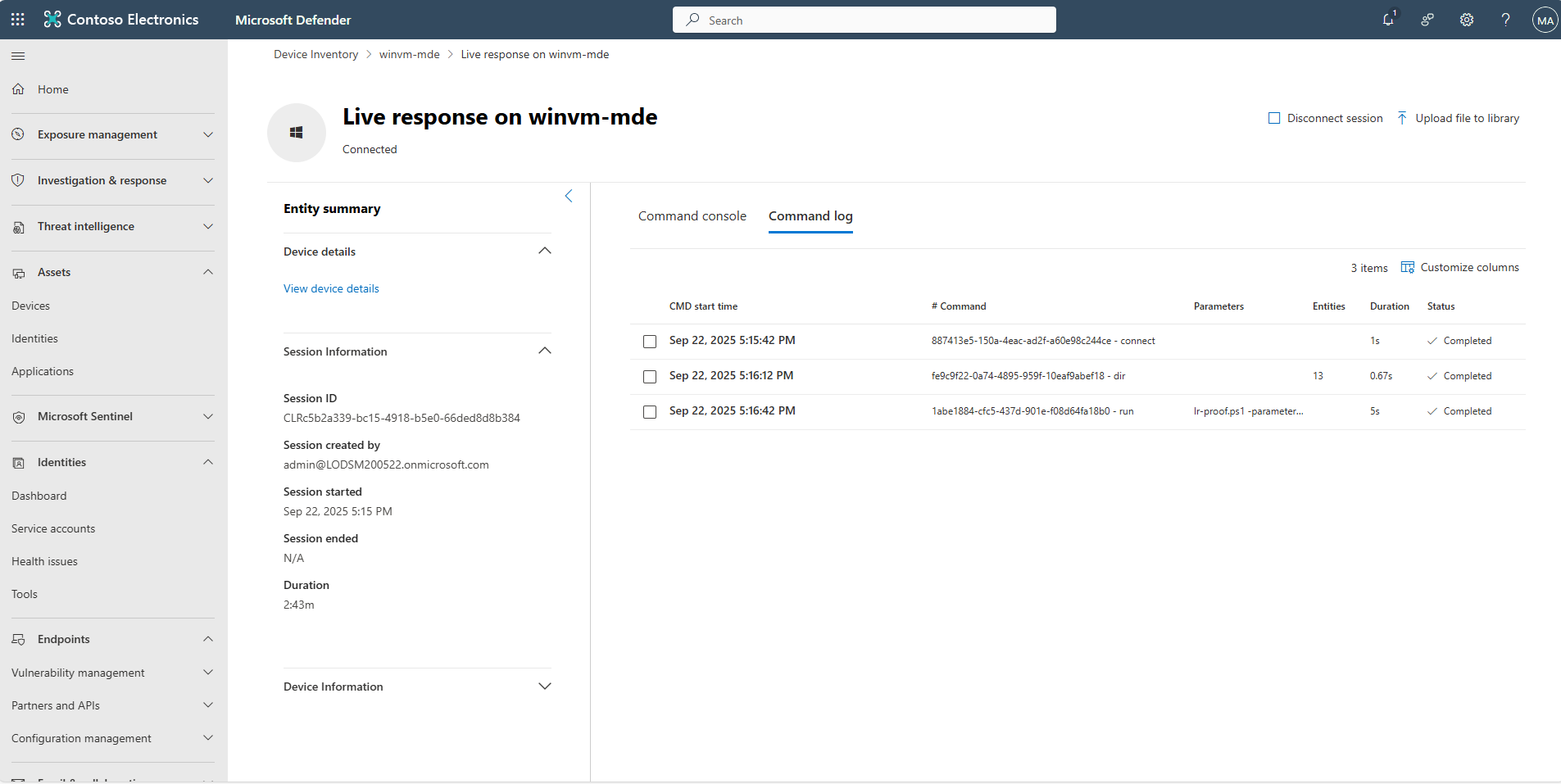
Above the console, select the Command log tab to review actions taken.
-
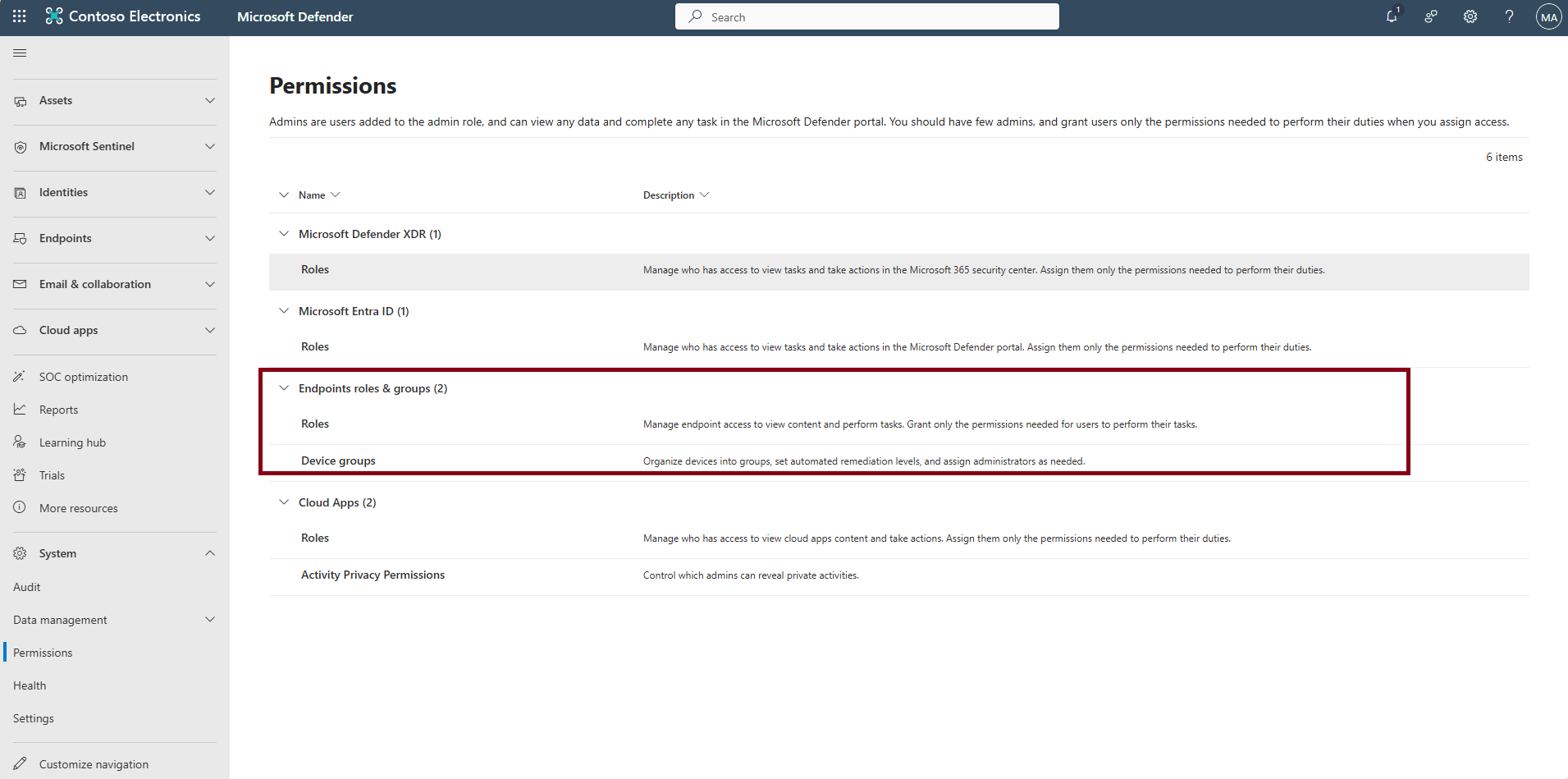
In the leftmost pane, go to System > Permissions.
-
Under the Endpoints roles & groups section, select Device groups.
-
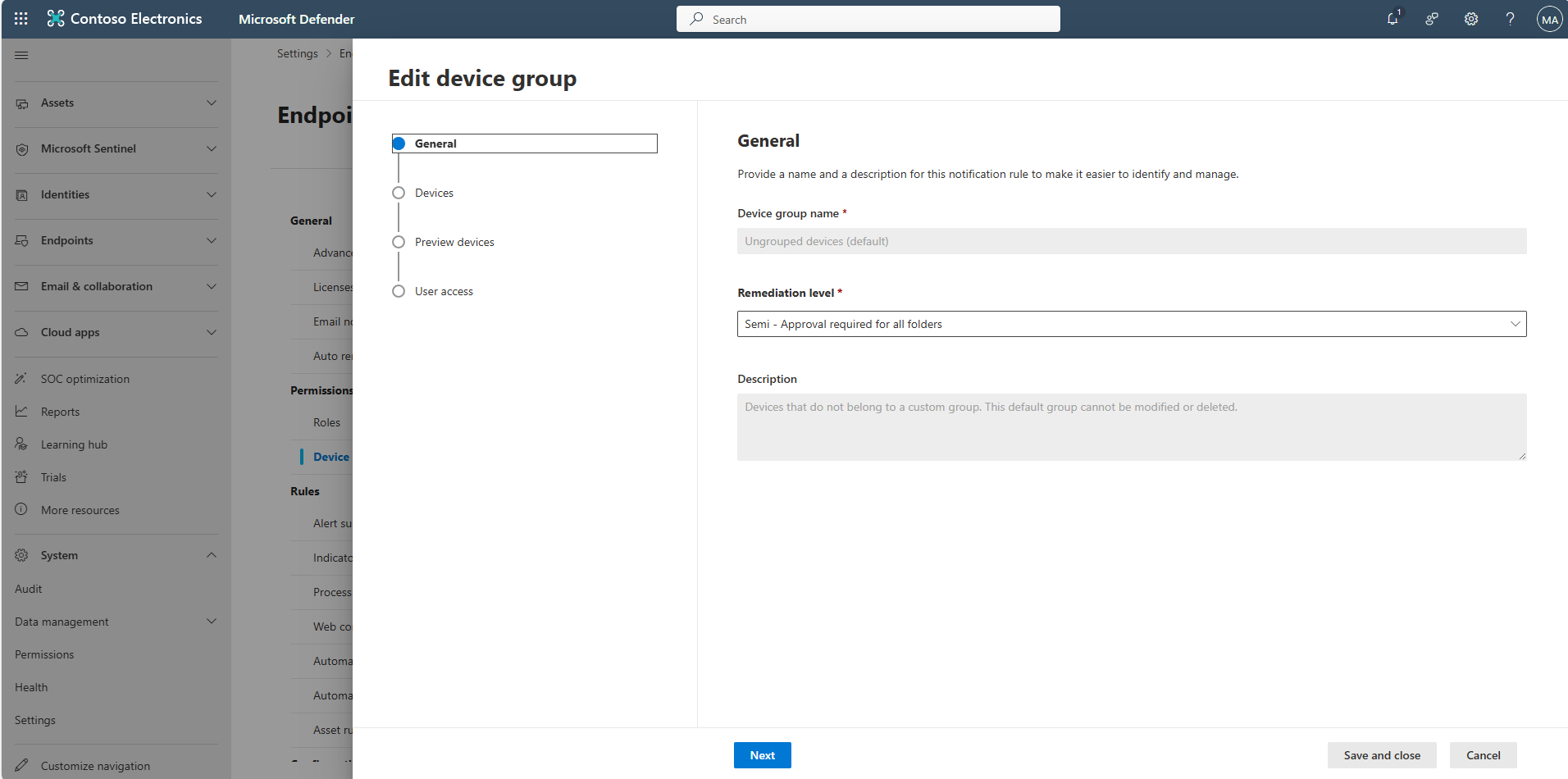
Select Ungrouped devices (default).
-
In the flyout pane, under Remediation level, select the dropdown menu, then select Semi - Approval required for all folders.
-
In the lower-right corner of pane, select Save and close.
-
Select the Pilot Lab group and repeat the same steps.
-
In the leftmost pane, go to Assets > Devices.
-
Select your pilot device, winvm-mde.
-
In the upper-right corner of the page, select the ellipsis to open the More actions menu, then select Initiate Live Response Session.
-
In the console, run
remediate file C:\ProgramData\AIR-Lab\proof.txt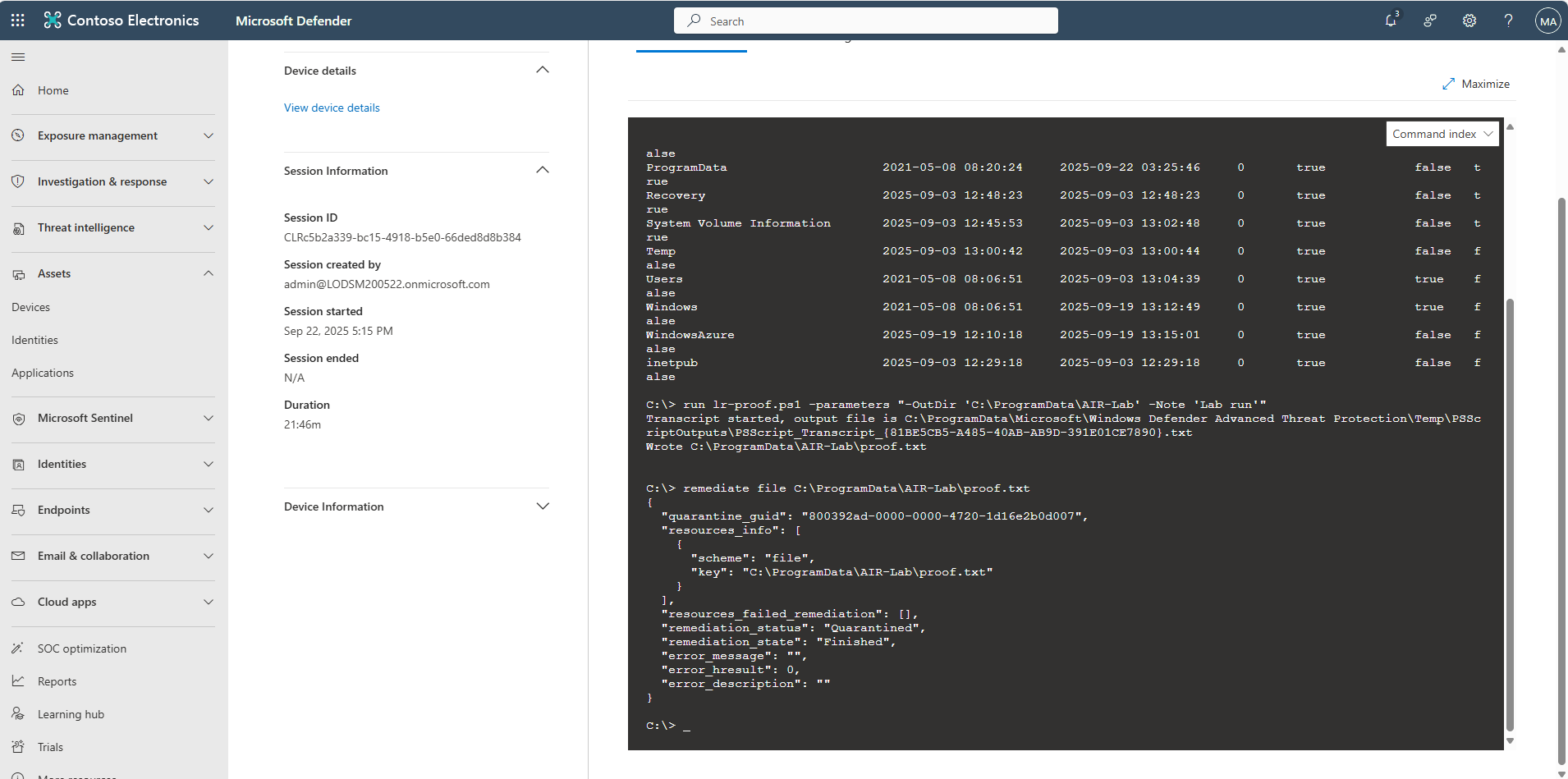
-
In the leftmost pane, go to Investigation & response > Actions & submissions > Action center.
-
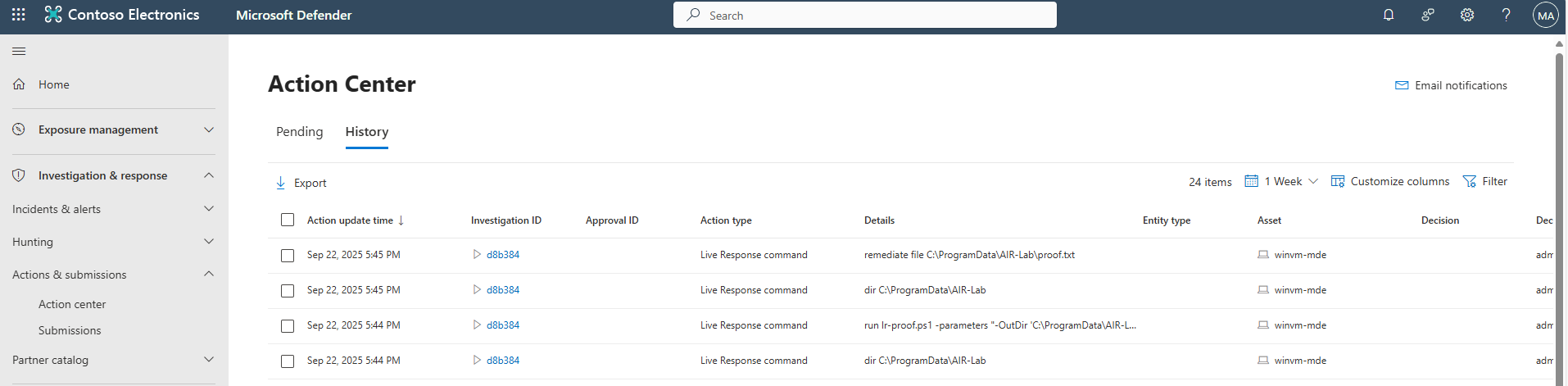
At the top of the page, select the History tab to confirm results.