Task 03: Create a custom detection rule
-
Clear the query editor.
-
Copy the following into the query window, select the entire query, then select Run query.
Expand here to copy the KQLQuery-3
Selecting the Copy option in the upper-right corner of the code block and pasting with Ctrl+V will be significantly faster than selecting Type!
 // Password spray detector (built-in tables only)
 let Start = ago(60m);
 let FailAad =
     AADSignInEventsBeta
     | where Timestamp between (Start .. now())
     | where ErrorCode != 0
     | extend ReportId = coalesce(
         tolong(ReportId),
         abs(tolong(hash(strcat(AccountUpn, IPAddress, tostring(Timestamp)))))
       )
     | project Timestamp, IPAddress, AccountUpn, ReportId, SrcTable="AAD";
 let FailId =
     IdentityLogonEvents
     | where Timestamp between (Start .. now())
     | where ActionType =~ "LogonFailed" or isempty(FailureReason)==false
     | extend ReportId = coalesce(
         tolong(ReportId),
         abs(tolong(hash(strcat(AccountUpn, IPAddress, tostring(Timestamp)))))
       )
     | project Timestamp, IPAddress, AccountUpn, ReportId, SrcTable="ID";

 let Failures = union isfuzzy=true FailAad, FailId;
 // Find spray IPs (≥10 attempts across ≥5 accounts)
 let SprayIPs =
     Failures
     | summarize Attempts = count(), DistinctAccounts = dcount(AccountUpn) by IPAddress
     | where DistinctAccounts >= 5 and Attempts >= 10;

 // Final result: one row per impacted account/IP with required columns
 Failures
 | where IPAddress in (SprayIPs | project IPAddress)
 | summarize SprayAttempts = count(), LastSeen = max(Timestamp) by IPAddress, AccountUpn
 | join kind=leftouter (
     Failures
     | summarize arg_max(Timestamp, ReportId) by IPAddress, AccountUpn
 ) on IPAddress, AccountUpn
 | project Timestamp = LastSeen, IPAddress, AccountUpn, ReportId, SprayAttempts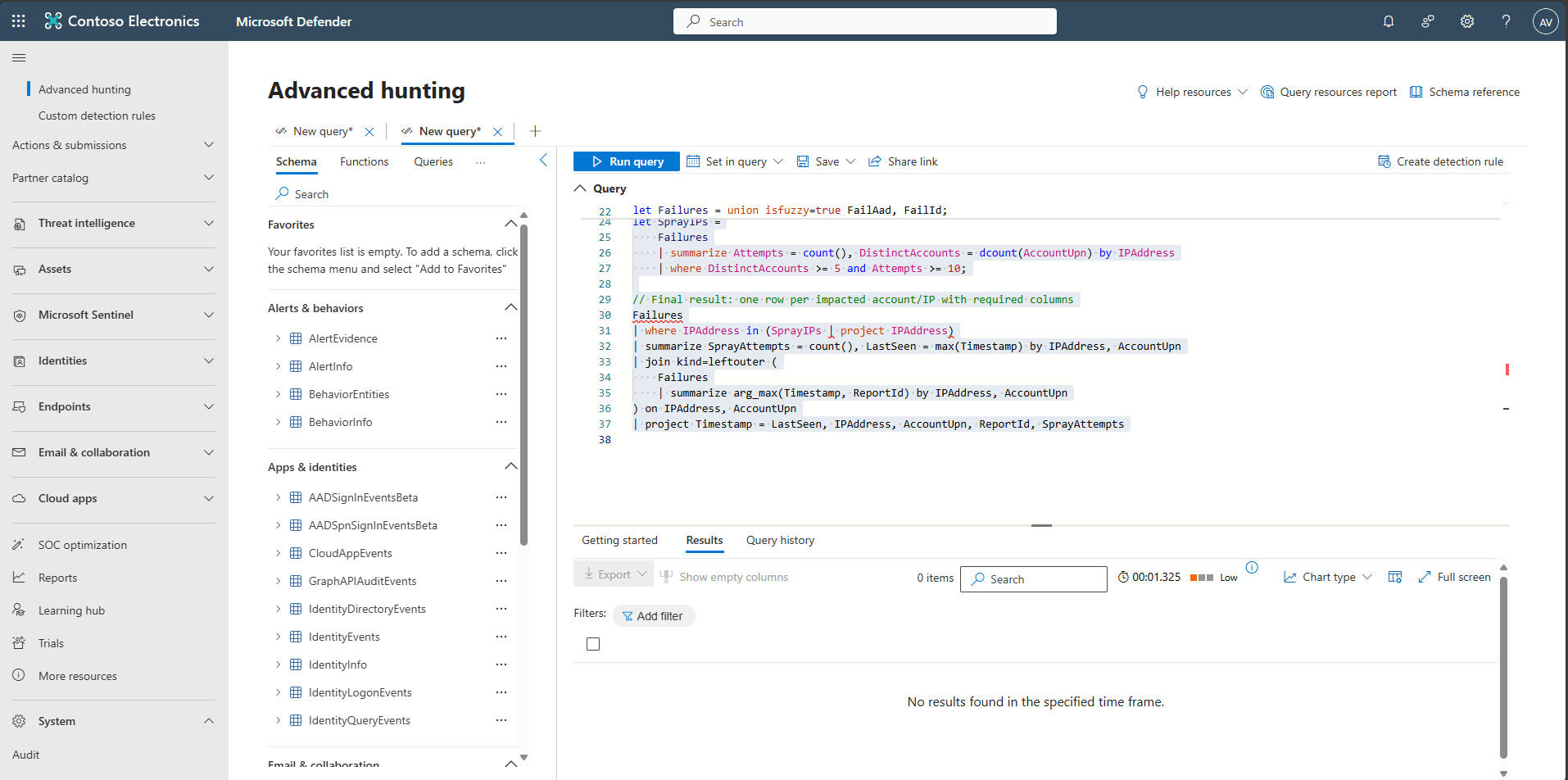
-
Even though this query does not return any results, ensure the Results tab is selected. Then, in the upper-right corner of the query window, select Create detection rule.
-
On the General page, enter the following details, then select Next.
Item Value Detection name LAB - Password spray Frequency Every hour Severity Medium Category Credential access 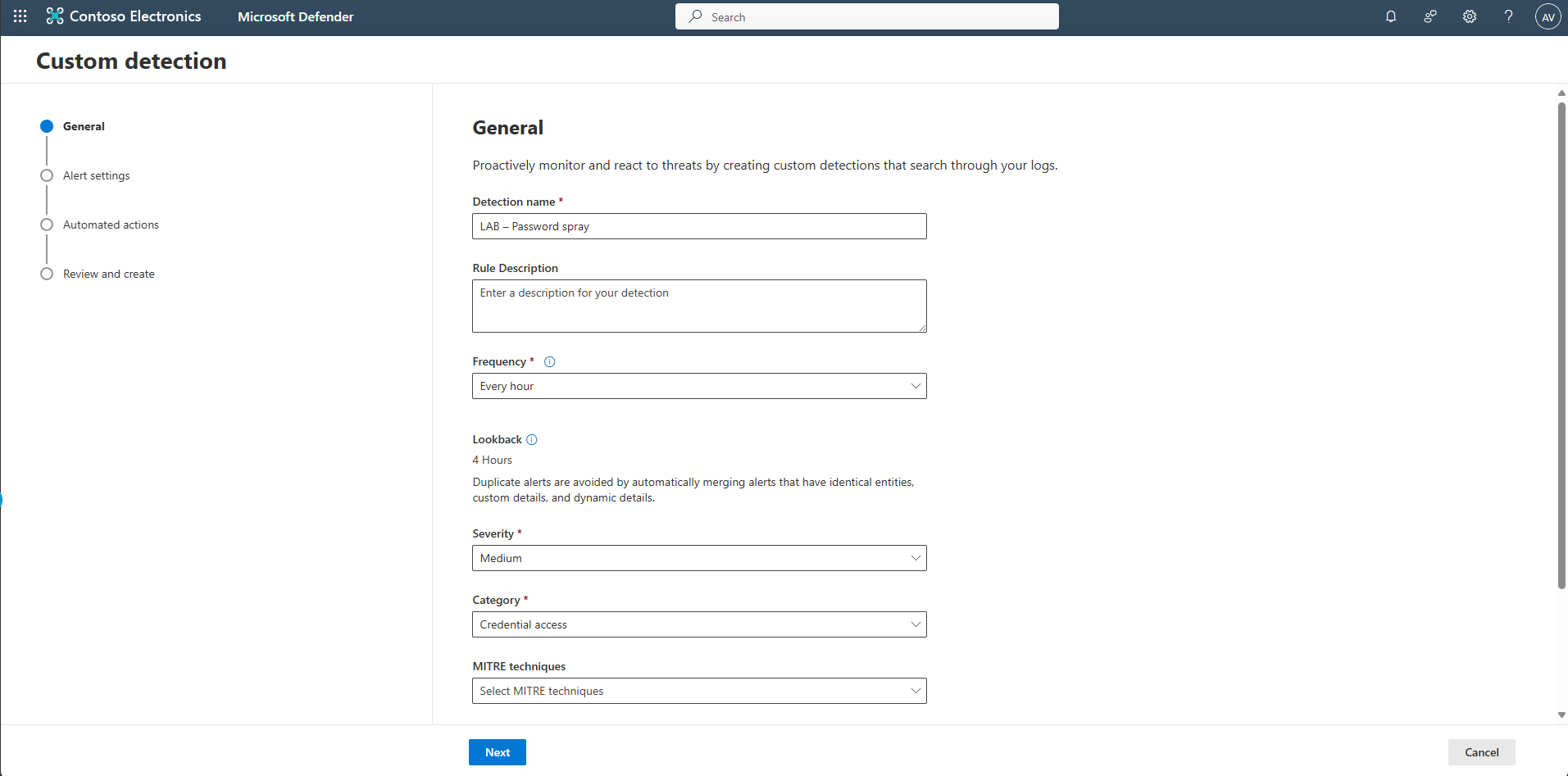
-
On the Alert settings page, enter the following for both Alert title and Description:
Password spray detected from {IPAddress} targeting multiple accounts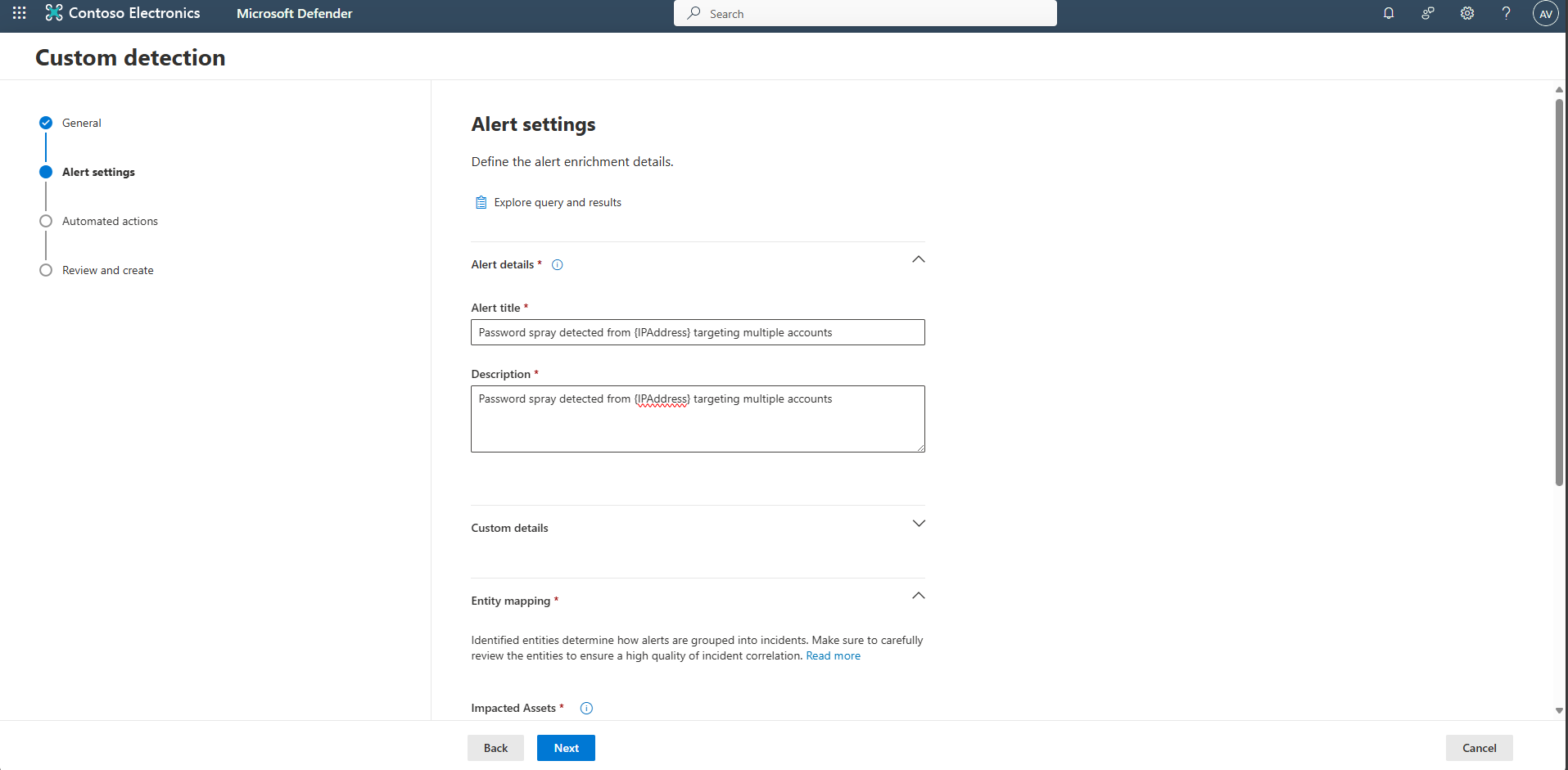
-
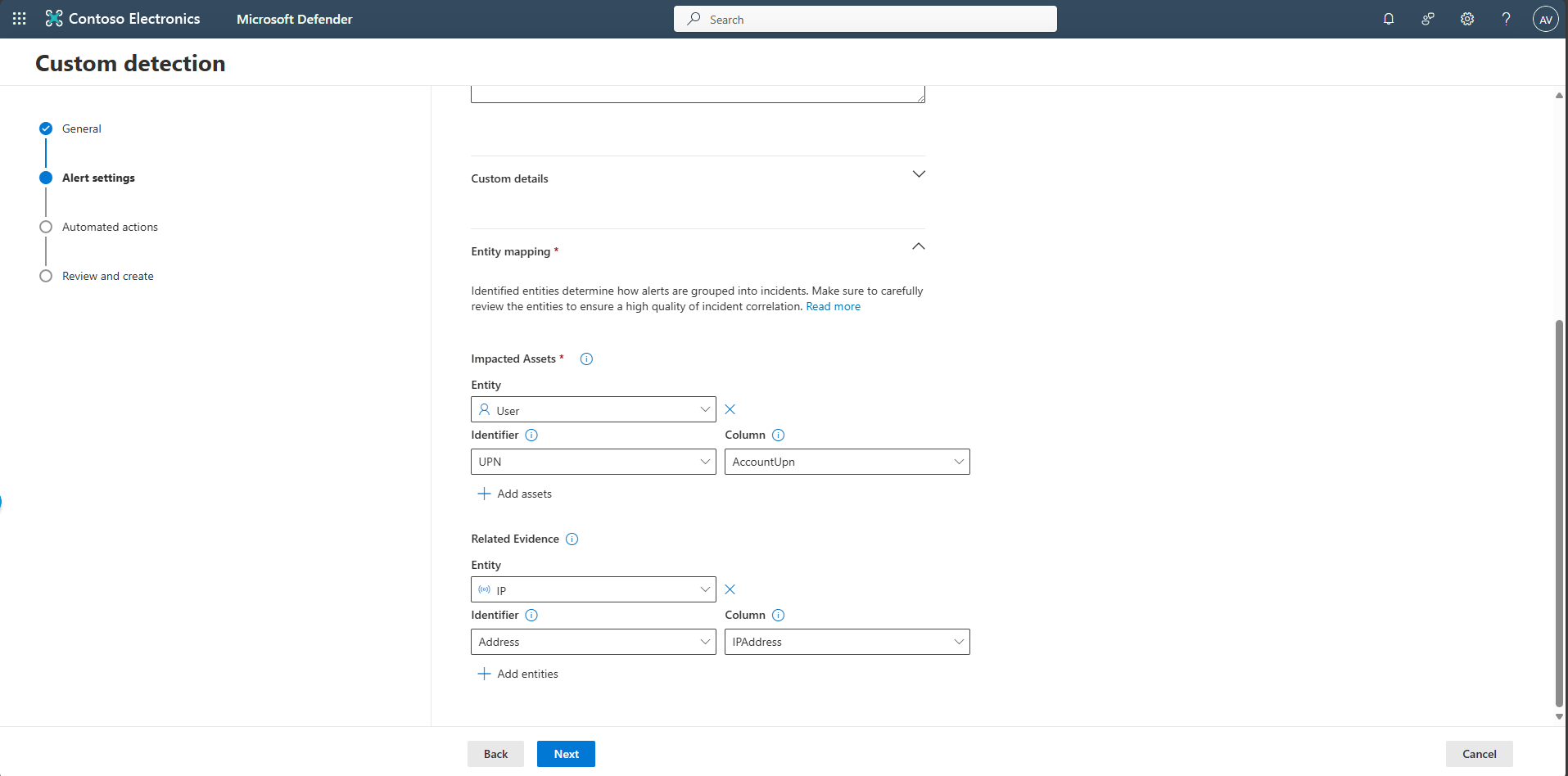
Under the Entity mapping section, configure the impacted assets and related evidence.
-
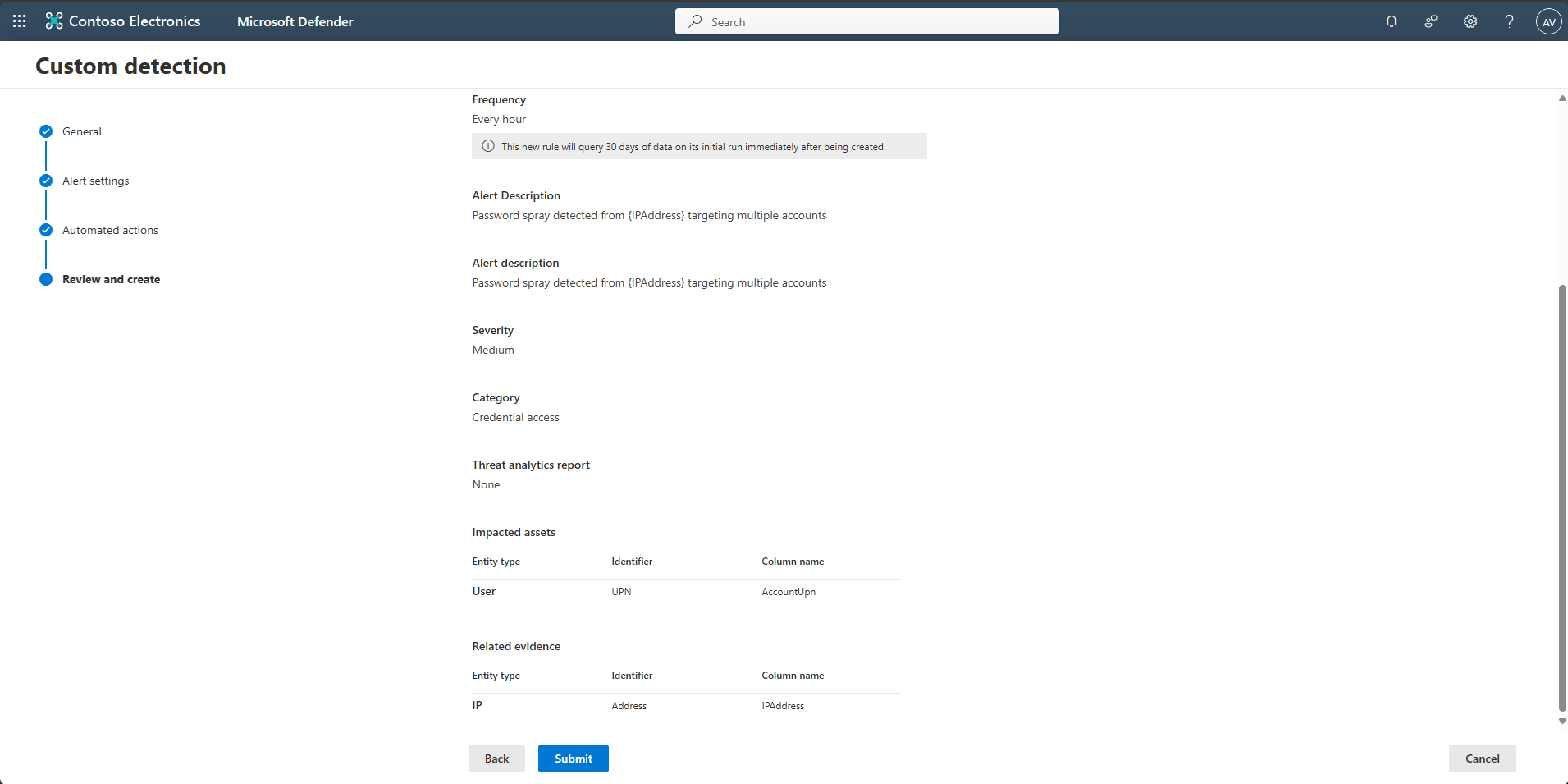
Select Next until the Review and create page.
-
Select Submit.