Task 03: Defender for Endpoint (MDE) - onboard the VM & generate safe alerts
You’ll deploy a small Windows VM you can onboard to Defender for Endpoint to use for safe simulations (EICAR, browsing to generate Cloud Discovery via MDE integration).
-
Open Microsoft Edge, then go to
portal.azure.com. -
Sign in with your global admin account.
-
In Azure’s search box, enter and select
Resource groups.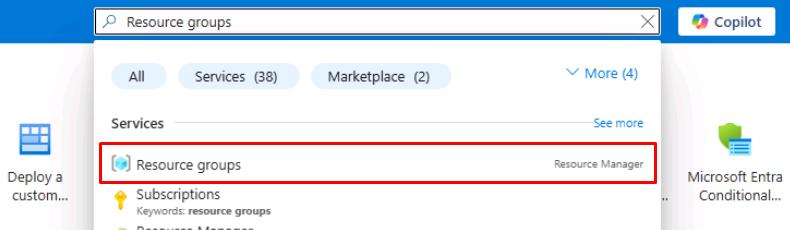
-
On the top bar, select Create.
-
For Resource group name, enter
rg-xdr-lab. -
At the bottom of the page, select Review + create, then select Create.
-
In Azure’s search box, enter and select
Deploy a custom template.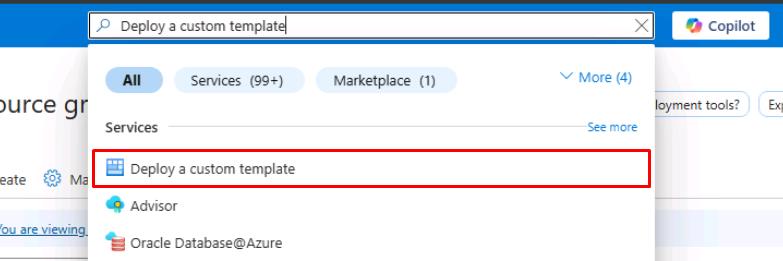
-
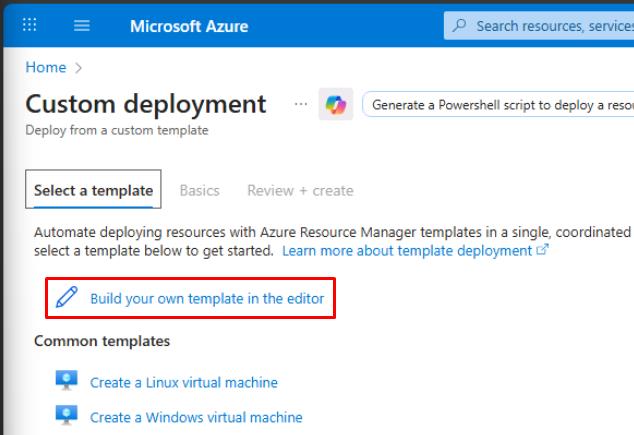
Select Build your own template in the editor.
-
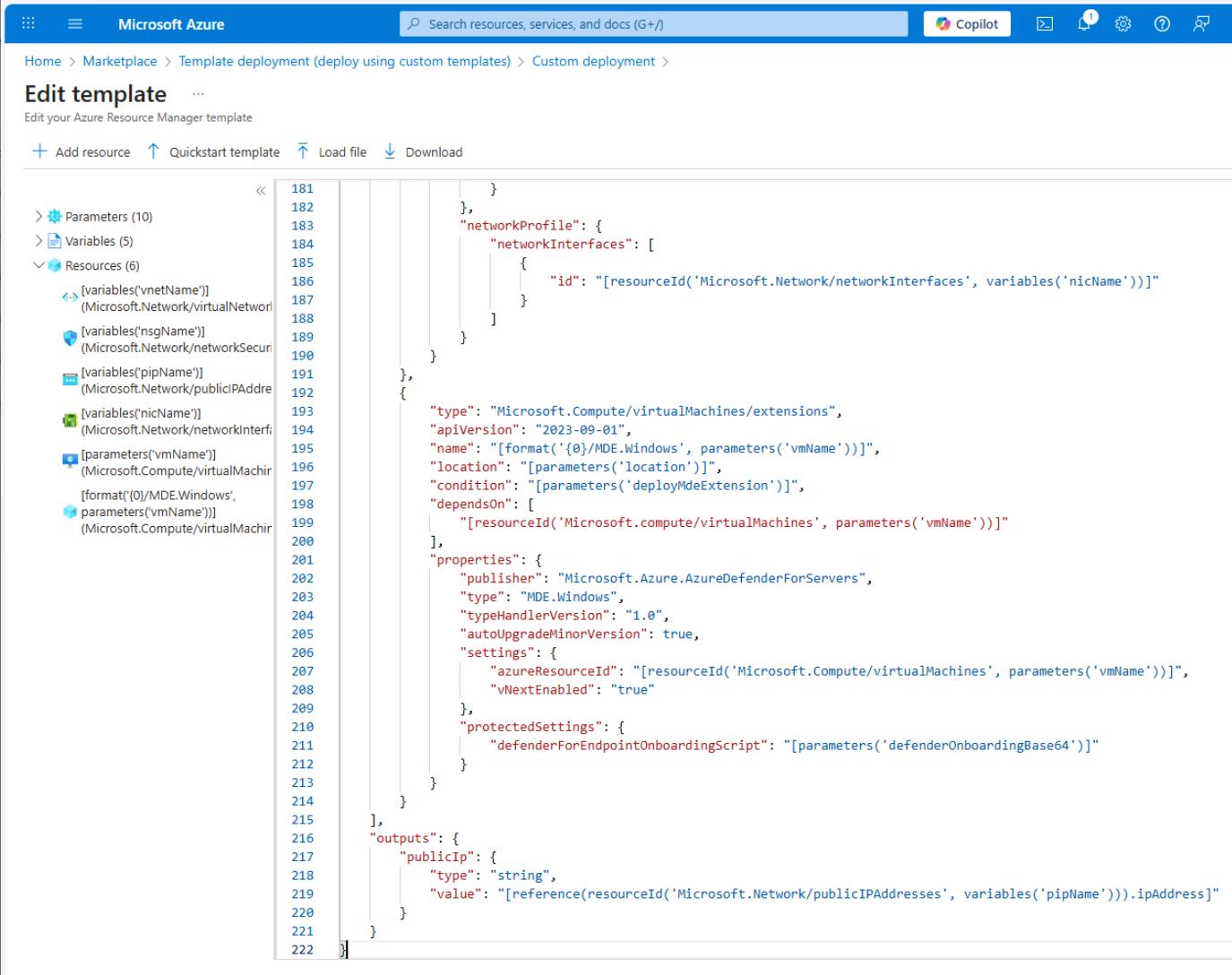
On the Edit template page, replace the existing JSON text with the following:
Select Copy on the code block, then paste with Ctrl+V. Do not select Type.
 {
     "$schema": "https://schema.management.azure.com/schemas/2019-04-01/deploymentTemplate.json#",
     "contentVersion": "1.0.0.0",
     "parameters": {
         "location": {
             "type": "string",
             "defaultValue": "[resourceGroup().location]"
         },
         "vmName": {
             "type": "string",
             "defaultValue": "winvm-mde"
         },
         "adminUsername": {
             "type": "string",
             "defaultValue": "azureadmin"
         },
         "adminPassword": {
             "type": "secureString"
         },
         "vmSize": {
             "type": "string",
             "defaultValue": "Standard_D2s_v4"
         },
         "addressPrefix": {
             "type": "string",
             "defaultValue": "10.0.0.0/16"
         },
         "subnetPrefix": {
             "type": "string",
             "defaultValue": "10.0.0.0/24"
         },
         "deployMdeExtension": {
             "type": "bool",
             "defaultValue": false,
             "metadata": {
                 "description": "Set true to deploy MDE.Windows extension during VM provisioning."
             }
         },
         "defenderOnboardingBase64": {
             "type": "secureString",
             "defaultValue": "",
             "metadata": {
                 "description": "Base64-encoded MDE onboarding package (protected settings). Leave empty if using Defender for Cloud auto-provisioning."
             }
         }
     },
     "variables": {
         "vnetName": "[format('{0}-vnet', parameters('vmName'))]",
         "subnetName": "default",
         "bastionSubnetName": "AzureBastionSubnet",
         "nsgName": "[format('{0}-nsg', parameters('vmName'))]",
         "pipName": "[format('{0}-pip', parameters('vmName'))]",
         "nicName": "[format('{0}-nic', parameters('vmName'))]",
         "bastionPipName": "[format('{0}-bastion-pip', parameters('vmName'))]",
         "bastionHostName": "[format('{0}-bastion', parameters('vmName'))]"
     },
     "resources": [
         {
             "type": "Microsoft.Network/virtualNetworks",
             "apiVersion": "2023-09-01",
             "name": "[variables('vnetName')]",
             "location": "[parameters('location')]",
             "properties": {
                 "addressSpace": {
                     "addressPrefixes": [
                         "[parameters('addressPrefix')]"
                     ]
                 },
                 "subnets": [
                     {
                         "name": "[variables('subnetName')]",
                         "properties": {
                             "addressPrefix": "[parameters('subnetPrefix')]"
                         }
                     },
                     {
                         "name": "[variables('bastionSubnetName')]",
                         "properties": {
                             "addressPrefix": "10.0.1.0/27"
                         }
                     }
                 ]
             }
         },
         {
             "type": "Microsoft.Network/networkSecurityGroups",
             "apiVersion": "2023-09-01",
             "name": "[variables('nsgName')]",
             "location": "[parameters('location')]",
             "properties": {
                 "securityRules": []
             }
         },
         {
             "type": "Microsoft.Network/publicIPAddresses",
             "apiVersion": "2023-09-01",
             "name": "[variables('pipName')]",
             "location": "[parameters('location')]",
             "sku": {
                 "name": "Standard"
             },
             "properties": {
                 "publicIPAllocationMethod": "Static"
             }
         },
         {
             "type": "Microsoft.Network/networkInterfaces",
             "apiVersion": "2023-09-01",
             "name": "[variables('nicName')]",
             "location": "[parameters('location')]",
             "dependsOn": [
                 "[resourceId('Microsoft.Network/virtualNetworks', variables('vnetName'))]",
                 "[resourceId('Microsoft.Network/publicIPAddresses', variables('pipName'))]",
                 "[resourceId('Microsoft.Network/networkSecurityGroups', variables('nsgName'))]"
             ],
             "properties": {
                 "ipConfigurations": [
                     {
                         "name": "ipconfig1",
                         "properties": {
                             "subnet": {
                                 "id": "[resourceId('Microsoft.Network/virtualNetworks/subnets', variables('vnetName'), variables('subnetName'))]"
                             },
                             "publicIPAddress": {
                                 "id": "[resourceId('Microsoft.Network/publicIPAddresses', variables('pipName'))]"
                             }
                         }
                     }
                 ],
                 "networkSecurityGroup": {
                     "id": "[resourceId('Microsoft.Network/networkSecurityGroups', variables('nsgName'))]"
                 }
             }
         },
         {
             "type": "Microsoft.Compute/virtualMachines",
             "apiVersion": "2023-09-01",
             "name": "[parameters('vmName')]",
             "location": "[parameters('location')]",
             "dependsOn": [
                 "[resourceId('Microsoft.Network/networkInterfaces', variables('nicName'))]"
             ],
             "properties": {
                 "hardwareProfile": {
                     "vmSize": "[parameters('vmSize')]"
                 },
                 "osProfile": {
                     "computerName": "[parameters('vmName')]",
                     "adminUsername": "[parameters('adminUsername')]",
                     "adminPassword": "[parameters('adminPassword')]",
                     "windowsConfiguration": {
                         "provisionVMAgent": true,
                         "enableAutomaticUpdates": true
                     }
                 },
                 "storageProfile": {
                     "imageReference": {
                         "publisher": "MicrosoftWindowsServer",
                         "offer": "WindowsServer",
                         "sku": "2022-datacenter-azure-edition",
                         "version": "latest"
                     },
                     "osDisk": {
                         "createOption": "FromImage",
                         "managedDisk": {
                             "storageAccountType": "Premium_LRS"
                         }
                     }
                 },
                 "networkProfile": {
                     "networkInterfaces": [
                         {
                             "id": "[resourceId('Microsoft.Network/networkInterfaces', variables('nicName'))]"
                         }
                     ]
                 }
             }
         },
         {
             "type": "Microsoft.Network/publicIPAddresses",
             "apiVersion": "2023-09-01",
             "name": "[variables('bastionPipName')]",
             "location": "[parameters('location')]",
             "sku": {
                 "name": "Standard"
             },
             "properties": {
                 "publicIPAllocationMethod": "Static"
             }
         },
         {
             "type": "Microsoft.Network/bastionHosts",
             "apiVersion": "2023-09-01",
             "name": "[variables('bastionHostName')]",
             "location": "[parameters('location')]",
             "dependsOn": [
                 "[resourceId('Microsoft.Network/virtualNetworks', variables('vnetName'))]",
                 "[resourceId('Microsoft.Network/publicIPAddresses', variables('bastionPipName'))]"
             ],
             "properties": {
                 "ipConfigurations": [
                     {
                         "name": "bastionHostIpConfig",
                         "properties": {
                             "subnet": {
                                 "id": "[resourceId('Microsoft.Network/virtualNetworks/subnets', variables('vnetName'), variables('bastionSubnetName'))]"
                             },
                             "publicIPAddress": {
                                 "id": "[resourceId('Microsoft.Network/publicIPAddresses', variables('bastionPipName'))]"
                             }
                         }
                     }
                 ]
             }
         },
         {
             "type": "Microsoft.Compute/virtualMachines/extensions",
             "apiVersion": "2023-09-01",
             "name": "[format('{0}/MDE.Windows', parameters('vmName'))]",
             "location": "[parameters('location')]",
             "condition": "[parameters('deployMdeExtension')]",
             "dependsOn": [
                 "[resourceId('Microsoft.compute/virtualMachines', parameters('vmName'))]"
             ],
             "properties": {
                 "publisher": "Microsoft.Azure.AzureDefenderForServers",
                 "type": "MDE.Windows",
                 "typeHandlerVersion": "1.0",
                 "autoUpgradeMinorVersion": true,
                 "settings": {
                     "azureResourceId": "[resourceId('Microsoft.Compute/virtualMachines', parameters('vmName'))]",
                     "vNextEnabled": "true"
                 },
                 "protectedSettings": {
                     "defenderForEndpointOnboardingScript": "[parameters('defenderOnboardingBase64')]"
                 }
             }
         }
     ],
     "outputs": {
         "publicIp": {
             "type": "string",
             "value": "[reference(resourceId('Microsoft.Network/publicIPAddresses', variables('pipName'))).ipAddress]"
         }
     }
 }
-
In the lower-left corner of the page, select Save.
In the template above, the Standard_D2s_v4 VM SKU was used. If this is unavailable in your tenant, replace the Vm Size with any available General Purpose VM SKU.
-
Near the top of the page, select Edit parameters.
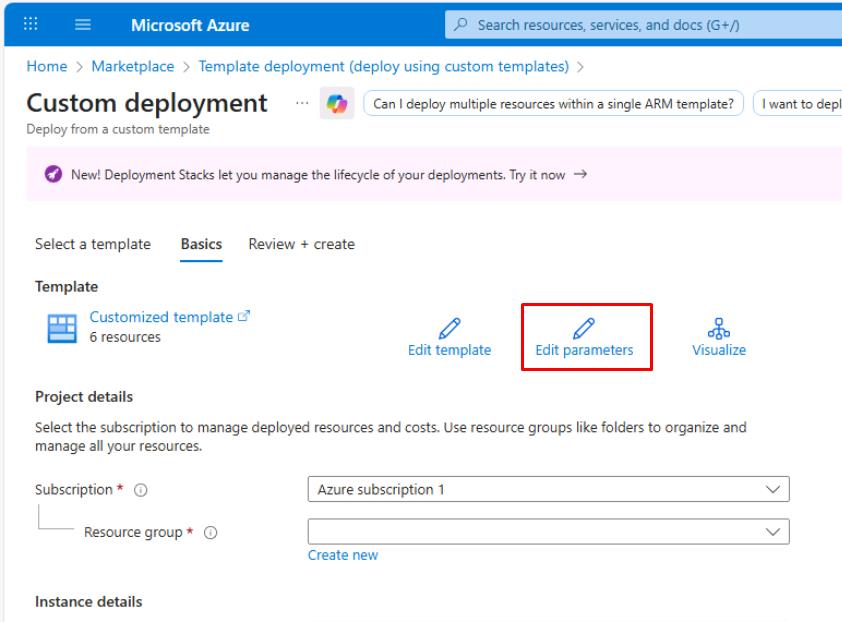
-
In Edit parameters, replace the existing JSON text with the following:
Again, the Standard_D2s_v4 VM SKU is used. If this is unavailable in your tenant, replace it with any General Purpose VM SKU.
{ "$schema": "https://schema.management.azure.com/schemas/2019-04-01/deploymentParameters.json#", "contentVersion": "1.0.0.0", "parameters": { "location": { "value": "[resourceGroup().location]" }, "vmName": { "value": "winvm-mde" }, "adminUsername": { "value": "azureadmin" }, "adminPassword": { "value": "P@ssword123!" }, "vmSize": { "value": "Standard_D2s_v4" }, "addressPrefix": { "value": "10.0.0.0/16" }, "subnetPrefix": { "value": "10.0.0.0/24" }, "deployMdeExtension": { "value": false }, "defenderOnboardingBase64": { "value": null } } } -
In the lower-left corner of the page, select Save.
-
Back on the Custom deployment page, for Resource group, select rg-xdr-lab.
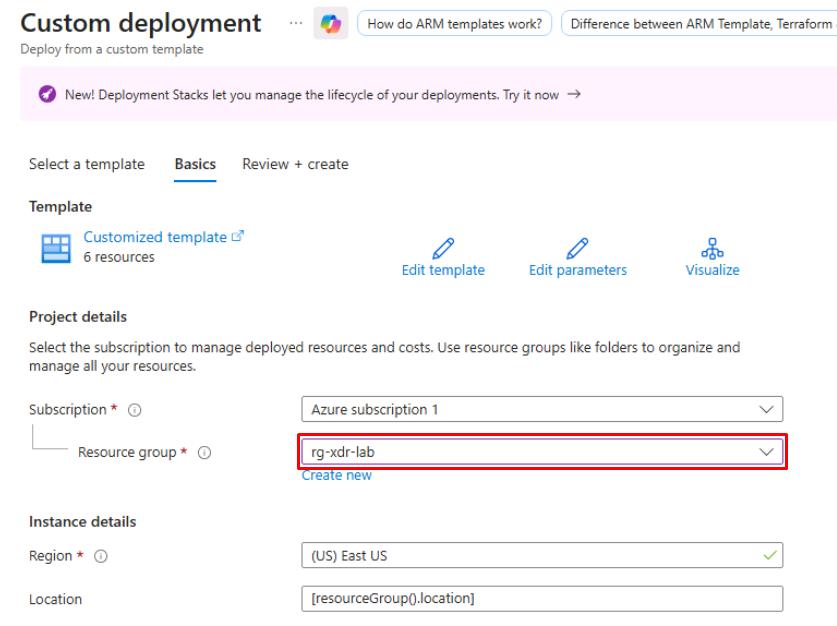
-
Select Review + Create, then select Create.
This deploys a Windows 11 VM, virtual network, network security group, and related resources.
The deployment will take around 10 minutes.
-
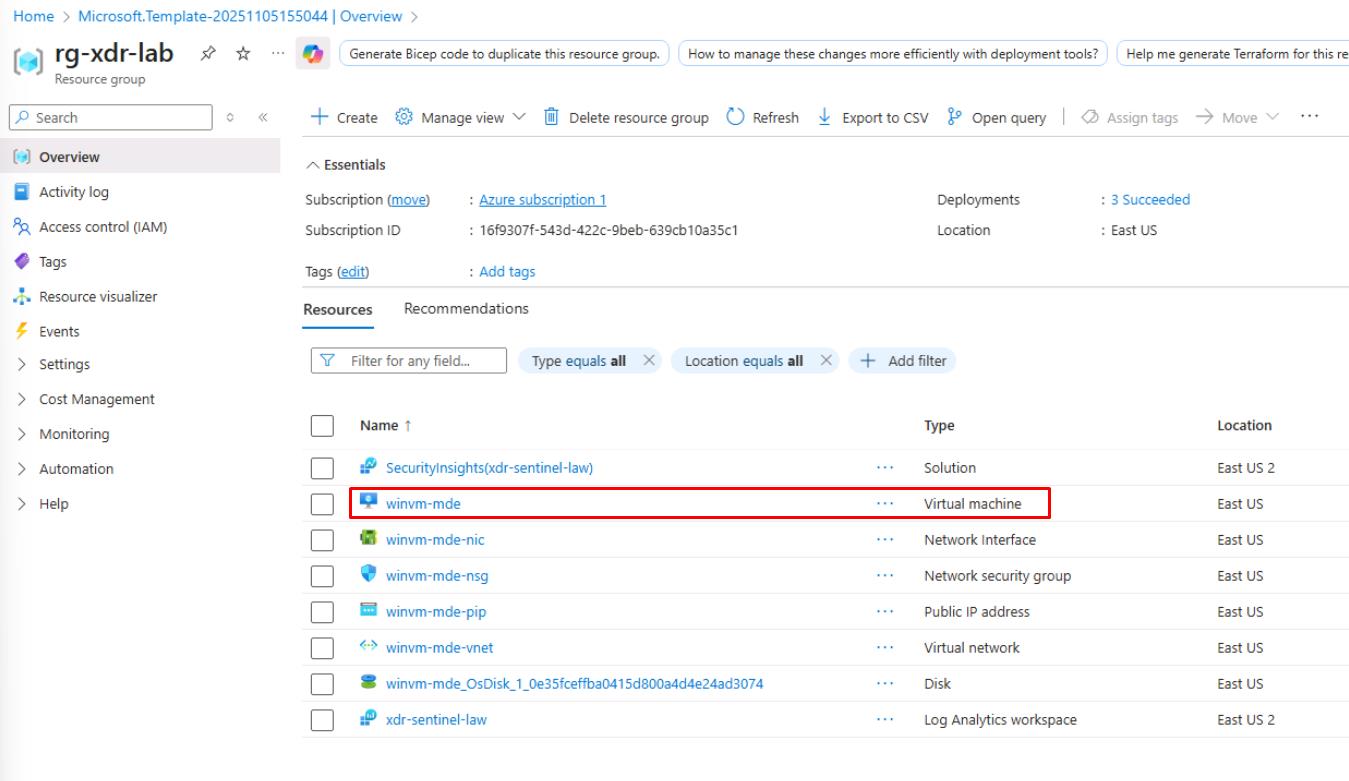
Once finished, select Go to resource group, then verify the winvm-mde VM deployed.