Task 04: Detect risky behaviors - OAuth apps, impossible travel, and file governance
Security Architecture Team
01: Create an OAuth app policy.
-
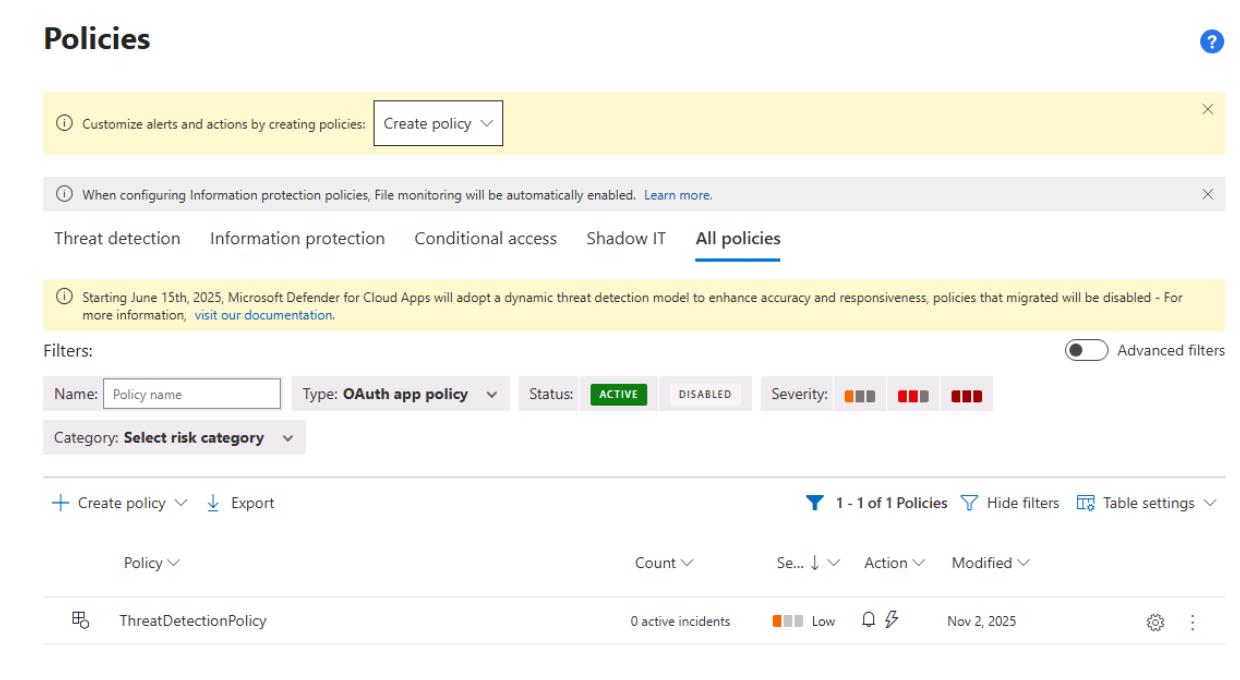
In the leftmost pane, go to Cloud apps > Policies > Policy management.
-
At the top of the table, select Create policy > OAuth app policy.
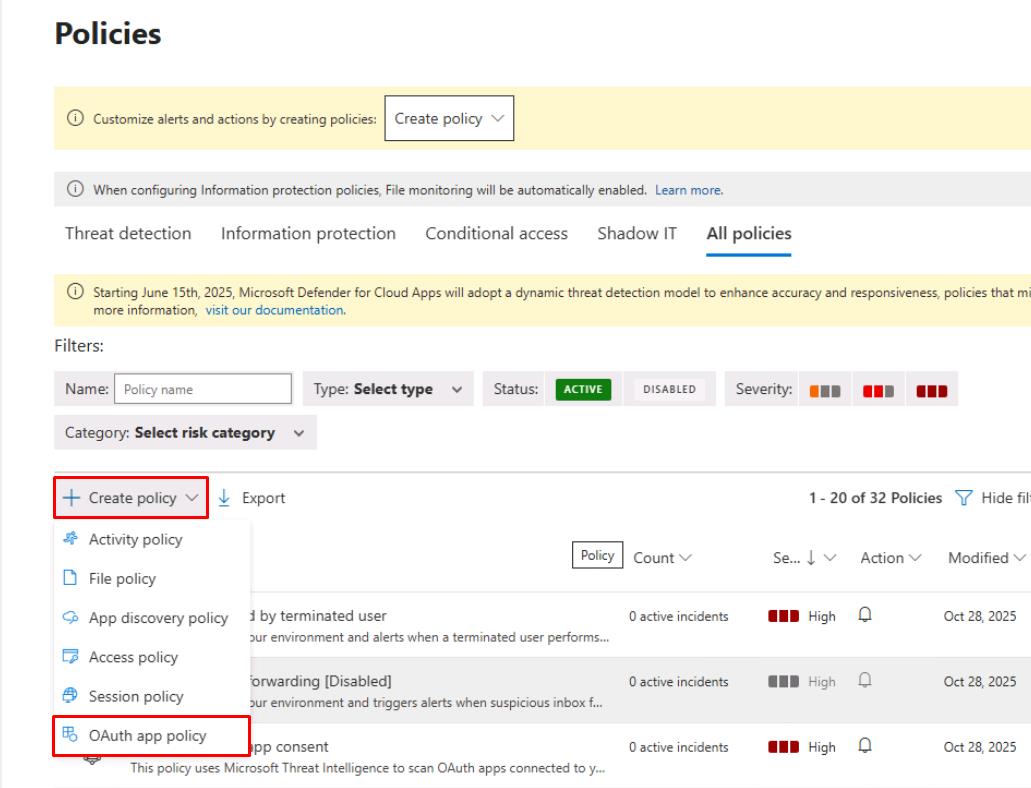
-
For Policy name, enter
ThreatDetectionPolicy. -
Under Create filters for the policy, select Select a filter, then select Publisher.
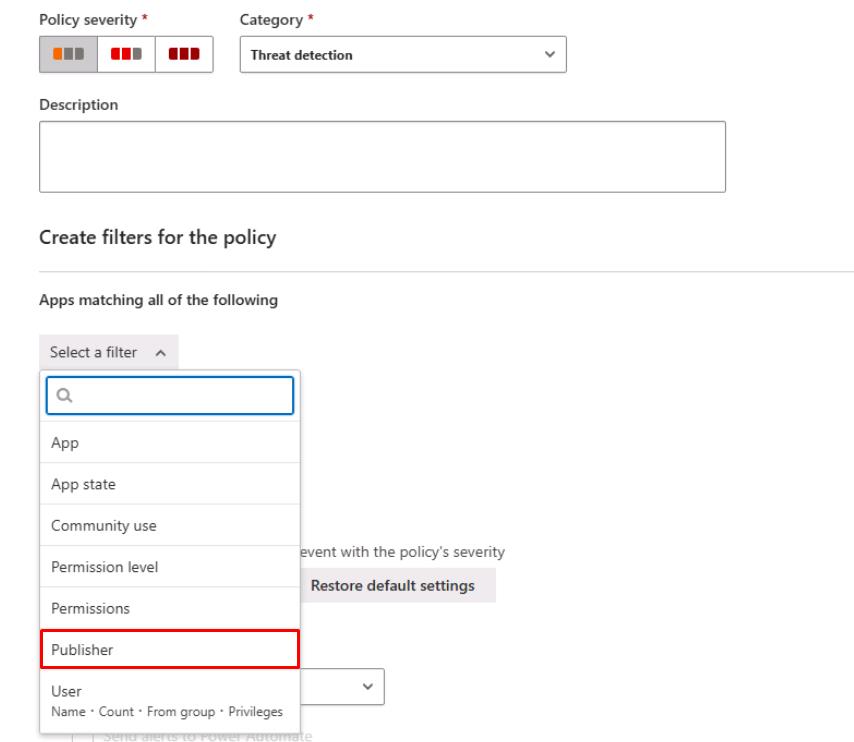
-
On the line for Publisher equals, enter
Microsoft.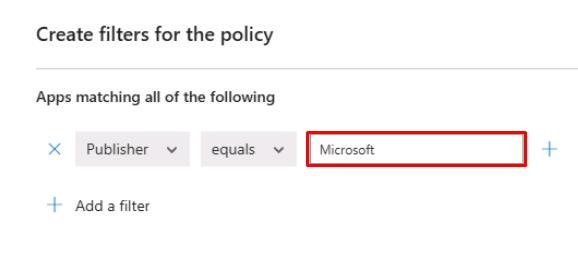
-
If the Governance actions section is available, expand Microsoft 365, then select Revoke Office OAuth app.
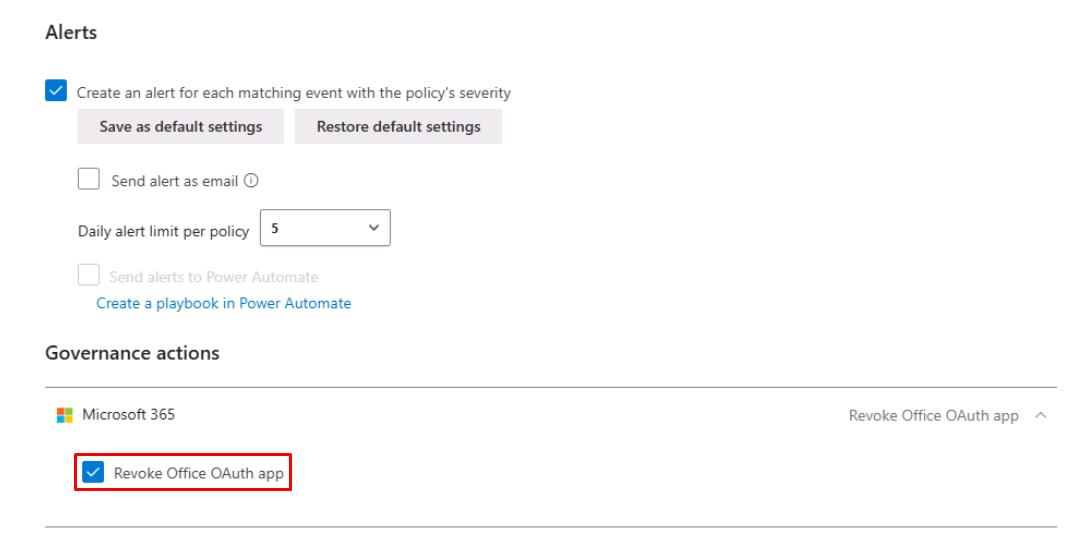
-
At the bottom of the page, select Create, then confirm it appears on the table.
02: Verify built-in risk detections
-
In the leftmost pane, go to Identities > Dashboard.
-
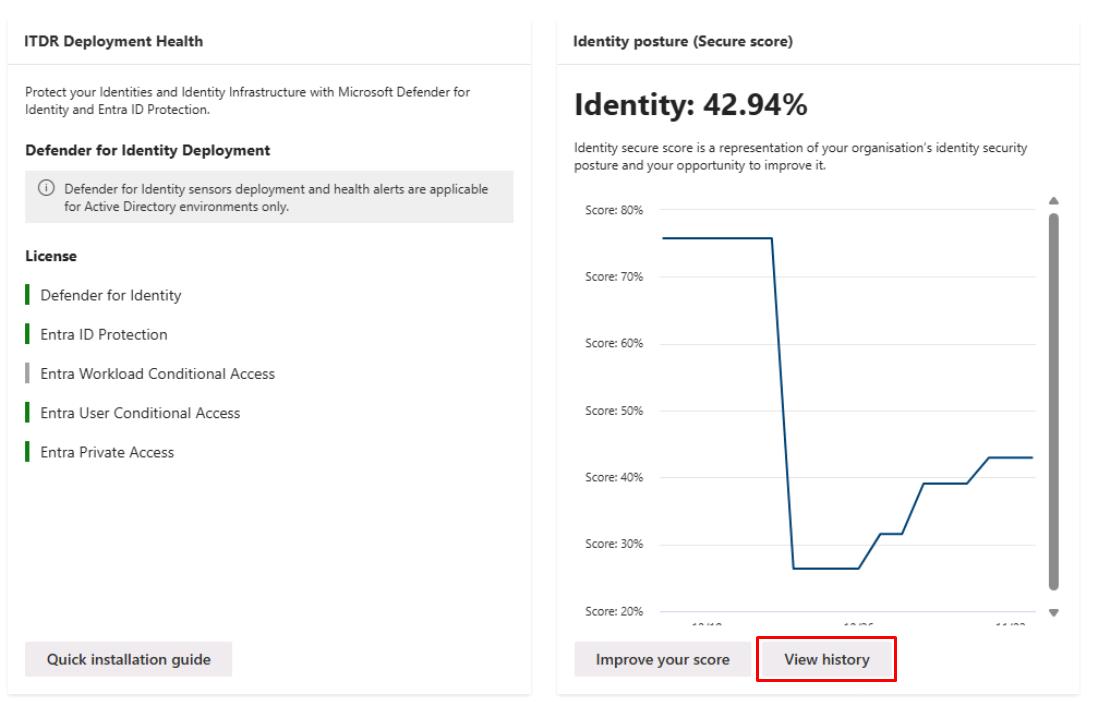
Make note of the Identity posture (Secure score) for reporting.
Security Engineering and Administration
-
In the leftmost pane, go to Identities > Dashboard.
-
Under Identity posture (Secure score), select View history.
-
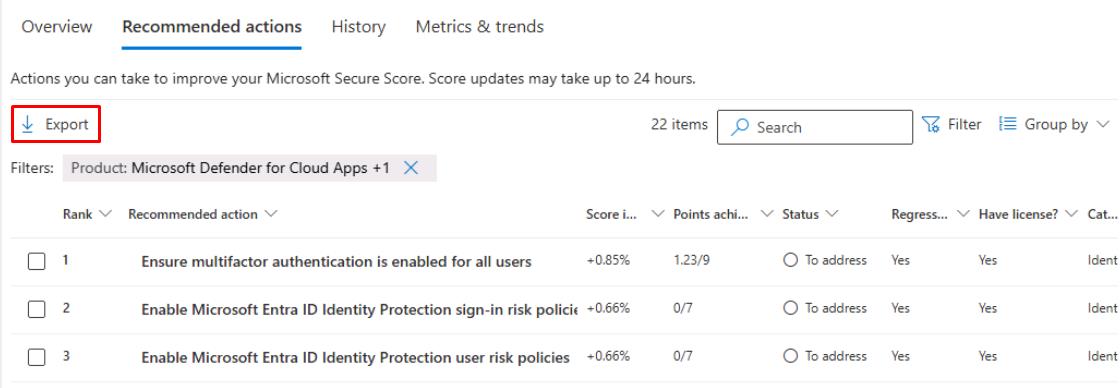
Select the Recommended actions tab.
-
In the upper-right corner of the table, select Filter.
-
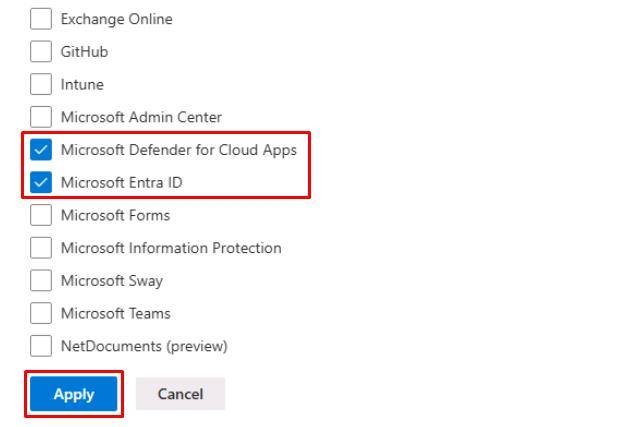
Under the Product section, select the following, then select Apply:
- Microsoft Defender for Cloud Apps
- Microsoft Entra ID
-
In the upper-left corner of the table, select Export to download the recommended actions for remediation.
SOC Analyst
-
Run the following KQL query to check for new Cloud App alerts in the last 24 hours:
 // 1) All new Cloud Apps alerts (last 24h)
 AlertInfo
 | where Timestamp >= ago(24h) and ServiceSource has "Defender for Cloud Apps"
 | project Timestamp, Title, Severity, Category, AlertId, ServiceSource, DetectionSource
If there are no results, no new Cloud App policy alerts were triggered in the last 24 hours.
-
Run the following KQL query to check for impossible travel sign-ins:
 // 2) Impossible travel sign-ins context
 IdentityLogonEvents
 | where Timestamp >= ago(24h)
 | summarize Countries = makeset(Location) by AccountUpn
 | where array_length(Countries) > 1
If there are no results, then no users signed in from multiple countries in a short window, so no impossible travel scenarios were detected.
-
Run the following KQL query to check for public file sharing or permission changes via Cloud Apps:
 // 3) Public sharing/permission changes via Cloud Apps
 CloudAppEvents
 | where Timestamp >= ago(24h)
 | where Application in ("SharePoint","OneDrive")
 | where ActivityType has_any ("Public link created","Anonymous link created","Sharing policy changed","Remove external sharing")
 | project Timestamp, AccountId, ActivityType, ObjectName, IPAddress
If there are no results, then no new files were shared publicly, or no sharing policy changes occurred in the last 24 hours.