Task 08: Entra Identity Signals in Defender XDR (cloud-only prerequisites)
Identity investigations on Entra signals visible in Defender XDR (sign-in risk, token anomalies, OAuth app governance) rather than MDI sensors. Let’s demonstrate:
- Risky sign-ins & conditional access blocks
- Risky OAuth consent (create a test multi-tenant app and flag it via App Governance)
- Identity Secure Score improvements (enforce MFA, block legacy auth)
The output will provide evidence-based insight into how Entra risk telemetry flows into your unified XDR environment, and a baseline for later posture-hardening exercises.
In a real-world scenario, Security Architecture would design, while a Security Admin could implement.
-
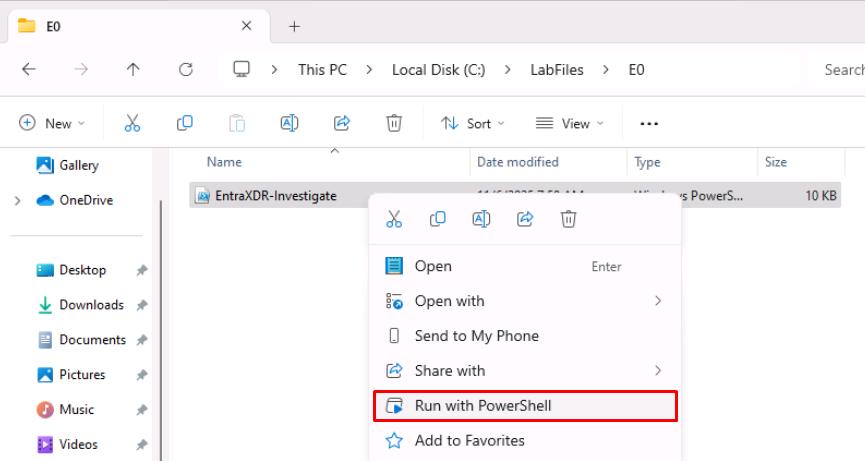
Open Windows File Explorer, then go to
C:\LabFiles\E0. -
Right-click EntraXDR-Investigate, then select Run with PowerShell.
-
Sign in with your global admin account.
-
On the Permissions requested dialog, select Consent on behalf of your organization, then select Accept.
Collects Entra ID risk telemetry (risky sign-ins, OAuth consent events, Identity Secure Score) and exports it to ./out for Defender XDR-style investigations, optionally generating report-only Conditional Access policy JSON and creating a harmless multi-tenant app stub when explicitly enabled.
-
Observe the outputs in
C:\LabFiles\E0\out.You may not see all files, depending on your environment.
- risky-signins.json - Lists recent user sign-ins flagged as risky by Entra ID Protection (risk level, detail, IP, and user info).
- oauth-consent-audit.json - Captures recent OAuth “Consent to application” audit events showing who granted access to which app.
- secure-score.json - Contains the tenant’s current Identity Secure Score metrics and enabled security services.