Task 05: Capture before/after metrics and assign owners/SLAs
Security Architecture Team
-
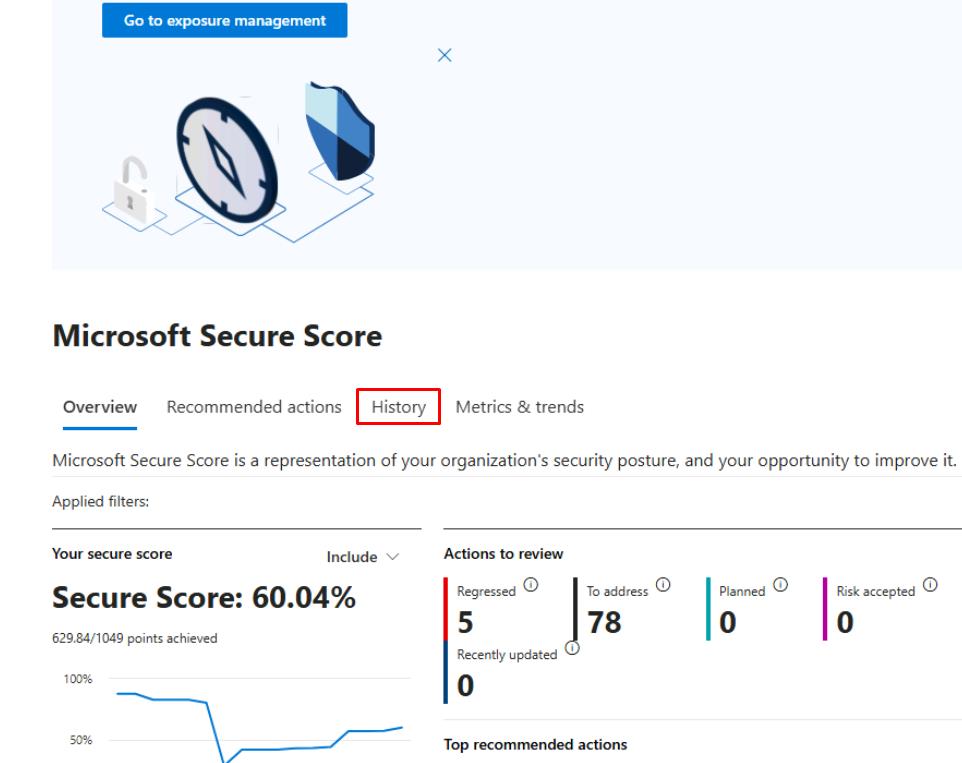
In the leftmost pane, go to Exposure management > Secure score.
-
Near the top of the page, select the History tab.
-
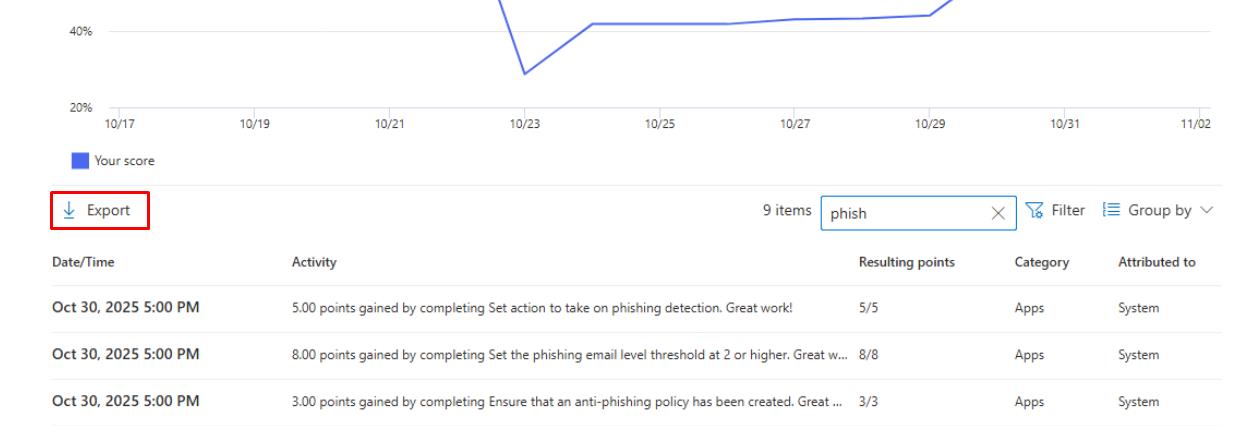
In the upper-right corner of the table’s search box, enter
phish. -
In the upper-left corner of the table, select Export.
-
Define the Owners and SLAs for keeping these controls enforced.
Security Engineering and Administration
-
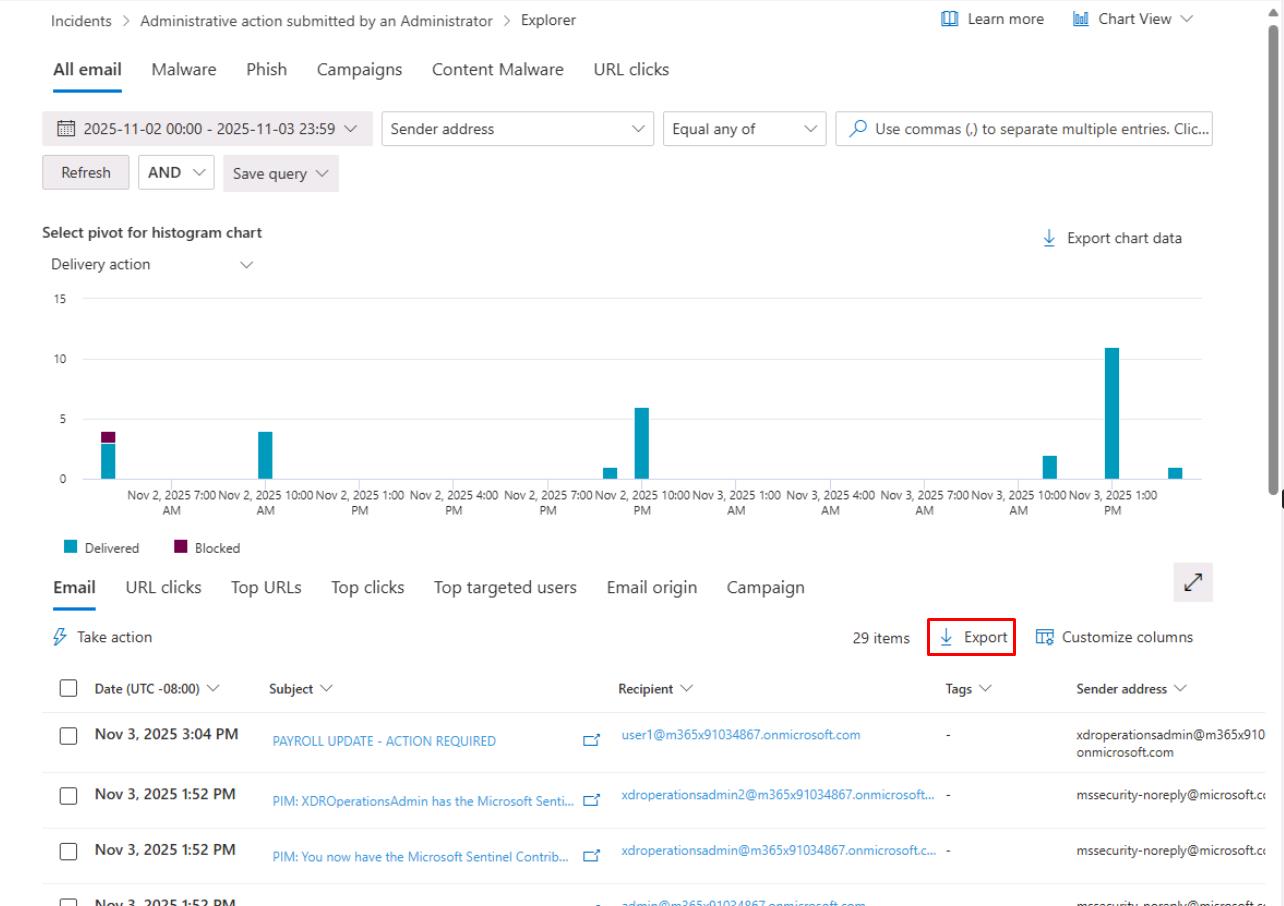
In the leftmost pane, go to Email & collaboration > Explorer.
-
In the upper-right corner of the table, select Export.
-
At the bottom of the flyout pane, select Export.
-
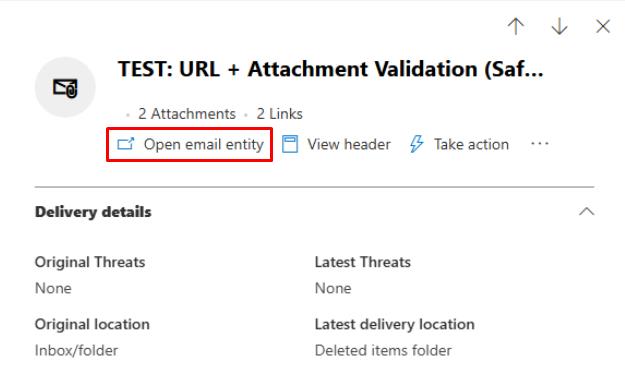
In the table, select one of the TEST: URL + Attachment…. emails that were quarantined.
-
At the top of the flyout pane, select Open email entity.
-
You can take screenshots of required information for the package to the CISO.
-
Close the browser tab to return to the Defender XDR portal.
SOC Analyst
-
In the leftmost pane, go to Investigation & response > Actions & submissions > Action center.
-
At the top of the page, select the History tab.
-
In the upper-left corner of the table, select Export.
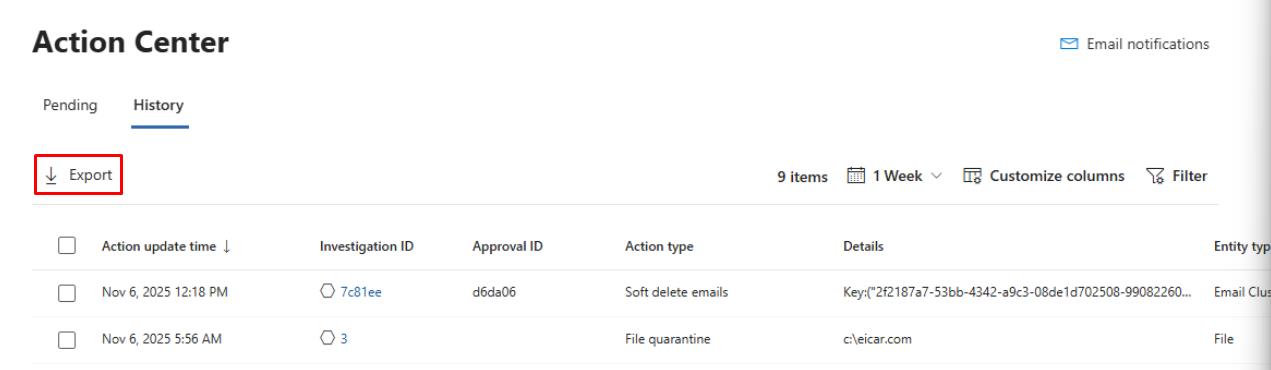
This would be attached with your report.