Task 07: Defender for Cloud Apps (MDCA) - Enable MDE integration & (optional) sample logs
-
In the leftmost pane, go to System, then Settings.
-
Select Cloud Apps.
-
In the Cloud apps page menu, under the Cloud Discovery section, if you see Microsoft Defender for Endpoint, then the integration of MDE with Defender XDR is already in place.
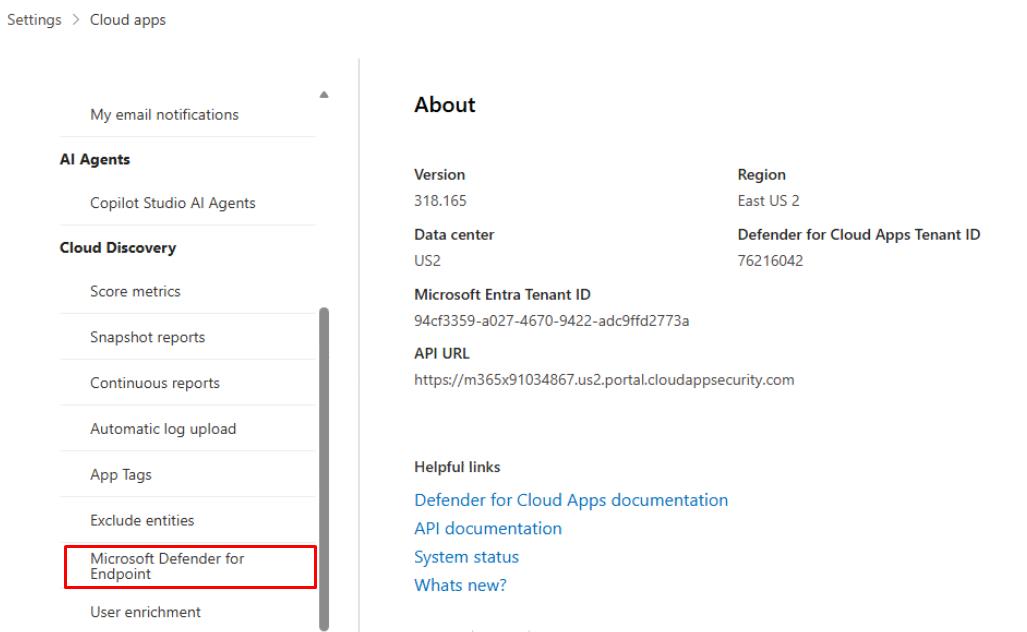
This lets MDE endpoint signals (from your VM) populate Cloud Discovery - no on-prem or proxies required.
-
(OPTIONAL) Manual log upload: You can upload sample firewall/proxy logs in the Cloud Discovery blade to quickly populate SaaS usage if you want richer data upfront:
-
On the same page, under Cloud Discovery, select Snapshot reports.
-
Select Create snapshot report and use the wizard to upload your log files for immediate analysis.
-