Task 04: Check recommendations and Secure Score, run quick KQL validation, and log outcomes
Security Architecture Team
-
Go back to your Defender XDR portal tab.
-
In the leftmost pane, go to Exposure management > Secure score.
-
Note the overall Secure score.
-
Near the top of the page, select and review the History tab.
-
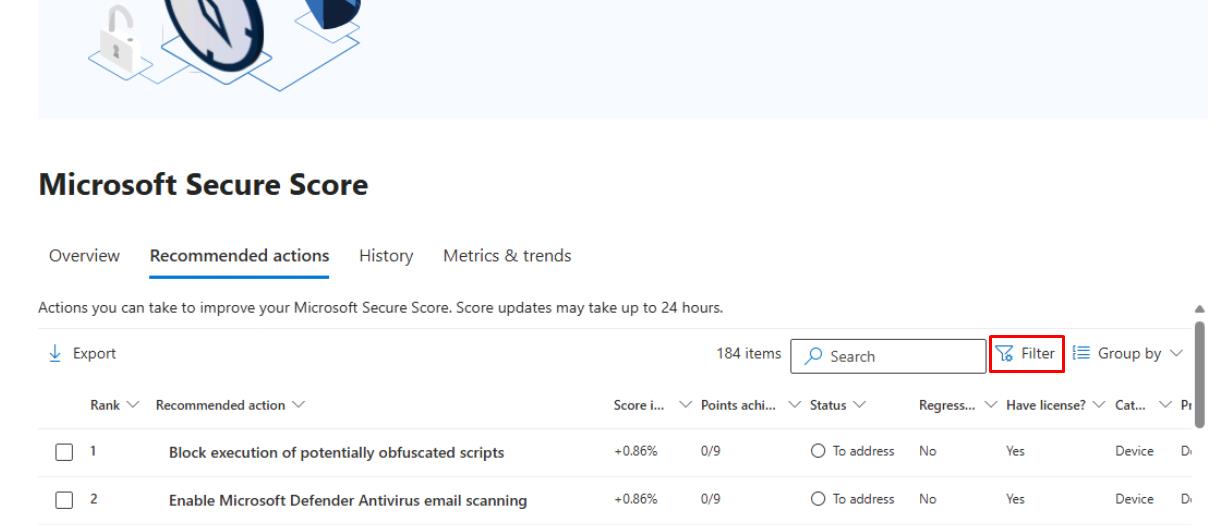
Near the top of the page, select the Recommended actions tab.
-
In the upper-right corner of the table, select Filter.
-
In the flyout pane, under the Product section, select Defender for Endpoint, then select Apply.
-
Note the Status column.
Security Engineering and Administration
-
Refresh the winvm-mde device page.
-
At this point, you would check whether Exposure level/Security recommendations have improved.
-
You should keep a record of ASR events moving from Audit to Block post-promotion based on the PowerShell output.
SOC Analyst
-
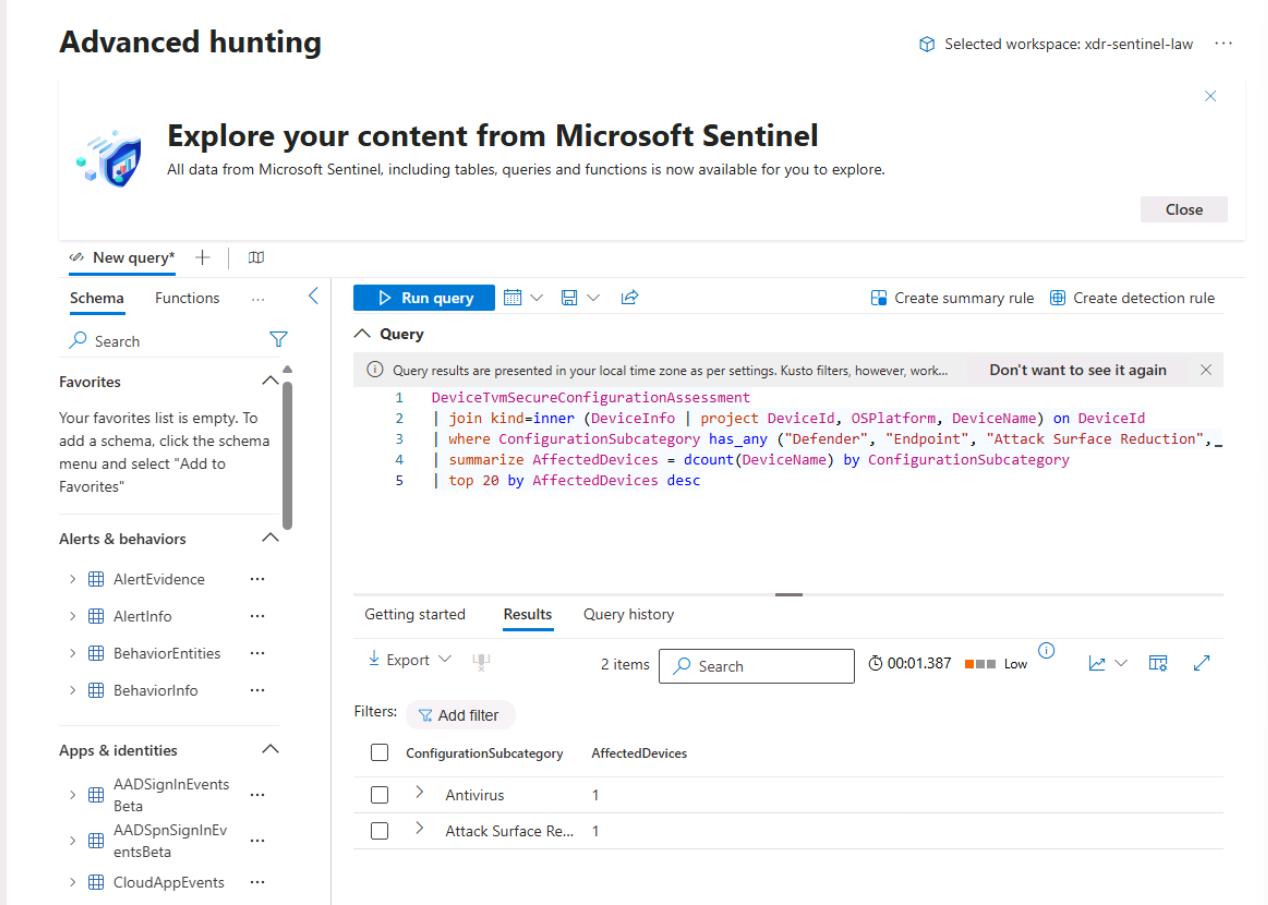
In the leftmost pane, go to Investigation & response > Hunting > Advanced hunting.
-
Run the following KQL for a blast-radius sanity check:
 DeviceTvmSecureConfigurationAssessment
 | join kind=inner (DeviceInfo | project DeviceId, OSPlatform, DeviceName) on DeviceId
 | where ConfigurationSubcategory has_any ("Defender", "Endpoint", "Attack Surface Reduction", "Antivirus")
 | summarize AffectedDevices = dcount(DeviceName) by ConfigurationSubcategory
 | top 20 by AffectedDevices desc