Task 03: Simulate and seed safe test messages and URLs to validate policies
Security Architecture Team
- Instruct the team to prepare controlled test URLs and files using benign samples to validate the new policies.
Security Engineering and Administration
The following tasks require your global admin account, as well as user1@@lab.Variable(userDomain) and user2@@lab.Variable(userDomain), to be licensed with mailboxes. If you were unable to license, observe these steps.
This also impacts tasks for the SOC Analyst in this Exercise.
-
Go to
C:\LabFiles\E2. -
Right-click SendEmailPrepareAttachments > Run with PowerShell.
This will create a harmless safe-test.docx and renamed-test.txt in the
C:\Tempfolder, which will be used to see detonation behavior.URL test - Includes http://example.com/evil and a benign short link to observe rewriting.
-
Go back to your PowerShell ISE window.
-
In the top pane, enter the following script, then replace the value of $LabMailbox with your licensed global admin account.

Disconnect-MgGraph -ErrorAction SilentlyContinue Connect-MgGraph -Scopes "Mail.Send" # ---------- Config - update $LabMailbox ---------- $LabMailbox = "REPLACE WITH YOUR LICENSED GLOBAL ADMIN ACCOUNT" # the mailbox you'll sign in as / send from $You = "user2@<userDomain>" $Exec = "user1@<userDomain>" # send-to-exec address (VIP) $Subject = "TEST: URL + Attachment Validation (Safe)" $BodyHtml = @" <p>Hello - this is a <strong>safe test</strong> message for policy validation.</p> <ul> <li>URL test (malicious-style example): <a href='http://example.com/evil' target='_blank'>http://example.com/evil</a></li> <li>URL test (benign short link): <a href='http://bit.ly/benign123' target='_blank'>http://bit.ly/benign123</a></li> </ul> <p>Attachments: harmless <em>.docx</em> and a renamed <em>.txt</em> (for detonation testing).</p> <p>- Lab team</p> "@ # Paths to attachments - update to real local paths on your machine where the script runs $PathDocx = "C:\Temp\safe-test.docx" # create a harmless Word doc here $PathTxt = "C:\Temp\renamed-test.txt" # a simple text file (we'll attach as-is) # ---------- Helper: build fileAttachment object ---------- function New-GraphFileAttachment($filepath, $attachName, $contentType){ if (-not (Test-Path $filepath)) { throw "Attachment not found: $filepath" } $bytes = [System.IO.File]::ReadAllBytes($filepath) $base64 = [System.Convert]::ToBase64String($bytes) return @{ "@odata.type" = "#microsoft.graph.fileAttachment" name = $attachName contentType = $contentType contentBytes = $base64 } } try { # Build attachments $att1 = New-GraphFileAttachment -filepath $PathDocx -attachName "safe-test.docx" -contentType "application/vnd.openxmlformats-officedocument.wordprocessingml.document" $att2 = New-GraphFileAttachment -filepath $PathTxt -attachName "renamed-test.txt" -contentType "text/plain" # Message object for "to yourself" (only to you) $msgToYou = @{ subject = $Subject + " (to-self)" body = @{ contentType = "HTML" content = $BodyHtml } toRecipients = @( @{ emailAddress = @{ address = $You } } ) attachments = @($att1, $att2) } # Message object for "to exec" (exec only) $msgToExec = @{ subject = $Subject + " (to-exec)" body = @{ contentType = "HTML" content = $BodyHtml } toRecipients = @( @{ emailAddress = @{ address = $Exec } } ) attachments = @($att1, $att2) } # Send mail as the lab mailbox (interactive/delegated) # Ensure you are signed in as $LabMailbox or have SendAs permission for it. Write-Host "Sending test mail to $You..." Send-MgUserMail -UserId $LabMailbox -Message $msgToYou -SaveToSentItems Write-Host "Sending test mail to $Exec..." Send-MgUserMail -UserId $LabMailbox -Message $msgToExec -SaveToSentItems Write-Host "Done. Messages sent over Graph (HTTPS). Check the recipient inboxes and Defender/ATP portal for rewriting/detonation/URL rewriting events." } catch { Write-Error "Failed: $($_.Exception.Message)" } -
On the top bar, select Run Script.
-
If prompted, sign in with your global admin account.

-
On the Permissions requested dialog, select Consent on behalf of your organization, then select Accept.
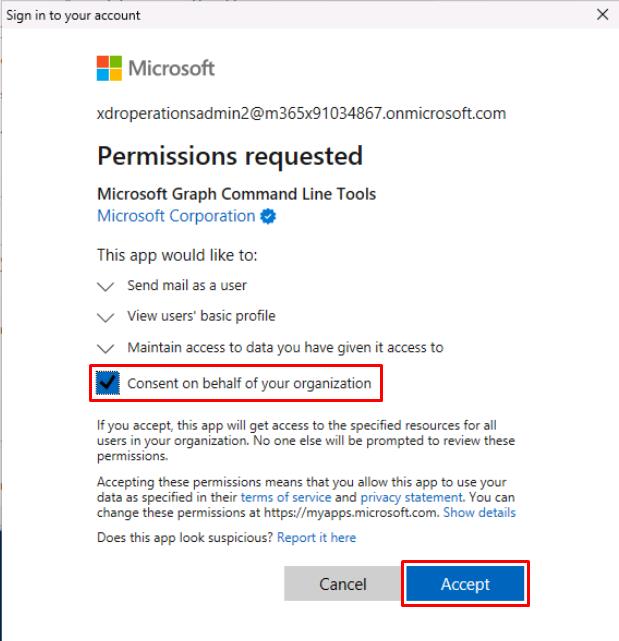
This will send two test emails to user1@@lab.Variable(userDomain) and user2@@lab.Variable(userDomain) from your global admin account.
SOC Analyst
The following queries reference the test emails sent by the Engineering team in this Exercise.
-
Run the following KQL to confirm the test emails are delivered:
 let Exec = "user1@@lab.Variable(userDomain)";
 let You  = "user2@@lab.Variable(userDomain)";
 EmailEvents
 | where Subject contains "TEST: URL + Attachment Validation"
 | where RecipientEmailAddress in (Exec, You)
 | project Timestamp, Subject, SenderFromAddress, RecipientEmailAddress, NetworkMessageId, DeliveryAction, DeliveryLocation
 | sort by Timestamp desc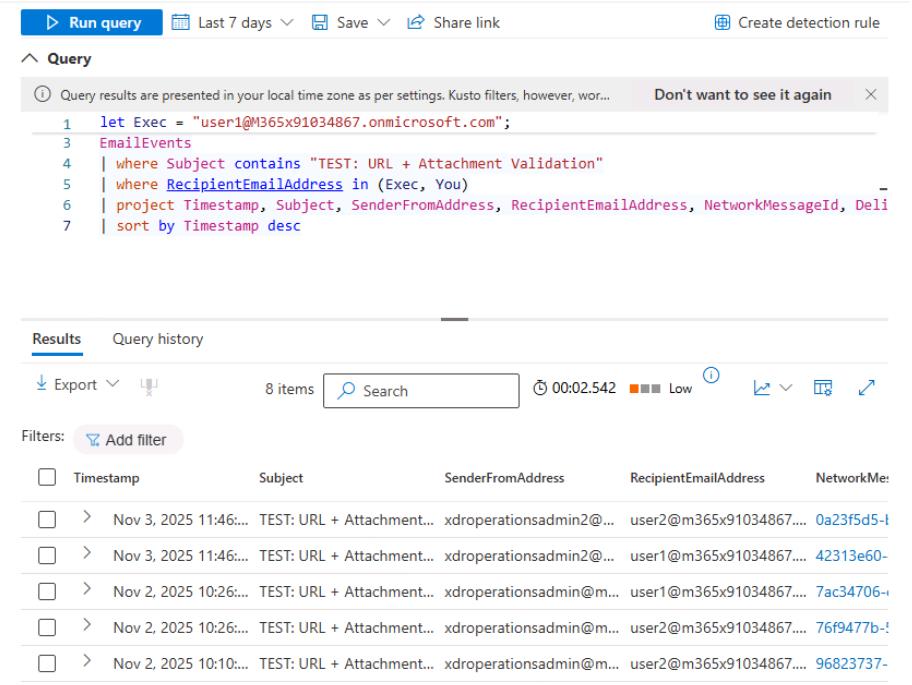
If you see no results, set the domains for Exec and You to all lowercase letters, as KQL is case-sensitive.
-
Run the following KQL to check the clicks on the URLs and whether they were blocked/allowed by Safe Links:
 let Exec = "user1@@lab.Variable(userDomain)";
 let You  = "user2@@lab.Variable(userDomain)";
 UrlClickEvents
 | where AccountUpn  in (Exec, You)
 and (Url has "example.com/evil" or Url has "bit.ly/benign123" or AccountUpn in (Exec, You))
 | sort by Timestamp desc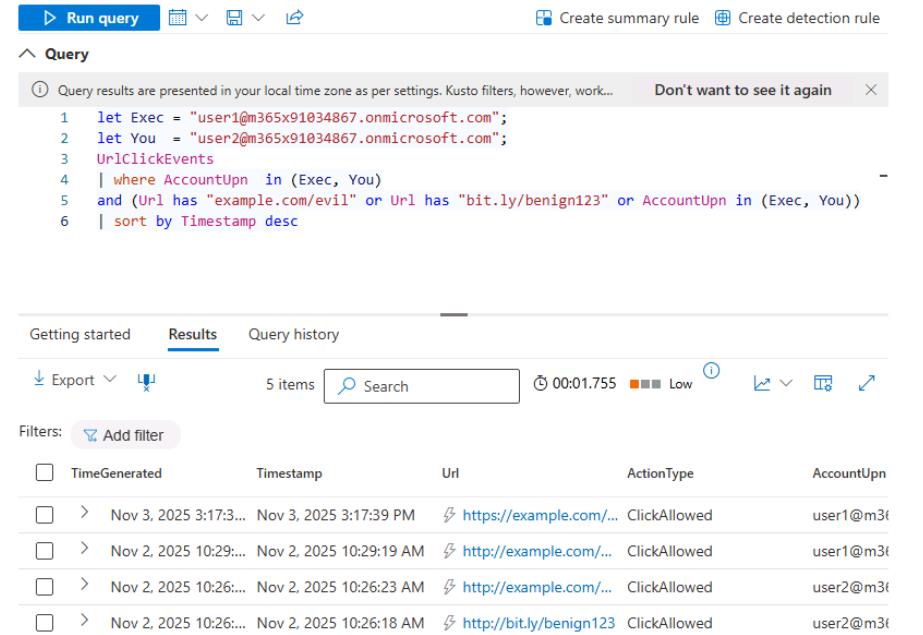
If you see no results, set the domains for Exec and You to all lowercase letters.
-
Run the following KQL to confirm that the “Stamp X-VIP for mail TO Execs” Exchange Transport Rule successfully triggered on the test email sent to the executive mailbox:
 let Exec = "user1@@lab.Variable(userDomain)";
 EmailEvents
 | where Subject contains "TEST: URL + Attachment Validation"
 and RecipientEmailAddress  == Exec
 and Subject contains "TEST: URL + Attachment Validation"
 | extend ETRraw = ExchangeTransportRule
 | extend RuleGuid = extract(@"([0-9A-Fa-f-]{36})", 1, ETRraw)
 | extend RuleName = extract(@"[0-9A-Fa-f-]{36}""\s*:\s*""([^""]+)", 1, ETRraw)
 | where RuleName == "Stamp X-VIP for mail TO Execs"
 | sort by Timestamp desc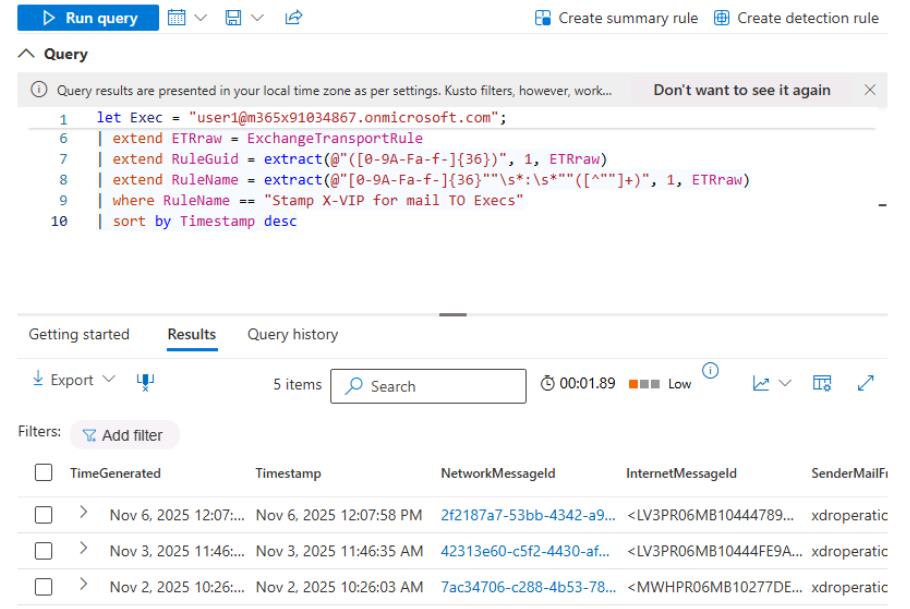
If you see no results, set the domains for Exec and You to all lowercase letters.