Task 02: Classify apps as sanctioned, unsanctioned, and assign owners
Security Architecture Team
-
On the same Cloud app catalog page, tag a risky app as Unsanctioned:
-
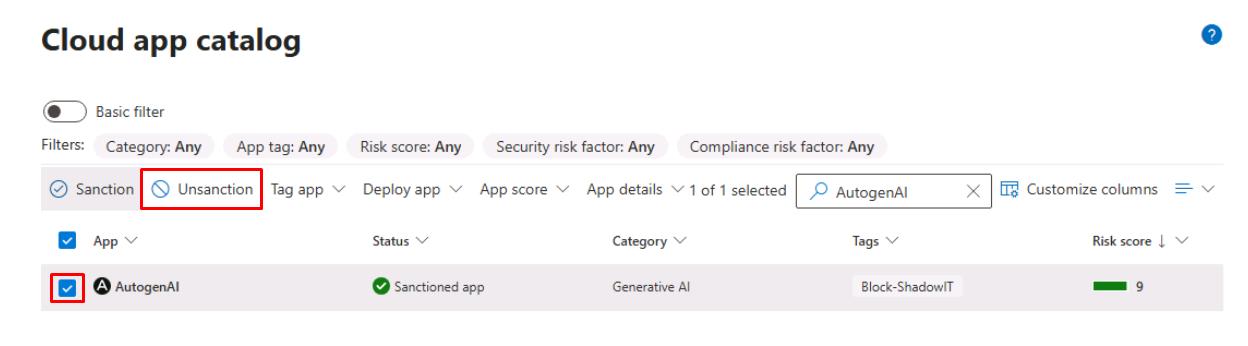
In the upper-right corner of the table’s search box, enter
AutogenAI. -
Select the checkbox for AutogenAI, then select Unsanction on the top bar.
-
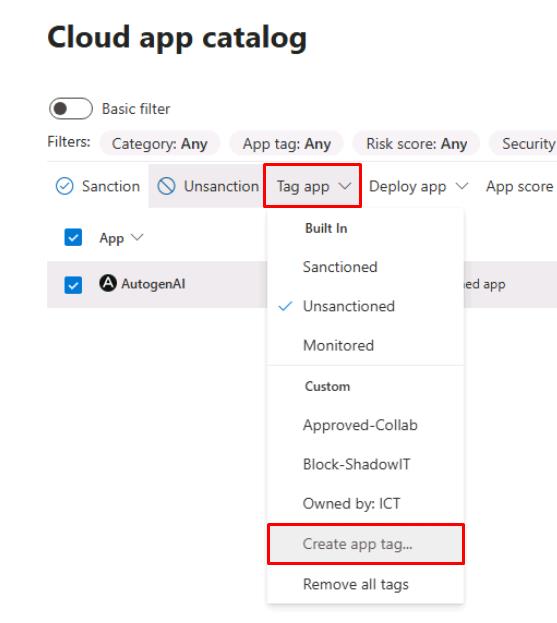
With AutogenAI still selected, select Tag app, then select Create app tag…
-
For App tag name, enter
Block-ShadowIT, check Add app tag to “AutogenAI”, then select Create.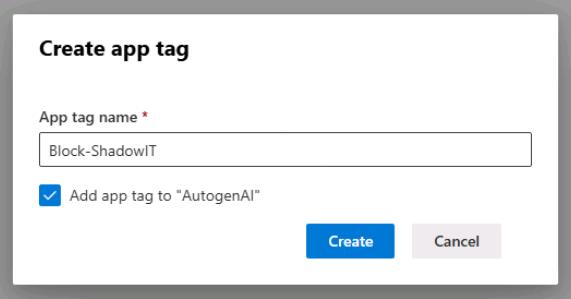
-
-
Tag a business app as Sanctioned:
-
In the upper-right corner of the table’s search box, enter
OneDrive. -
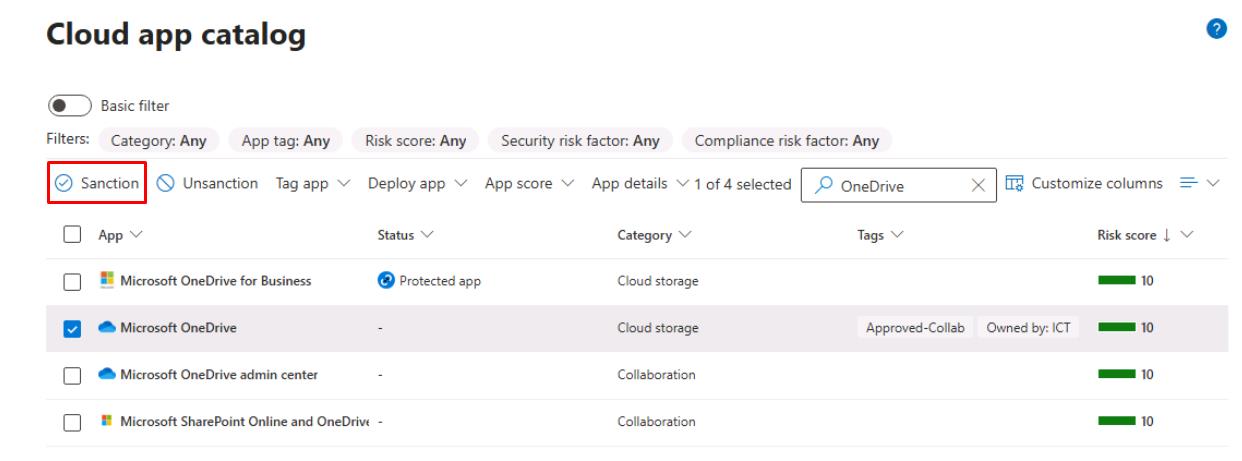
Select the checkbox for Microsoft OneDrive, then select Sanction on the top bar.
-
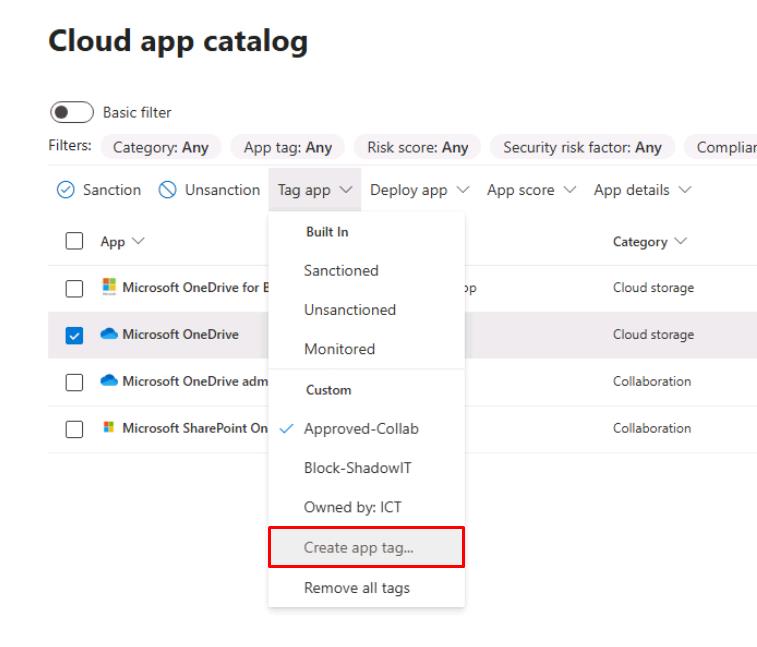
With Microsoft OneDrive still selected, select Tag app, then select Create app tag…
-
For App tage name, enter
Approved-Collab, check Add app tag to “Microsoft OneDrive”, then select Create.
-
Security Engineering and Administration
Maintain the App owners list.
-
In the leftmost pane, go to Cloud apps > Cloud app catalog.
-
In the upper-right corner of the table’s search box, enter
OneDrive. -
Select the checkbox for Microsoft OneDrive.
-
On the top bar select Tag app, then select Create app tag…
-
For App tage name, enter
Owned by: ICT, check Add app tag to “Microsoft OneDrive”, then select Create. -
In the upper-right corner of the table’s search box, enter
AutogenAI. -
Select the checkbox for AutogenAI.
-
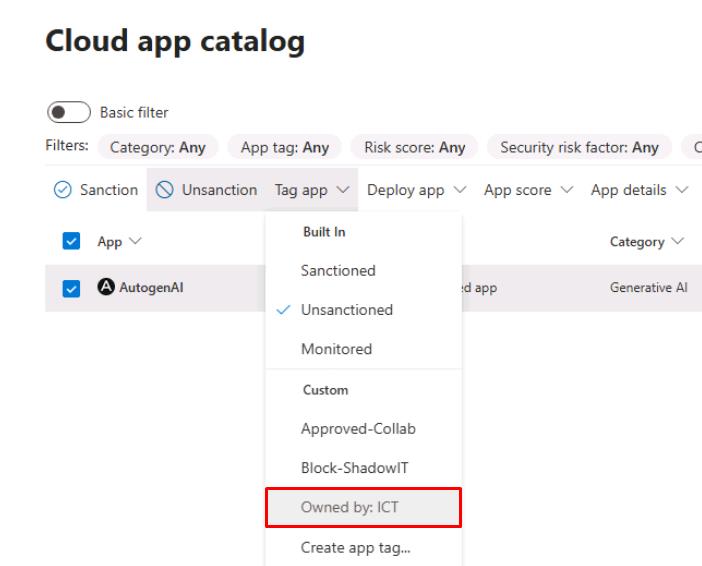
On the top bar select Tag app, then select Owned by: ICT.
SOC Analyst
-
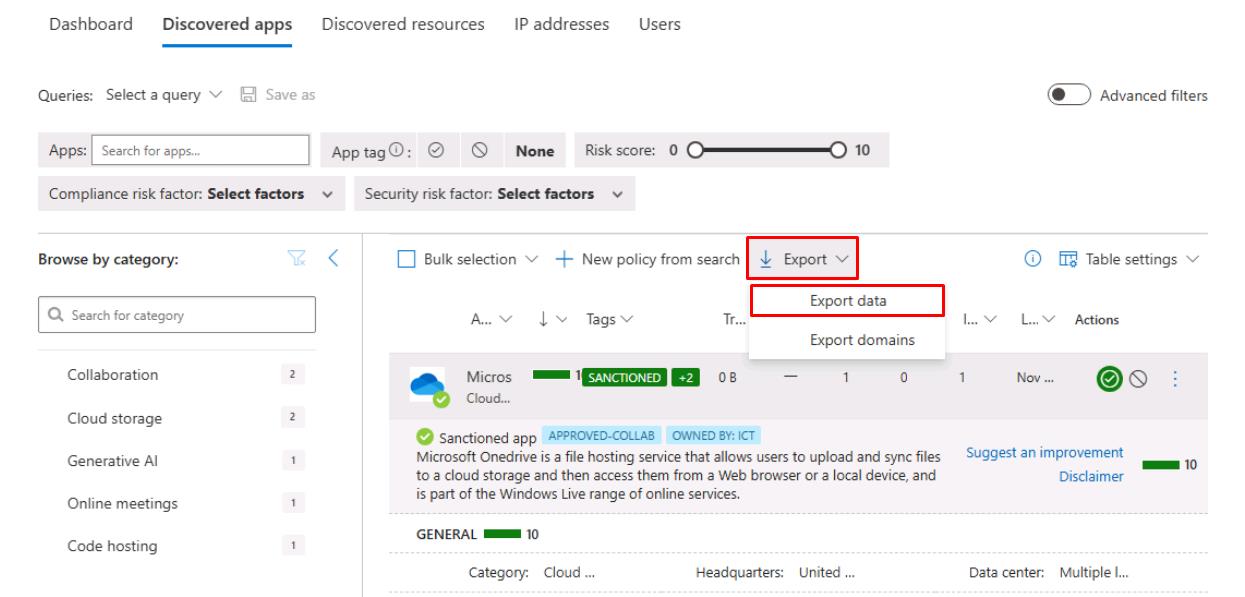
Near the top of the page, select the Discovered apps tab.
-
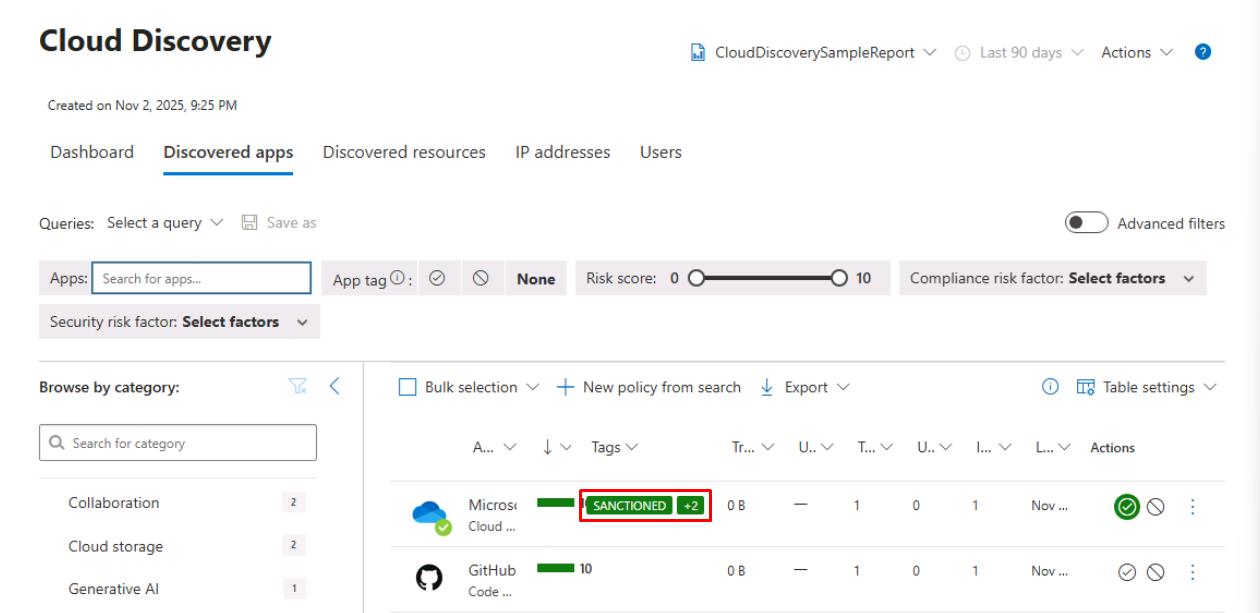
Review the list and verify the tag details for Microsoft OneDrive.
-
Select any empty space on the line for Microsoft OneDrive to expand its details.
-
At the top of the pane, select Export > Export data, to share it with the CISO and Architecture team, when requested.