Task 01: Define incident classification, severity, and SLA metrics
Security Architecture Team
-
Go to your Defender XDR portal tab at
security.microsoft.com. -
In the leftmost pane, go to Investigate & response > Incidents & alerts > Incidents.
-
Review the incident list and note columns such as Severity, Last activity, Status, Assigned to, and Creation time.
-
Write a classification matrix in your runbook, such as:
- High severity: Incidents involving confirmed lateral movement or credential compromise.
- Medium severity: Malware contained on a device; user clicked suspicious link but contained.
- Low severity: Suspicious but benign activity or false positive.
-
Define SLAs, such as:
- High: First action ≤ 30 mins; MTTD ≤ 60 mins; MTTR ≤ 3 hrs
- Medium: First action ≤ 1 hrs; MTTR ≤ 8 hrs
- Low: First action ≤ 4 hrs
-
Record roles and responsibilities:
- SOC Analyst owns first action.
- Security Engineering owns rule tuning.
- Architecture owns SLA review.
Security Engineering and Administration
-
In the Defender XDR portal, in the leftmost pane, go to System > Permissions.
-
In a real-world environment, you’d ensure SOC Analysts have permission to Manage incidents.
-
Export a sample of incidents: on the Incidents page, select Export to download CSV for the last 7 days.
At this point, you could open the CSV in Excel and report any missing or null fields to the Architecture team.
SOC Analyst
-
In the Defender XDR portal, in the leftmost pane, go to Investigate & response > Incidents & alerts > Incidents.
-
Select the checkbox for any incident, then on the top bar, select Manage incidents.
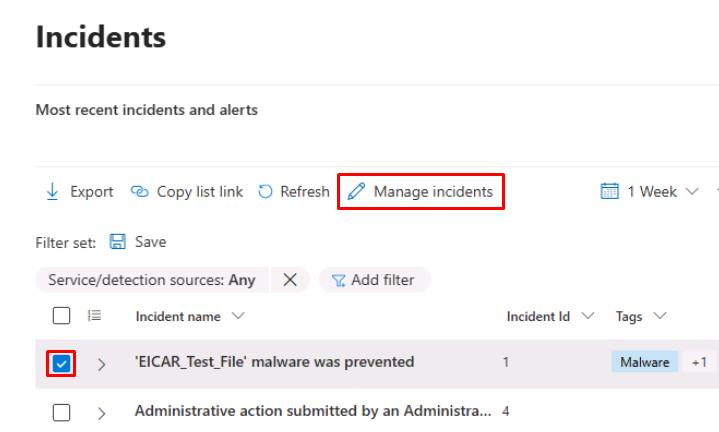
-
In the flyout pane, update the following values:
Item Value Severity Informational Assign to Assign to me Classification Not set -
Select Save.
Keep a personal log of first-action times and whether SLA targets were met.