Task 02: Enable Safe Links, Safe Attachments, Anti-Phish, and Block Auto-Forward
Enforce time-of-click URL scanning, detonate attachments, tune anti-impersonation and disable external auto-forwarding.
Security Architecture Team
-
Go to
C:\LabFiles\E2. -
Right-click threatpolicies > Run with PowerShell, then authenticate with your global admin account.
The script performs the following actions in your environment:
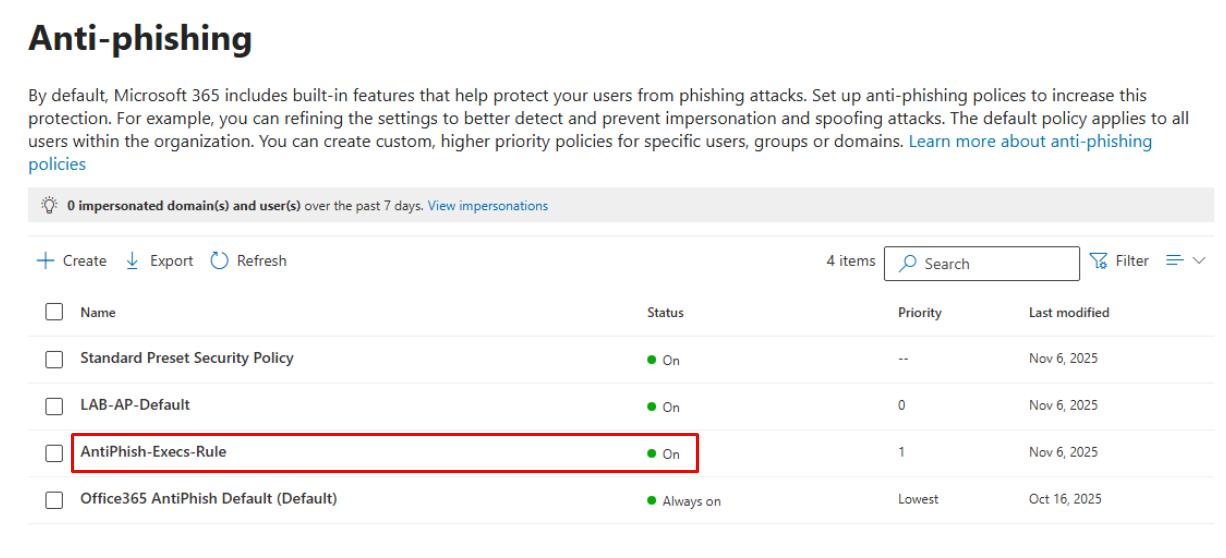
- Anti-phishing: Creates a policy called AntiPhish-Execs-Rule targeting the Executives group, enable Mailbox Intelligence, and add User/domain impersonation entries (for CEO, CFO, and brand domains).
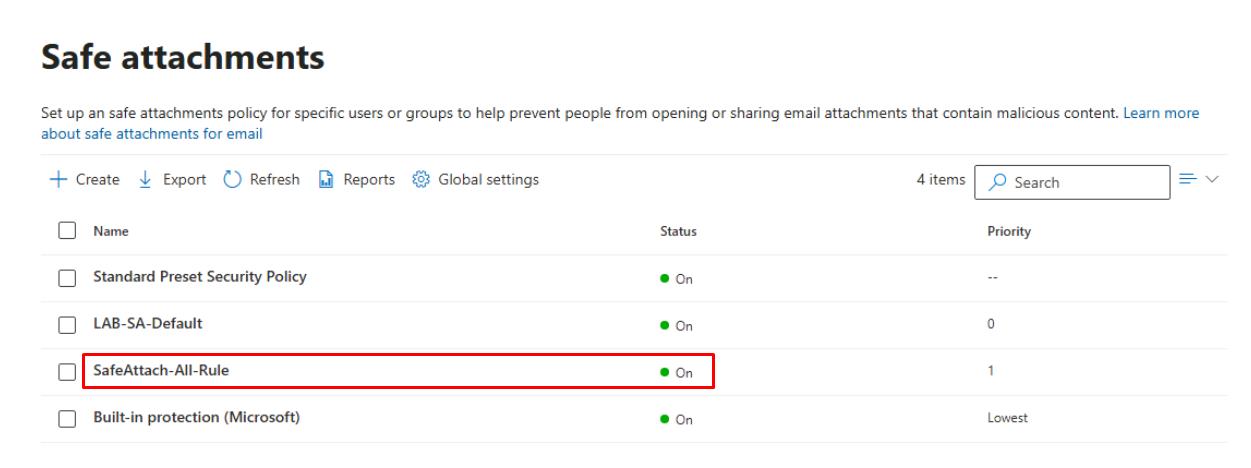
- Safe Attachments: Creates a policy called SafeAttach-All-Rule with a Block action, and enables Dynamic Delivery.
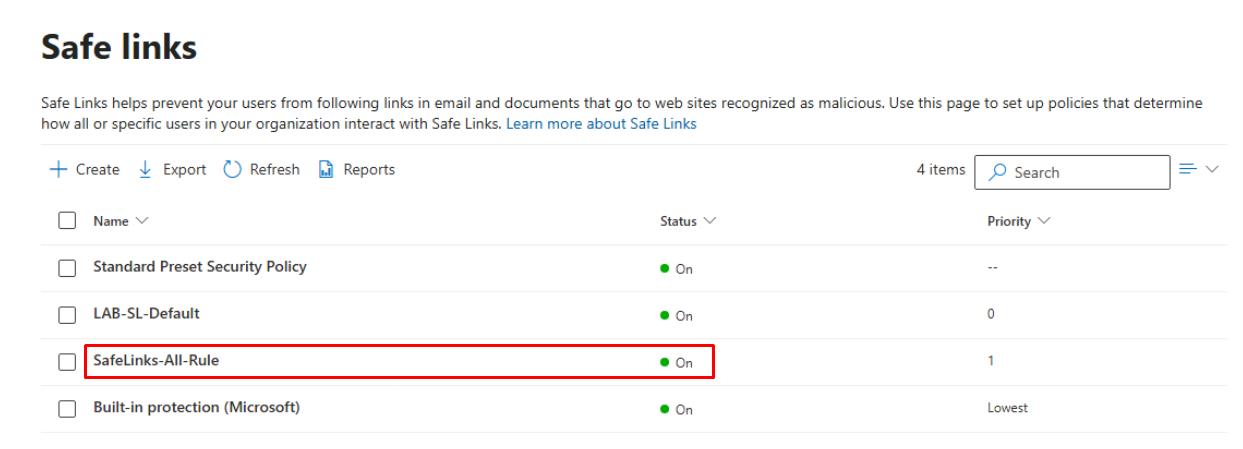
- Safe Links: Creates a policy called SafeLinks-All-Rulle for All users, enables Apply Safe Links to URLs in email, and selects Do not let users click through blocked URLs.
- Outbound spam: Ensures Automatic forwarding is set to On - external forwarding disabled.
-
In the leftmost pane, go to Email and collaboration > Policies & rules.
-
Select Threat policies.
-
Under the Policies section, select the following, then under Status, confirm the newly created rules are On:
-
Anti-phishing
-
Safe Attachments
-
Safe Links
-
Security Engineering and Administration
user1@@lab.Variable(userDomain) was previously added to a new mail-enabled security group called Execs.
-
Go to
C:\LabFiles\E2. -
Right-click Set-ExecsPhishQuarantineAndVIPHeader > Run with PowerShell.
-
Sign in with your global admin account.
The script performs the following actions:
- Configure Quarantine policies: Policies & rules > Threat policies > Quarantine policies > sets Phish to AdminOnlyAccess for the Execs security group.
- Creates a Transport Rule to stamp headers for VIP email (X-VIP: true) for downstream automation.
SOC Analyst
The following KQL queries use mock data.
-
In the leftmost pane, go to Investigation & response > Hunting > Advanced hunting.
-
In the Query pane, run the following KQL:
 // Literal-only rows; compute TimeGenerated after
 let MockRows = datatable(
     DayOffset:int,
     UserPrincipalName:string,
     Recipient:string,
     EmailSubject:string,
     Url:string,
     UrlClickAction:string,
     UrlClickVerdict:string,
     UrlTraceId:string,
     DetonationId:string,
     DetonationVerdict:string
 )
 [
 4, "ceo@contoso.com", "ceo@contoso.com", "Q3 Results & Forecast", "http://example.com/board",     "Clicked", "Allowed",   "URLT-1001", "DET-2001", "Benign",
 3, "cfo@contoso.com", "cfo@contoso.com", "Invoice Review",         "http://pay-portal.co/ivc",     "Clicked", "Malicious", "URLT-1002", "DET-2002", "Malicious",
 2, "it.admin@contoso.com", "it.admin@contoso.com", "Service Notice","http://updates.safe/app",    "Blocked", "Malicious", "URLT-1003", "DET-2003", "Suspicious",
 1, "cmo@contoso.com", "cmo@contoso.com", "Campaign Assets",        "http://cdn.brand.io/kits",     "Clicked", "Allowed",   "URLT-1004", "DET-2004", "Benign",
 0, "ceo@contoso.com", "ceo@contoso.com", "Board Pack Link",        "http://fileshare.link/pack",   "Clicked", "Allowed",   "URLT-1005", "DET-2005", "Benign"
 ];
 let MockExplorer =
     MockRows
     | extend TimeGenerated = now() - DayOffset * 1d
     | project TimeGenerated, UserPrincipalName, Recipient, EmailSubject, Url,
             UrlClickAction, UrlClickVerdict, UrlTraceId, DetonationId, DetonationVerdict;
 MockExplorer
 | extend URLClicks = iif(isnotempty(UrlClickAction), "Yes", "No"),
         Detonations = iif(isnotempty(DetonationVerdict), "Yes", "No")
 | project TimeGenerated, UserPrincipalName, Recipient, EmailSubject, Url,
         UrlClickAction, UrlClickVerdict, URLClicks,
         DetonationVerdict, Detonations, UrlTraceId, DetonationId
 | order by TimeGenerated desc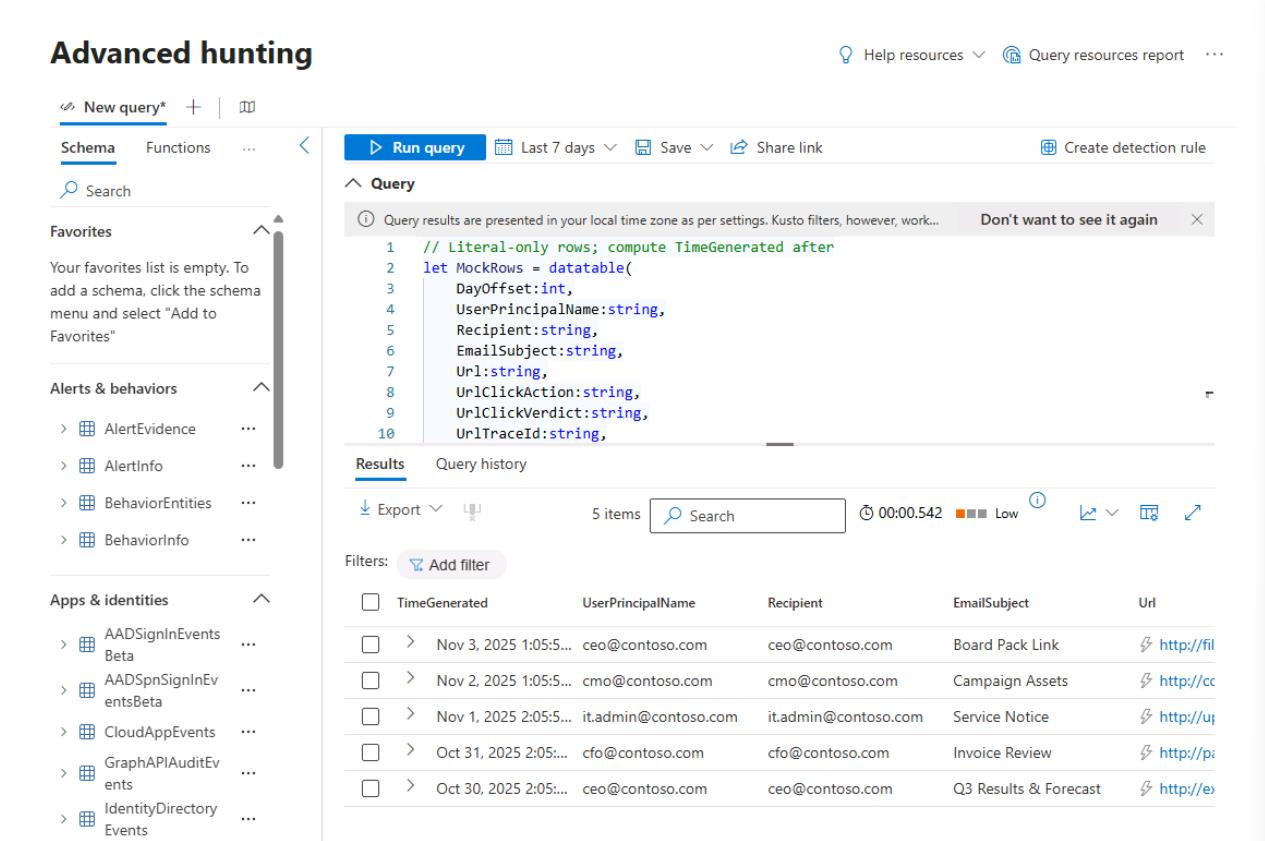
This simulates recent email URL click and detonation activity using generated data so you can toggle the URL Clicks and Detonations columns in the Explorer view to confirm signal visibility and column behavior.
-
In the Query pane, run the following KQL:
 // Exec/VIP tags (literals only)
 let ExecTags = datatable(UserPrincipalName:string, Tags:string)
 [
 "ceo@contoso.com", "VIP;Exec",
 "cfo@contoso.com", "VIP;Finance",
 "cmo@contoso.com", "VIP;Exec",
 "it.admin@contoso.com", "Admin"
 ];
 // Activity rows with literal offsets; compute time later
 let MockRows = datatable(
     DayOffset:int,
     UserPrincipalName:string,
     Recipient:string,
     EmailSubject:string,
     Url:string,
     UrlClickAction:string,
     UrlClickVerdict:string,
     UrlTraceId:string,
     DetonationId:string,
     DetonationVerdict:string
 )
 [
 4, "ceo@contoso.com", "ceo@contoso.com", "Q3 Results & Forecast", "http://example.com/board",     "Clicked", "Allowed",   "URLT-1001", "DET-2001", "Benign",
 3, "cfo@contoso.com", "cfo@contoso.com", "Invoice Review",         "http://pay-portal.co/ivc",     "Clicked", "Malicious", "URLT-1002", "DET-2002", "Malicious",
 2, "it.admin@contoso.com", "it.admin@contoso.com", "Service Notice","http://updates.safe/app",    "Blocked", "Malicious", "URLT-1003", "DET-2003", "Suspicious",
 1, "cmo@contoso.com", "cmo@contoso.com", "Campaign Assets",        "http://cdn.brand.io/kits",     "Clicked", "Allowed",   "URLT-1004", "DET-2004", "Benign",
 0, "ceo@contoso.com", "ceo@contoso.com", "Board Pack Link",        "http://fileshare.link/pack",   "Clicked", "Allowed",   "URLT-1005", "DET-2005", "Benign"
 ];
 let MockExplorer =
     MockRows
     | extend TimeGenerated = now() - DayOffset * 1d
     | project TimeGenerated, UserPrincipalName, Recipient, EmailSubject, Url,
             UrlClickAction, UrlClickVerdict, UrlTraceId, DetonationId, DetonationVerdict;
 MockExplorer
 | join kind=leftouter ExecTags on UserPrincipalName
 | where Tags has "VIP" or Tags has "Exec"
 | project TimeGenerated, UserPrincipalName, Tags, EmailSubject, Url,
         UrlClickAction, UrlClickVerdict, DetonationVerdict, UrlTraceId, DetonationId
 | order by TimeGenerated desc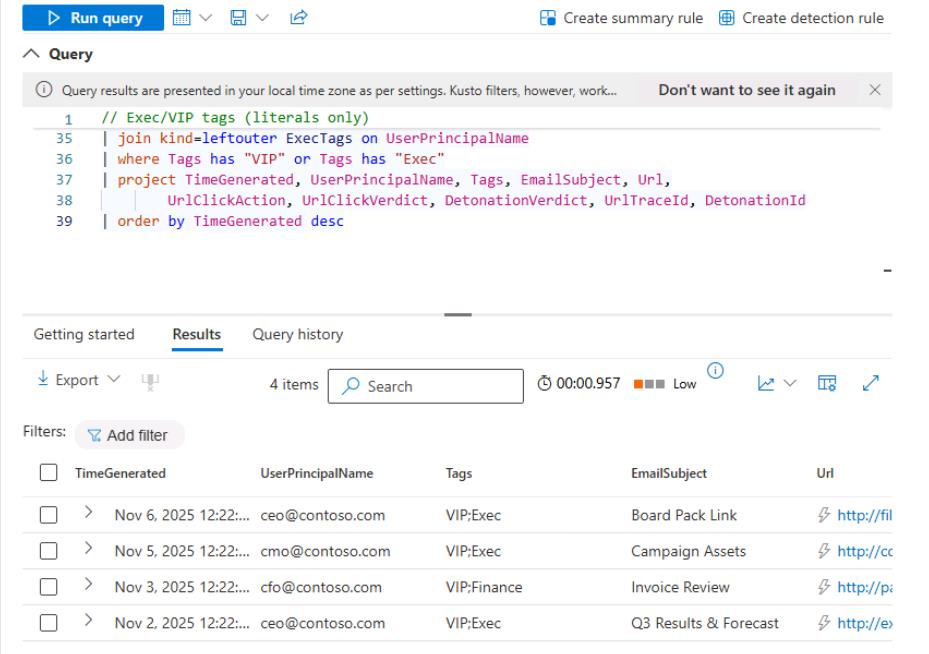
Joins the mock Explorer data with a list of executive/VIP user tags to show only high-value accounts; participants use this view to bookmark or quickly filter investigations by priority users.