Task 02: Rebuild the kill chain (Attack story and entity timelines)
Security Architecture Team
-
In the table, select the text for ‘EICAR_Test_File’ malware was prevented.
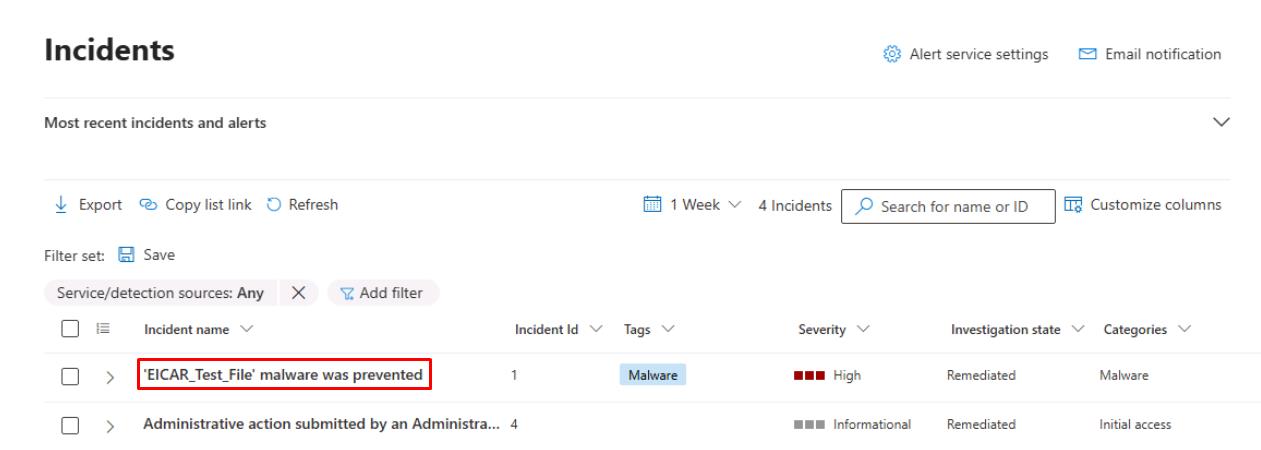
This will open its incident page and display the Attack story.
-
Under the default Attack story tab’s Alerts section, select Play attack story.
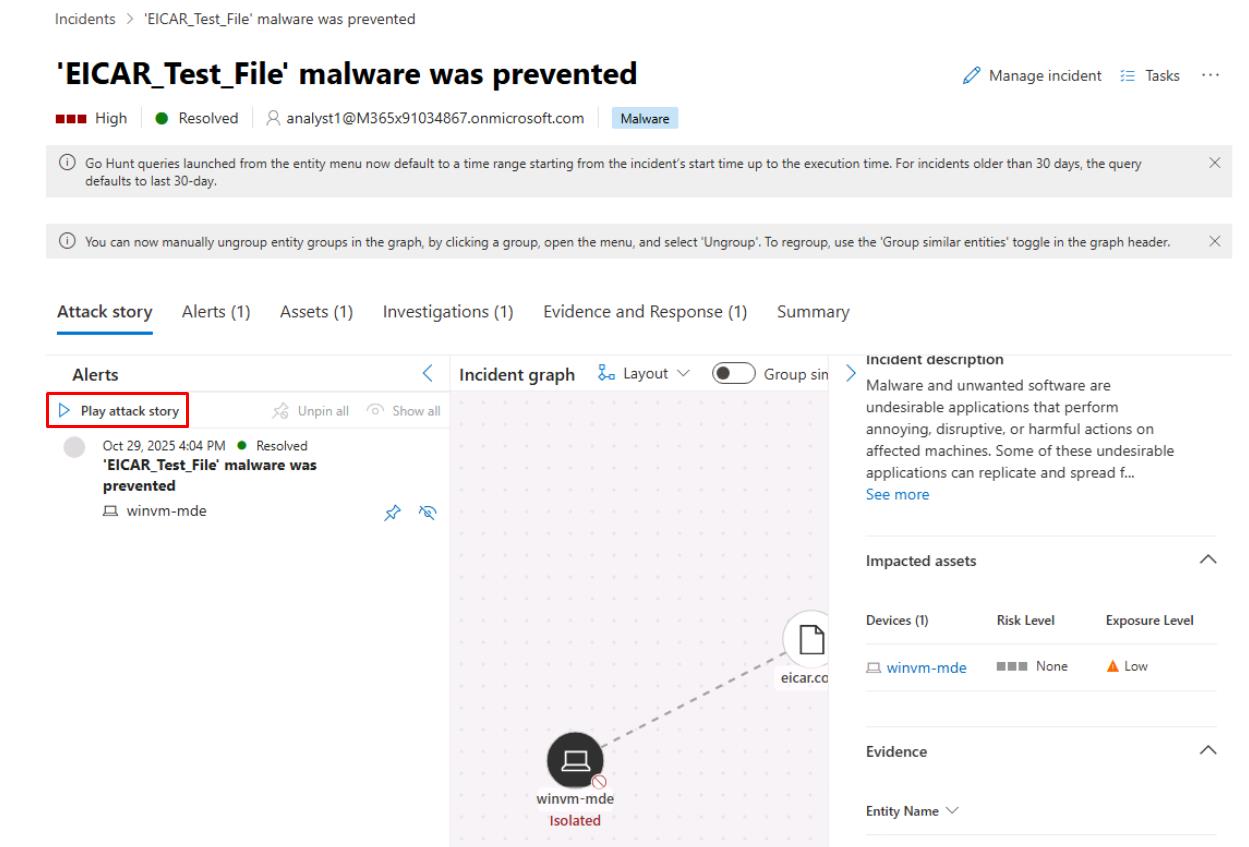
Depending on your screen resolution, you may need to close or collapse panes for the Incident graph to appear.
This animates events in chronological order and helps you see initial email > user > device > lateral edges. Note the nodes (device, user, email, mailbox, app).
-
Select individual nodes under the Incident graph to open the Device details or File details.
-
You can record timestamps, alert titles, or related artifacts for your investigation, then add comments on the incidents to record any gaps.
Security Engineering and Administration
-
In the same incident, select the Assets tab.
-
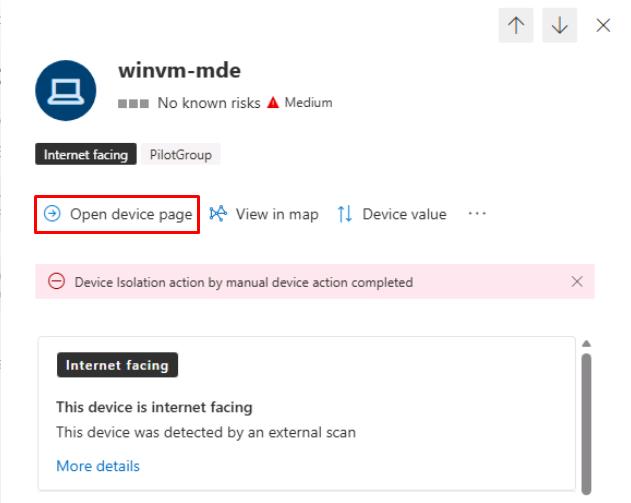
Select winvm-mde.
-
At the top of the flyout pane, select Open device page, then review the device details.
-
At the top of the page, select the Security recommendations tab.
-
In the upper-left corner of the table, select Export to export them for future remediation.
SOC Analyst
-
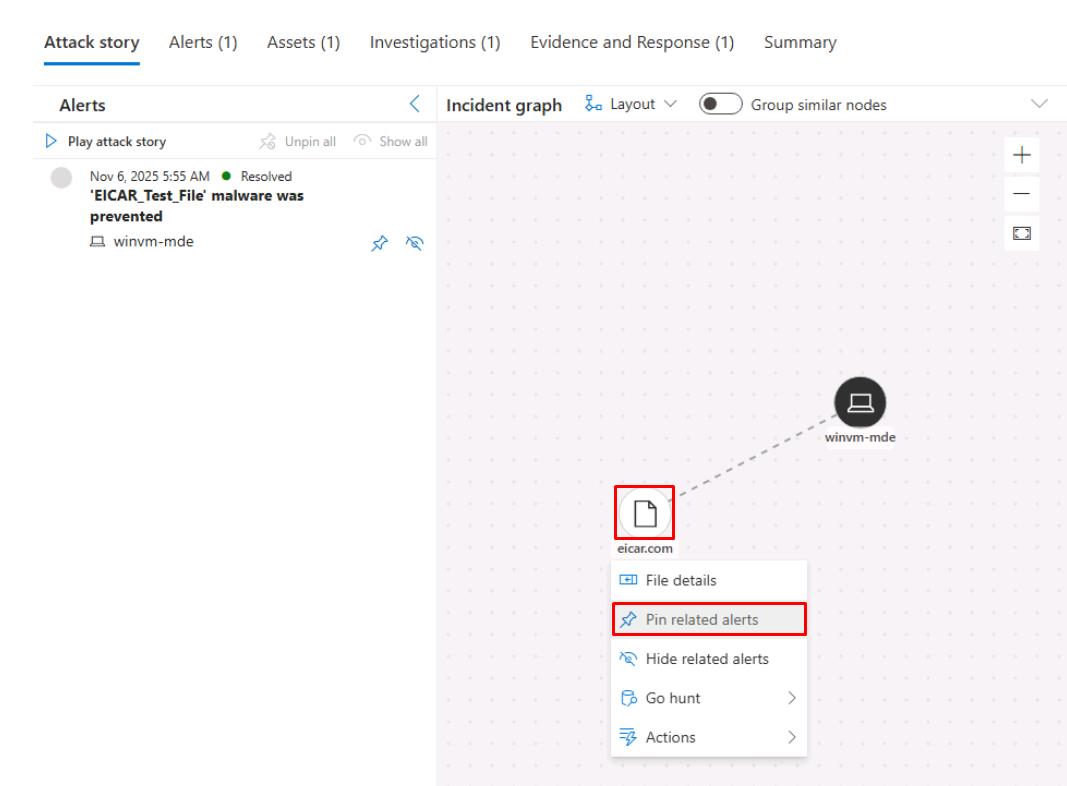
Under the Incident graph, select any node, then select Pin related alerts to identify any related alerts found.
-
Near the top of the page, select the Evidence and Response tab.
-
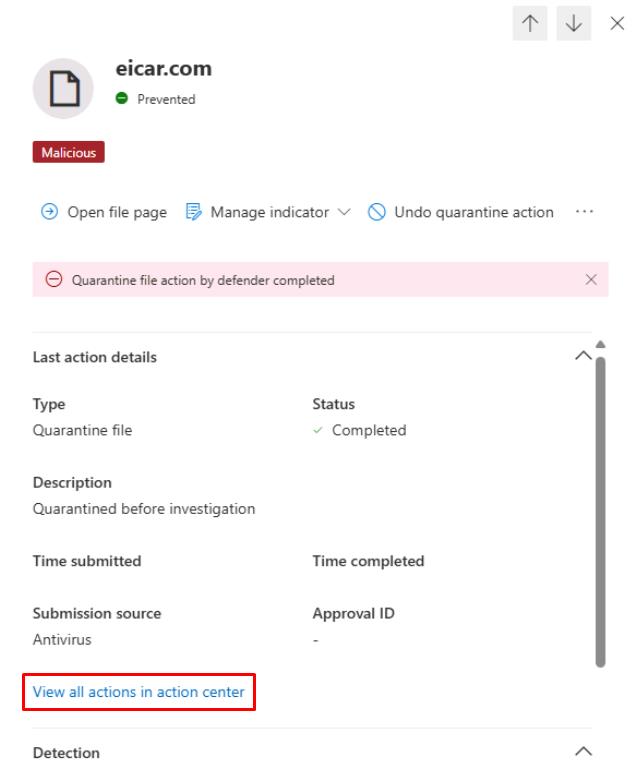
Select the line for eicar.com from the table.
-
In the flyout pane, under the Last action details section, select View all actions in action center.
-
Observe what’s found on the Action Center page, then close the tab to return to the incident.
You could use Tasks or Assign to create follow-up remediation tickets. For example, isolating a device or resetting a user’s password.
You could also use Advanced hunting tables such as DeviceEvents, AuditLogs, EmailEvents, and IdentityLogonEvents.