Task 02: Pilot core ASR rules
Security Architecture Team
-
Document the rules list. Choose “core five” rules (start in Audit):
- Block all Office apps from creating child processes (GUID: d4f940ab-401b-4efc-aadc-ad5f3c50688a)
- Block Office apps from creating executable content (GUID: 3b576869-a4ec-4529-8536-b80a7769e899)
- Block Office apps from injecting code into other processes (GUID: 75668c1f-73b5-4cf0-bb93-3ecf5cb7cc84 (note: no “Warn” mode))
- Block credential stealing from LSASS (GUID: 9e6c4e1f-7d60-472f-ba1a-a39ef669e4b2)
- Use advanced protection against ransomware (GUID: c1db55ab-c21a-4637-bb3f-a12568109d35)
-
Validate OS support (Windows 10/11 and supported Server builds) in the official matrix before rollout.
Security Engineering and Administration
The following scripts require an elevated PowerShell session.
-
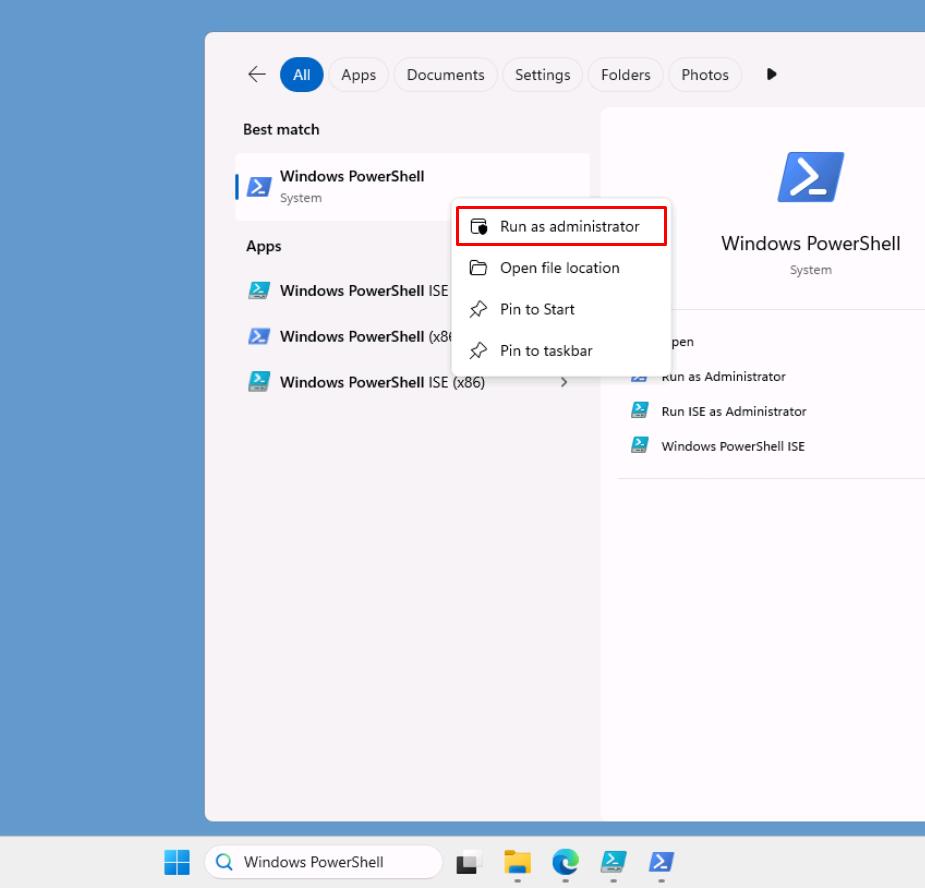
In the VM taskbar’s search box, enter
Windows PowerShell. -
Right-click Windows PowerShell > Run as administrator.
-
In the User Account Control dialog, select Yes.
-
In the elevated PowerShell window, change directories:
cd C:\LabFiles\E3 -
Run the following script with the -Mode parameter set to Audit:
.\blockrules.ps1 -Mode Audit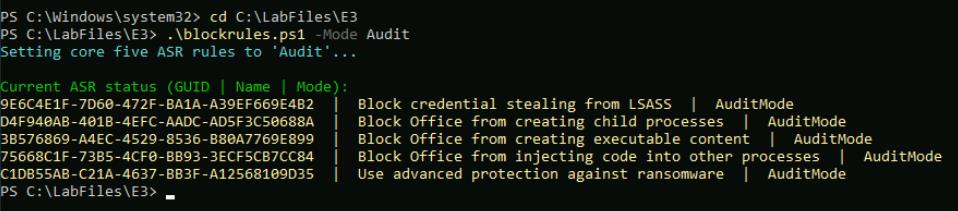
Applies all five core Attack Surface Reduction (ASR) rules in Audit mode by running Set-MpPreference with the value AuditMode. This logs detections for visibility without blocking actions, allowing you to safely validate rule behavior.
-
Run the script with the -Mode parameter set to Block:
.\blockrules.ps1 -Mode Block
Promotes those same five ASR rules to Block (Enabled) by setting the value Enabled. This actively enforces the protections (for example, stops Office child processes, LSASS credential theft, ransomware) across the pilot devices.
-
Run the script with the -ValidateOnly switch:
.\blockrules.ps1 -ValidateOnly
Skips any configuration changes and simply reads and reports the current ASR status. It queries both the Windows Defender registry path and Get-MpPreference, displaying each rule’s GUID, friendly name, and applied mode (Audit, Block, Warn, Disabled, or NotApplied).
SOC Analyst
-
In the leftmost pane, go to Investigation & response > Hunting > Advanced hunting.
-
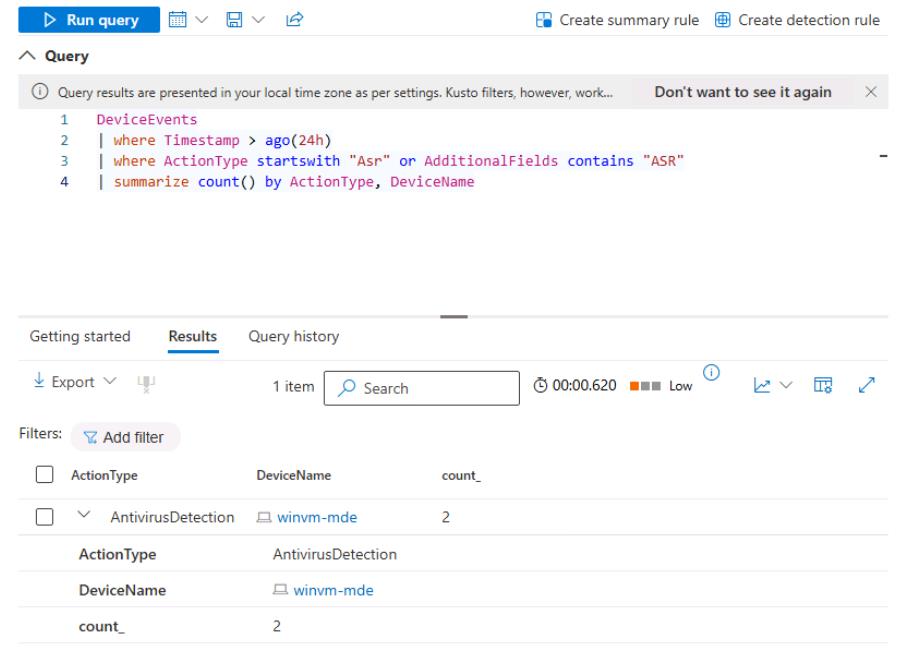
Run the following KQL to spot-check the audit events are arriving:
 DeviceEvents
 | where Timestamp > ago(24h)
 | where ActionType startswith "Asr" or AdditionalFields contains "ASR"
 | summarize count() by ActionType, DeviceName