Task 01: Verify prerequisites and enable Automatic Attack Disruption for a pilot group
Security Architecture Team
01: Pilot scope
-
Define pilot scope: 1 Windows devices (MDE onboarded), 1-2 test users.
-
Guardrails: Device isolation and user containment are allowed.
-
Record success metrics: MTTR, number of auto-containments, and Secure Score deltas.
02: Capture baselines
-
Take screenshots of the Secure score and Incidents page.
-
Take screenshots of Identity and Endpoints dashboards.
Security Engineering and Administration
Turn on required Defender for Endpoint features.
-
In the Defender XDR portal’s leftmost pane, go to System > Settings.
-
Select Endpoints.
-
Ensure the following are both On:
- Enable EDR in block mode
- Automatically resolve alerts
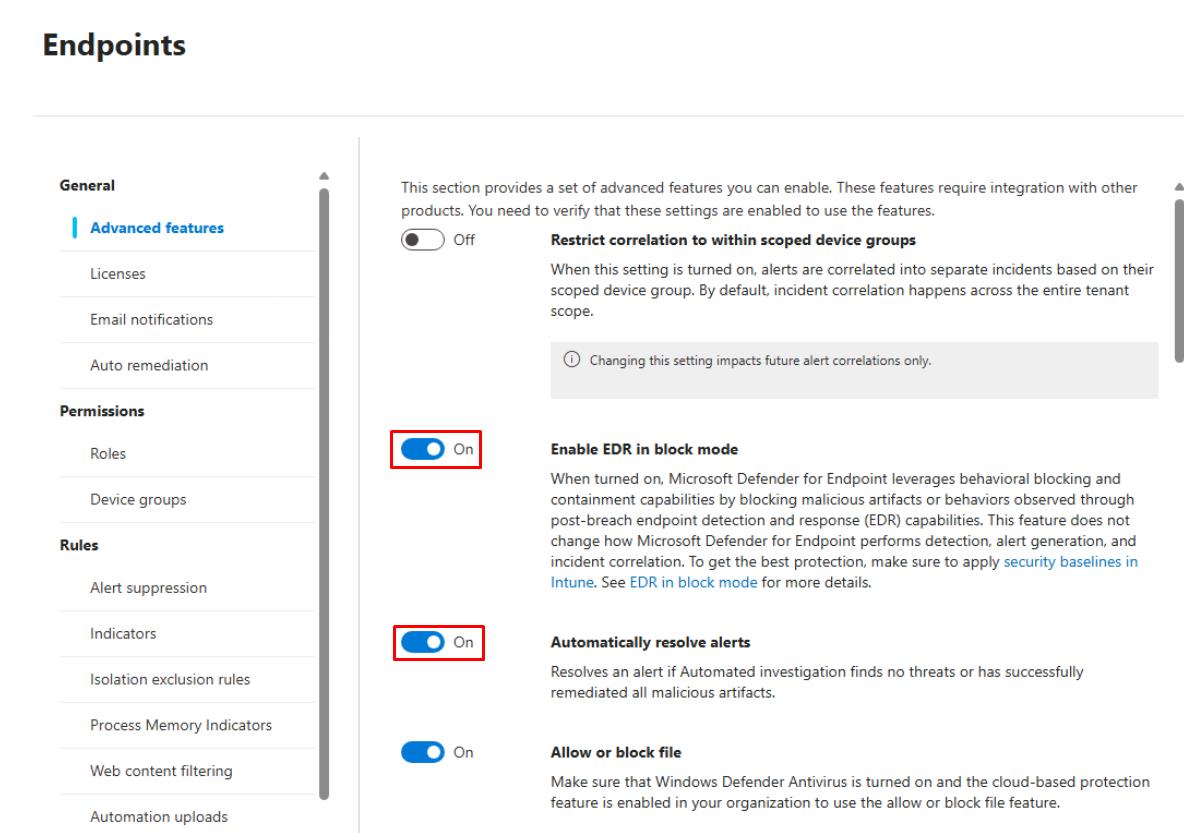
Select Save preferences, if you made a change.
Enable EDR in block mode is required for richer containment/remediation behavior.
SOC Analyst
-
In the Defender XDR portal’s leftmost pane, go to Assets > Devices.
-
Confirm winvm-mde has the following set:
Item Value Onboarding status Onboarded Sensor health state Active 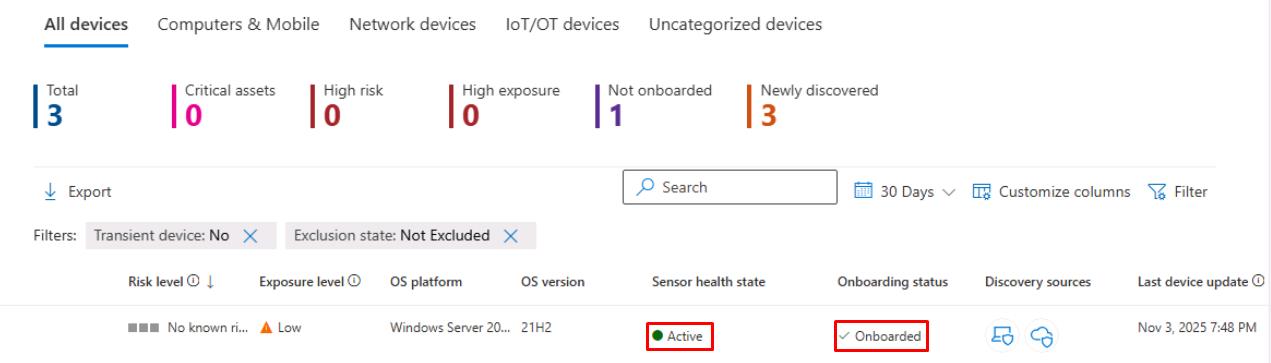
The columns are likely off-screen to the right.